









Updated on April 15, 2025: added TuneFab online Spotify downloader
Updated on August 18, 2025: replaced unavailable options
Updated on October 9, 2025: added a new pick
Updated on March 3, 2026: verified tool availability
Updated on June 22, 2026: retested all listed tools and updated recommendations
Looking for a Spotify to MP3 converter online that actually works? Many websites claim to convert Spotify links to MP3 for free, but in practice, some fail to parse links, limit playlist downloads, bombard users with ads, or deliver incomplete files.
To help you avoid wasting time, we tested 10 online Spotify to MP3 converters using real Spotify song and playlist links. In this guide, you'll find which tools are currently working, what they can actually download, their main limitations, and which options are best for single tracks, playlists, or quick browser-based use.
- Best Online Spotify to MP3 Converters: Verdict Table
- How We Tested Spotify Link-to-MP3 Conversion
- #1. TuneFab Online Spotify to MP3 Converter
- #2. Spotify-downloader
- #3. SpotiDown Free Spotify Downloader
- #4. SpotiSongDownloader
- #5. SpotiCatch
- #6. Spowload
- #7. Downloaderize
- #8. SpotifyMate
- #9. SpoDownloader
- #10. KeepVid Spotify to MP3 Converter
- Common Limits of Free Online Spotify to MP3 Converters
- FAQs About Spotify to MP3 Converter Online
- Final Verdict
Best Online Spotify to MP3 Converters: Verdict Table
Not all online converters work the same way. Some can download playlists, while others only support individual tracks. Some work well on mobile browsers, whereas others are overloaded with ads or fail to parse Spotify links consistently. To help you choose the right tool to effectively convert Spotify to MP3, we tested each converter using real Spotify song and playlist URLs and summarized the results in the table below.
| Tool | Best For | Playlist Support | Mobile-Friendly | Conversion Speed | Ads & Pop-ups |
| TuneFab Online Spotify Downloader | Overall balance | ✔ | ✔ | High | Low |
| Spotify-downloader | Playlist ZIP downloads | ✔ | ✔ | High | Medium |
| SpotiDown | Quick single-song downloads | ✘ | ✔ | High | Medium |
| SpotiSongDownloader | Occasional playlist downloads | ✔ | ✔ | High | Low |
| SpotiCatch | Fast playlist downloads | △ | ✔ | High | Low |
| Spowload | Simple MP3 downloads | ✘ | ✔ | Medium | Low |
| Downloaderize | Built-in search support | ✘ | △ | High | Medium |
| SpotifyMate | Quick link conversion | ✘ | ✔ | High | Medium |
| SpoDownloader | Multiple download methods | △ | ✔ | High | High |
| KeepVid Spotify Converter | Occasional Spotify links | ✘ | ✔ | Medium | Medium |
| TuneFab Spotify Music Converter | More Stable Performances | ✔ | ✘ | High | ✘ |
How We Tested Spotify Link-to-MP3 Conversion
Since many online converters frequently change domains, become unavailable, or limit certain functions, we focused on what actually matters in daily use: whether the tool could successfully parse Spotify links, reliably download content, and deliver a smooth user experience.
Testing Environment
To keep the results as consistent as possible, all tools were tested using publicly accessible Spotify links.
- Device: Laptop and mobile phone
- Browser: Google Chrome (latest version) and Safari
- Network: Stable Wi-Fi connection
- Spotify Content Tested: Individual song, playlist, and album links
For each converter, we attempted to parse Spotify URLs, download content, and verify whether the downloaded files matched the original tracks.
What We Evaluated
Rather than focusing only on advertised features, we evaluated the factors that matter most in real-world use:
- Link Parsing Reliability – Whether Spotify song, playlist, or album links could be recognized consistently.
- Download Completeness – Whether the downloaded file contained the full track instead of a preview, incomplete song, or incorrect audio.
- Playlist Support – Whether playlists could be downloaded, and how practical the workflow was.
- Ads and Redirects – The presence of pop-ups, redirects, waiting pages, or other interruptions during use.
- Output Quality Claims – Whether the downloaded files matched the quality levels claimed by the website whenever verification was possible.
- Metadata Preservation – Whether song title, artist, album information, and cover artwork were retained.
Based on these results, we ranked the tools according to overall usability, reliability, and suitability for different download scenarios.
#1. TuneFab Online Spotify to MP3 Converter
| Online Website | TuneFab Online Spotify to MP3 Converter |
| Supported OS | Web browsers on computer/mobile devices |
| Content to Convert | Spotify singles/playlists/albums |
| Batch Conversion | Yes |
| Output Bitrate | Up to 320kbps |
| Ads | No |
| Stability | Medium |
| Rating | 4.8/5 |
TuneFab also offers a Spotify web converter to MP3 that allows you to convert Spotify songs, playlists, or albums as high-quality MP3 files directly through your browser, no software installation needed. During our testing, it delivered parsing results with a success rate of around 90%.
If you download a playlist or album, the entire collection will be packed into a single ZIP file for easy organization later on. Plus, this tool is ad-free and does not require additional extensions, making it one of the safest Spotify to MP3 converters online for everyday use.
TuneFab Online Spotify Downloader Conversion Process
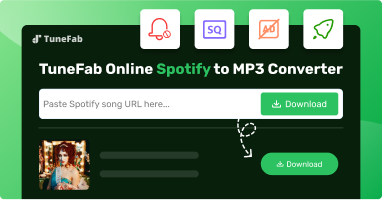
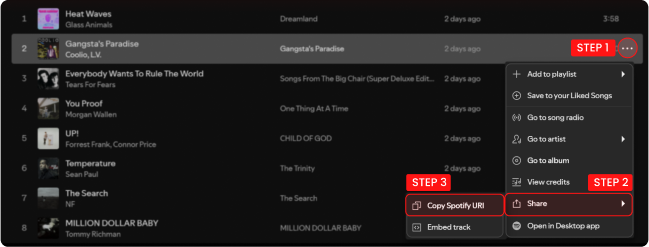
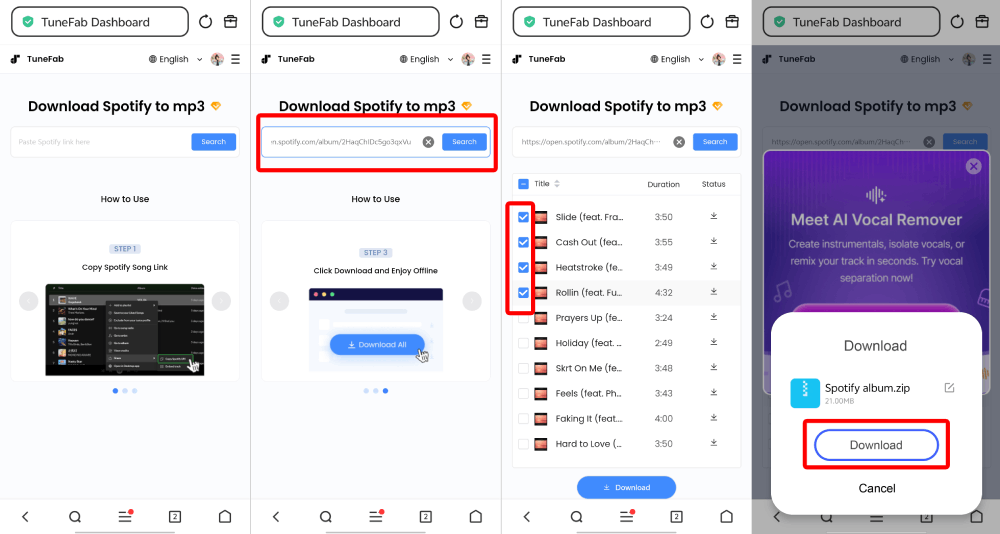
TuneFab Online Spotify Downloader can be accessed at the top of the article or in the TuneFab member center. A small note: batch downloading albums or playlists requires using the member center, which we found a bit tedious but manageable.
We started by copying a Spotify playlist link and pasting it into the search box, which triggered analysis almost immediately. Once the results appeared, up to 10 songs could be selected at a time from the list. After clicking "Download MP3", files are saved directly to the browser's default download folder. Download speed largely depends on network stability. During testing, single tracks downloaded in under 10 seconds, while 10-track playlists took around 2 minutes.
Pros and Cons of TuneFab Online Spotify to MP3 Converter
🙆♀️Pros
- Batch converting Spotify singles, playlists and albums to MP3 in 320kbps quality.
- 100% safe and ad-free.
- Easy to use.
- Preserves full ID3 tags.
🙅♀️Cons
- Batch conversions support up to 10 songs at a time.
#2. Spotify-downloader
| Online Website | Spotify downloader |
| Supported OS | Web browsers on computer/mobile devices |
| Content to Convert | Spotify singles, playlists, albums |
| Batch Conversion | Yes |
| Output Bitrate | 320kbps |
| Ads | Yes |
| Stability | Medium |
| Rating | 4.5/5 |
| Detailed Review | SpotifyDownloader Review: Is it the Best Spotify Downloader? |
Spotify-downloader is another free Spotify to MP3 converter online that support handling single tracks, albums, and playlists. In our testing, conversion quality reached 320kbps MP3, and ID3 metadata was preserved.
Surprisingly, when I got tired of copying links from the Spotify app or web player, I discovered this online Spotify converter also provides a browser extension for Chrome, Maxthon, Dolphin, UC, XBrowser, and Kiwi. Once you install the plug-in in your browser, you can easily convert Spotify songs to MP3 from the Spotify web player. However, the website contains frequent pop-ups and redirect ads, posing security risks.
Spotify-downloader Conversion Process
Spotify-downloader follows a typical copy-and-paste workflow: Copy a Spotify song or playlist link from the app, then navigate to the Spotify-downloader website. Paste the link into the input field and hit "Submit" to trigger the parsing process, which took a few seconds for single tracks and a bit longer for playlists. The results appeared clearly, with download buttons under each track title.
When downloading albums or playlists, tracks are packaged into a ZIP file. This makes batch saving convenient, although extraction is required afterward. Before the final download, a short advertisement (around 15 seconds) must be watched. While manageable, it does interrupt the flow slightly.
Pros and Cons of Spotify Downloader Online
🙆♀️Pros
- Able to batch convert Spotify singles, playlists, and albums to MP3
- Support saving all ID3 tags
- Convert Spotify to a high bitrate of 320kbps
- Offer a helpful browser extension for one-click conversion.
🙅♀️Cons
- Some songs will fail to convert
- Doesn't support other output formats and quality
- Force to watch ads before saving songs
- Include intrusive ads.
#3. SpotiDown Free Spotify Downloader
| Online Website | SpotiDown Free Spotify Downloader |
| Supported OS | Web browsers on computer/mobile devices |
| Content to Convert | Spotify singles |
| Batch Conversion | No |
| Output Bitrate | Up to 320kbps |
| Ads | No |
| Stability | Medium |
| Rating | 4.4/5 |
SpotiDown Free Spotify Downloader offers a free way to convert and download high-quality Spotify music into MP3 format, by your browser of computers or mobile devices. You don't need to download the Spotify app or sign up for a Spotify account. Besides, the downloaded music also retains ID3 information, which is convenient for your devices to organize the files based on different categories.
This online Spotify MP3 converter is relatively stable for single-track downloads. It has no ads and is easy to use. What's more, it doesn't require any of your personal information to log in, as it converts songs with links. However, just like other online services, it can't convert a whole Spotify playlist in one click. Also, adjusting audio formats or the quality of downloaded music isn't supported as well.
SpotiDown Free Spotify Downloader Conversion Process
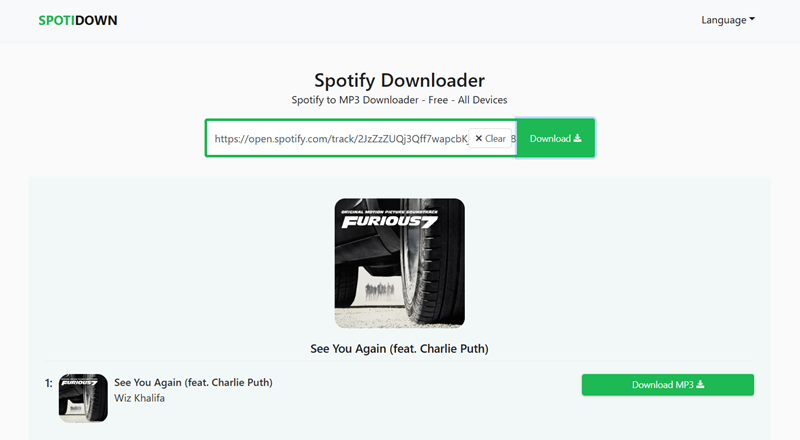
This online Spotify to MP3 converter features a minimal interface with just a text input box, making it easy to use.
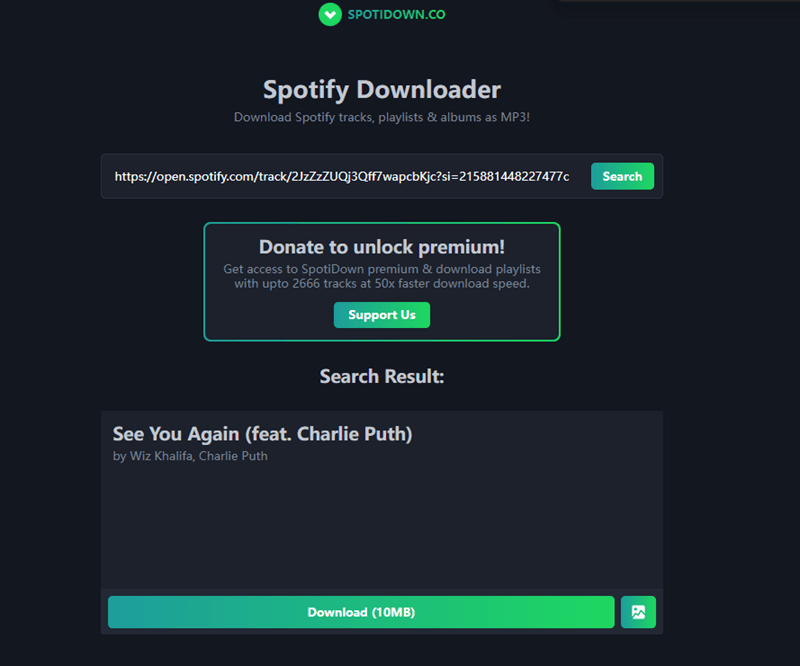
During testing, we copied a Spotify track link, visited the SpotiDown page, pasted the URL into the input field, and clicked "Download". The tool responded quickly, and the selected track appeared within just a few seconds. After clicking the "Download" button next to the song, the MP3 file was saved directly to the browser's default download folder, with no extra prompts or ads (a nice touch compared to Spotify-downloader).
However, we did run into some consistency issues. Out of the five links we tried, two failed to parse successfully. This may be because its server is a bit unstable at times.
Pros and Cons of this downloader
🙆♀️Pros
- Free and easy to handle.
- Clean interface with no ads.
- Keep the ID3 information.
- Its converting efficiency is relatively high and stable.
🙅♀️Cons
- Only download Spotify singles.
- Does not support batch conversion.
- Offer no customizable output formats or quality options.
#4. SpotiSongDownloader
| Online Website | SpotiSongDownloader |
| Supported OS | Web browsers on computer/mobile devices |
| Content to Convert | Spotify singles |
| Batch Conversion | Yes |
| Output Bitrate | Up to 320kbps |
| Ads | Yes |
| Stability | Medium |
| Rating | 4.4/5 |
Developed by YT Saver, SpotiSongDownloader offers a straightforward and efficient way to convert Spotify songs to MP3 online. Users can save favorite tracks, albums, and playlists in 320Kbps MP3 or the original 128kbps M4A for offline listening. Moreover, it does not require a Spotify Premium account.
It is worth mentioning that it features a Spotify to MP3 ZIP downloader for saving entire playlists in a single action. However, the free version is restricted. During testing, only 2 songs per day could be downloaded without registration. For those wishing to access full playlists or albums, a paid plan starts at $7.99/month and account login are required.
SpotiSongDownloader Conversion Process
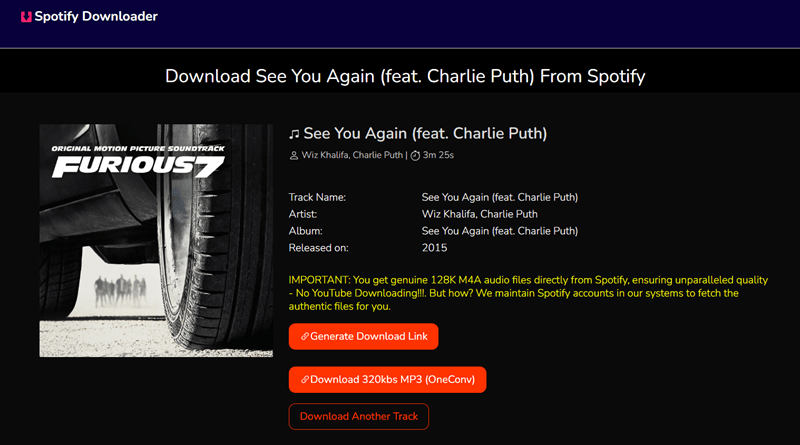
SpotiSongDownloader automatically begins fetching track information once a Spotify link is pasted. For single tracks, it provides a "Generate Download Link" option, while playlists can be exported as a ZIP archive.
Output quality can be selected from a drop-down list from 64kbps to 320kbps. During testing, generation time was moderate, typically under 20 seconds. In cases where the download did not begin automatically, the additional "Click here if download not started" option functioned as a fallback. The overall performance was acceptable for shorter playlists but slowed slightly with larger collections.
Pros and Cons of SpotiSongDownloader
🙆♀️Pros
- Able to parse the link of a single song or a playlist from Spotify.
- Easy to use.
- Support 64kbps ~ 320kbps output quality selections.
🙅♀️Cons
- Require login and payment for converting entire Spotify playlists/albums.
- Free batch download limited to 2 Spotify songs per day.
#5. SpotiCatch
| Online Website | SpotiCatch |
| Supported OS | Web browsers on computer/mobile devices |
| Content to Convert | Spotify singles, playlists, albums |
| Batch Conversion | Yes |
| Output Bitrate | 128kbps |
| Ads | No |
| Stability | High |
| Rating | 4.5/5 |
SpotiCatch is a browser-based Spotify to MP3 converter that supports downloading Spotify songs, playlists, and albums without requiring software installation. Simply paste a Spotify link into the search box, and the tool will fetch the available tracks for download.
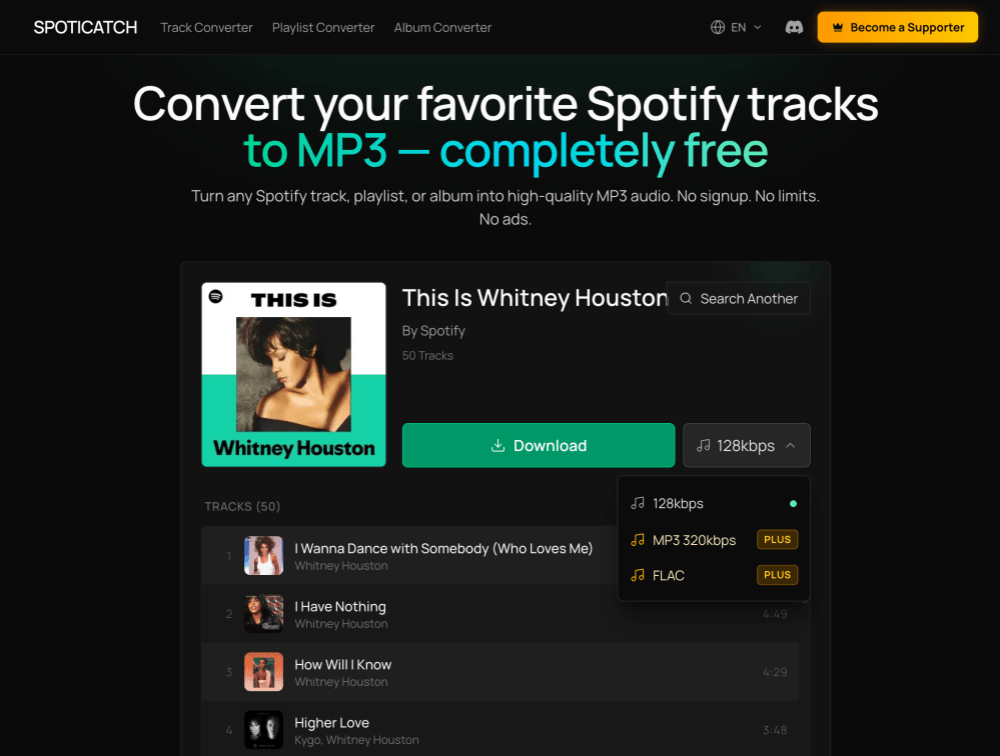
Compared with many free Spotify downloaders, SpotiCatch stands out for its playlist support and relatively clean user experience. During our testing, it successfully loaded complete playlist contents and allowed us to download tracks in a ZIP package. The free version currently exports MP3 files at 128kbps and works on both desktop and mobile browsers.
SpotiCatch Conversion Process
We pasted Spotify song, playlist, and album links into SpotiCatch and clicked "Convert." The tool successfully parsed them and displayed the available tracks within a few seconds. For playlists, SpotiCatch expanded the full track list and provided a download option for each item.
Once the conversion was complete, the downloaded files were packaged into a ZIP archive. In our test, a playlist containing 50 songs finished downloading in approximately 3 minutes. The downloaded MP3 files retained key ID3 information such as song title, artist name, album name, and cover artwork. The only minor drawback was that the converter's branding appeared in some file names.
👍 Pros and Cons of SpotiCatch
🙆♀️ Pros
- Supports Spotify songs, playlists, and albums.
- Fast playlist processing and ZIP downloads.
- Clean interface with no noticeable ads during testing.
- Preserves ID3 metadata, including album artwork.
🙅♀️ Cons
- The free version only supports MP3 128kbps output.
- Converter branding may appear in some downloaded file names.
- No advanced output settings available.
#6. Spowload
| Online Website | Spowload |
| Supported OS | Web browsers on computer/mobile devices |
| Content to Convert | Spotify singles |
| Batch Conversion | No |
| Output Bitrate | 128kbps |
| Ads | No |
| Stability | Medium |
| Rating | 4.3/5 |
Spowload is a free and easy-to-use online Spotify to MP3 converter that lets you download tracks in 128kbps without installing any software. All you need to do is copy the Spotify link, paste it into the Spowload website, and click to generate a download link.
It works directly in your browser, supports both desktop and mobile devices, and does not require registration or payment. In testing, its conversion speed was fast, but playlist downloads were not supported.
Expert Tip: If you find Spowload's 128kbps quality insufficient for your headphones or need to download an entire 100-song playlist at once, a dedicated desktop solution like TuneFab Spotify Music Converter can be a more ideal option.
Spowload Conversion Process
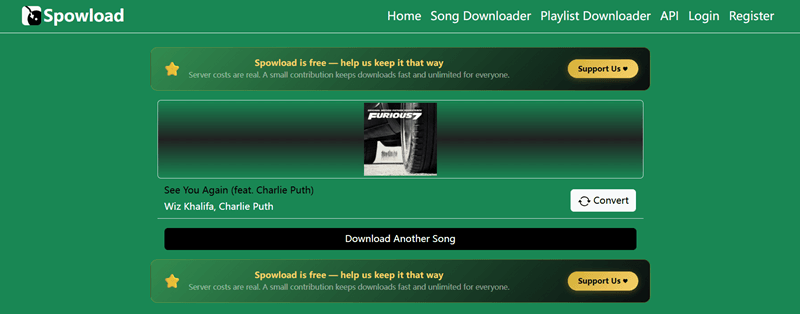
We copied a Spotify song link and opened the Spowload website, pasting the link into the input field and hitting "Start". The interface was uncluttered, so we never felt confused about where to click. The processing time occasionally fluctuated depending on the internet, usually around 10–15 seconds for most tracks. After conversion, the download link appeared on the page to save the MP3 file to our device.
During testing, we also tried Spotify playlist links, but this Spotify to MP3 converter online is not capable of batch conversion.
Pros and Cons of Spowload
🙆♀️Pros
- Simple to use, requiring only three steps.
- No software download required.
- Support preserving ID3 tags (album covers not supported).
🙅♀️Cons
- No support for playlist and album conversions.
- Downloading may be unstable due to the network situation.
- It does not support batch conversion.
#7. Downloaderize
| Online Website | Downloaderize |
| Supported OS | Web browsers on computer/mobile devices |
| Content to Convert | Spotify singles |
| Batch Conversion | No |
| Output Bitrate | 128kbps |
| Ads | Yes |
| Stability | Medium |
| Rating | 4.2/5 |
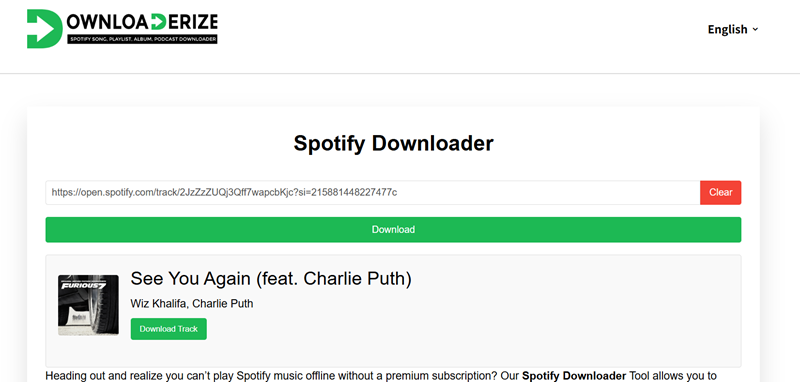
Downloaderize is a browser-based Spotify to MP3 converter. It is one of the few online converters with a built-in Spotify search function, allowing you to find and download Spotify music without leaving the tool.
In my conversion testing, the tool was stable for individual songs. While it claims to support playlists, the test results showed no. Also, the output quality is fixed at 128kbps, with no customization options. If you want to save a specific song from Spotify, then Downloaderize is a viable option. For playlists or albums, opt for an Spotify music converter that supports batch conversion.
Downloaderize Conversion Process
Downloaderize keeps things simple, with a simple process that works for single tracks. We tested it on multiple devices, and it performed consistently on both desktop and mobile browsers.
After pasting the Spotify link into the search bar, click "Download", and the site begins fetching the track info. Once the result appears, the "Download Track" button becomes clickable, allowing to save Spotify music to MP3 online. However, it is a pity that this online Spotify MP3 converter cannot even parse a Spotify playlist link.
Pros and Cons of Downloaderize
🙆♀️Pros
- No account or premium subscription required.
- Easy to use.
- No need to install extra apps.
- Preserves basic ID3 tags
🙅♀️Cons
- Cannot parse Spotify playlist/album links.
- There are many pop-up ads on the page.
- Low success rate.
- Low trust score. Not reliable or 100% secure.
- Output 128kbps audio files only.
#8. SpotifyMate
| Online Website | SpotifyMate |
| Supported OS | Web browsers on computer/mobile devices |
| Content to Convert | Spotify singles |
| Batch Conversion | No |
| Output Bitrate | 128kbps |
| Ads | Yes |
| Stability | Medium |
| Rating | 4.2/5 |
| Detailed Review | SpotifyMate Review: Almost Everything You Want to Know |
SpotifyMate is one of the best Spotify to MP3 converters that is frequently mentioned in the community. It can download Spotify music without Premium, whether it is a single track or a playlist.
Moreover, it supports Progressive Web App features, letting you add SpotifyMate shortcuts to the home screen on your mobile devices. This makes it easier to start Spotify to MP3 conversion.
Despite its convenience, two things may disappoint you. This tool can only save Spotify music at 128kbps, which leads to noticeable sound loss. Additionally, its "Download Playlist" button is highly unreliable. During testing, it only successfully initiated a conversion once out of five attempts.
SpotifyMate Conversion Process
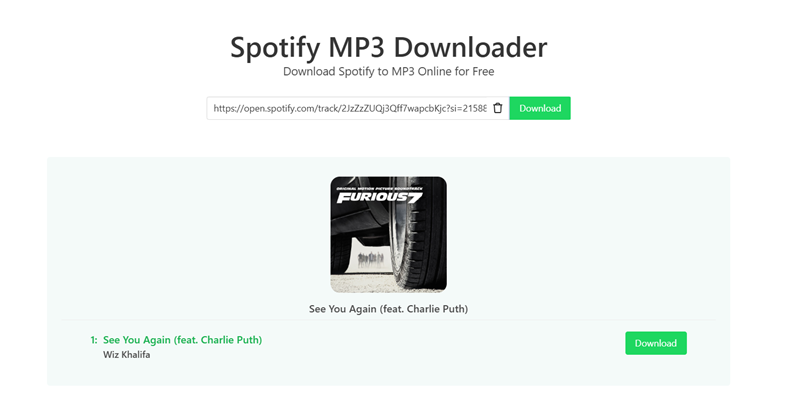
SpotifyMate is user-friendly and straightforward, with a process that's easy to follow even if you are new to this Spotify music to MP3 converter. We found it reliable for single tracks, though playlists took a bit longer to parse during testing.
In testing, we pasted a playlist link into SpotifyMate's input and clicked "Download". The analysis process started quickly. After around 3 seconds, all download buttons were listed. When clicking "Download" for single tracks, the online Spotify to MP3 conversion process was smooth and fast. However, its "Download Playlist" did not respond during testing.
Pros and Cons of SpotifyMate
🙆♀️Pros
- No need to install software
- Easy to use
- Keep ID3 tags for the MP3 song downloads.
🙅♀️Cons
- Only save music at 128kbps
- Unable to convert Spotify playlists to MP3 frequently
- Sometimes stuck in the parsing process.
#9. SpoDownloader
| Online Website | SpoDownloader |
| Supported OS | Web browsers on computer/mobile devices |
| Content to Convert | Spotify singles |
| Batch Conversion | No |
| Output Bitrate | 128kbps |
| Ads | Yes |
| Stability | Medium |
| Rating | 4.2/5 |
SpoDownloader is a fast online Spotify to MP3 converter tool that parses individual song, album, and playlist links quickly and retains basic ID3 metadata after conversion.
Keep in mind, though, it does not support batch downloading, so you will need to download each song manually. Moreover, this converter only offers average sound quality, with a maximum bitrate of only 128kbps. If you need Spotify lossless, SpoDownloader may not meet your expectations.
Additionally, there's another issue that is puzzling: After testing several songs, almost none of them were full-length. A song over four minutes long was only downloaded as a two-minute clip.
SpoDownloader Conversion Process
After pasting the link into the search box and clicking "Start", SpoDownloader will perform a quick scan of the track's metadata. However, this is just the beginning. You still need to click the "Get Download" button to initiate the actual parsing process, which takes a bit of time to complete. Once the download option becomes available, simply click "Download MP3" to complete the conversion.
However, this web-based Spotify to MP3 converter does not support batch downloads and can only process one track at a time. Even if you paste a playlist link, you will still need to convert each song manually, one by one.
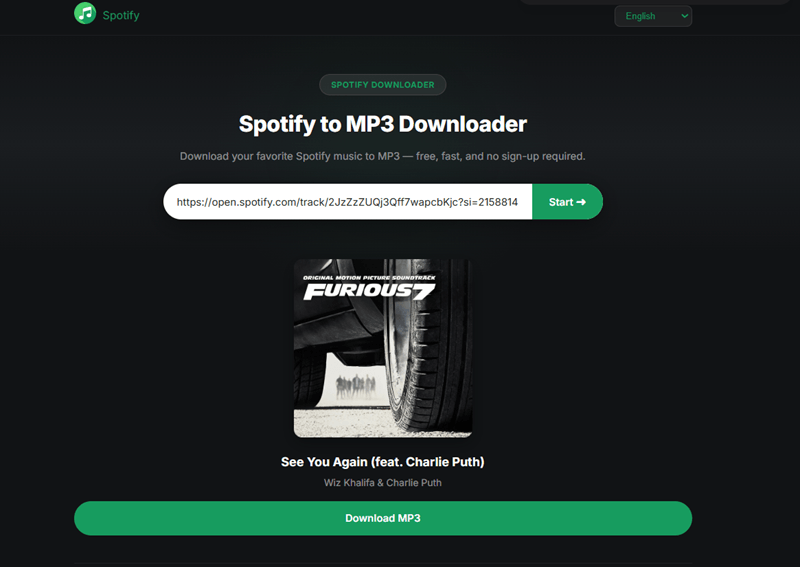
Step 3. When the download is prepared, click on "Download MP3" and the song will be downloaded immediately to the download folder of your browser.
Pros and Cons of Spotify MP3 Downloader
🙆♀️Pros
- Easy to use
- Ensure fast Spotify to MP3 conversions online
- Able to parse Spotify album and playlist links
- Preserves original ID3 tags (Not include album cover)
🙅♀️Cons
- Can't batch download a playlist or album
- Sometimes fail to download the entire song
- Ads appear after downloading songs
- Limit to 128kbps output quality
#10. KeepVid Spotify to MP3 Converter
| Online Website | KeepVid Spotify to MP3 Converter |
| Supported OS | Web browsers on computer/mobile devices |
| Content to Convert | Spotify singles |
| Batch Conversion | No |
| Output Bitrate | Up to 120kbps |
| Ads | No |
| Stability | Low |
| Rating | 4.0/5 |
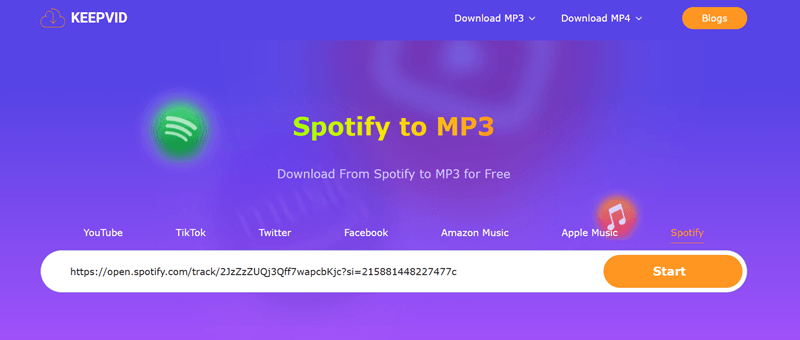
KeepVid is a platform that claims to provide an online service to convert songs from Spotify, Apple Music, Amazon Music, etc., to MP3. With its online Spotify to MP3 converter, you can get Spotify music as local files in a short time. Unlike other online sites, this Spotify website converter provides a clean and secure interface during testing, with no visible pop-up ads.
However, it's a pity that not all songs from Spotify can be successfully parsed. It randomly parses songs and converts them to MP3 in lossy bitrates. But still, it may serve as a backup option when other tools fail.
KeepVid Spotify to MP3 Converter Conversion Process
KeepVid is a multi-platform online downloader that supports content from Spotify, Apple Music, Amazon Music, and several other streaming services. Unlike tools built specifically for Spotify link conversion, KeepVid takes a broader approach, which makes it useful as a general-purpose downloader but also means its Spotify support is less specialized.
During our testing, the website provided a relatively clean experience with no noticeable pop-up ads. However, Spotify link parsing was less consistent than with higher-ranked tools, and some tracks could not be successfully processed. Because of its broader focus and mixed Spotify performance, we consider KeepVid more of a backup option than a primary Spotify to MP3 converter.
Pros and Cons of KeepVid
🙆♀️Pros
- Provide a free Spotify to MP3 converter online.
- No login required.
- Also work for multiple streaming services.
🙅♀️Cons
- No batch support.
- Offer 120kbps output quality only.
Common Limits of Free Online Spotify to MP3 Converters
While online Spotify to MP3 converters are convenient for occasional downloads, most free tools share a few common limitations. During testing, we frequently encountered issues such as playlist restrictions, inconsistent link parsing, download failures, ads, and audio quality claims that were difficult to verify. Since many of these services rely on third-party sources, their availability and performance can also change without notice.
What If Online Spotify Converters Stop Working?
If online Spotify converters stop working, fail to parse playlists, or become overloaded with ads, a desktop-based tool can provide a more stable alternative. Unlike browser-based converters, desktop software is typically better suited for large playlists, batch downloads, and long-term use.
One example is TuneFab Spotify Music Converter, which uses a built-in Spotify web player and supports downloading Spotify songs, albums, playlists, podcasts, and artist libraries without relying on online conversion websites.
| Feature | Online Spotify Converters | TuneFab Spotify Music Converter |
| Installation Required | No | Yes |
| Best For | Occasional downloads | Frequent or long-term use |
| Playlist Support | Varies | ✔ |
| Batch Conversion | Limited | ✔ |
| Output Formats | Usually MP3 only | MP3, M4A, WAV, FLAC and more |
| Audio Quality Control | Limited | Up to 320kbps |
| Ads & Redirects | Common | None |
| Stability | Depends on website availability | More consistent |
For quick, one-off downloads, an online Spotify to MP3 converter is usually the simplest option. However, if you regularly download playlists, need more reliable performance, or find that online tools stop working, a desktop solution may be worth considering.
👀 You May Also Like:
FAQs About Spotify to MP3 Converter Online
Are Spotify to MP3 Converters Online Safe and Legal?
Whether an online Spotify to MP3 converter is legal depends on local laws and how the downloaded files are used. In general, converted files should only be used for personal, non-commercial purposes. Spotify Premium downloads are for in-app offline listening and do not mean you own the audio files. Avoid redistributing, uploading, or using downloaded music commercially unless you have the necessary rights.
Additionally, laws vary by country, but in general, online Spotify to MP3 converters should only be used for personal, non‑commercial purposes. Always check your local regulations to stay on the safe side.
Why Do Some Spotify Links Fail to Convert?
Online Spotify converters rely on third-party databases and parsing technologies, which do not always recognize every Spotify URL. Songs, playlists, albums, or podcasts may fail to load if the tool is outdated, temporarily unavailable, or unable to match the content in its database.
Can Online Spotify Converters Download Playlists?
Some online Spotify converters support playlist downloads, but many only handle individual tracks. Even among tools that claim playlist support, limitations such as download caps, ZIP packaging, or incomplete playlist parsing are common. If playlist downloads are important, it's worth checking real-world testing results before choosing a tool.
Do Online Spotify Downloaders Really Offer 320kbps?
Not always. While some websites advertise 320kbps downloads, the actual audio quality can be difficult to verify because most online converters do not disclose their audio sources. In our testing, many tools only provided 128kbps files despite making higher-quality claims.
Can Online Spotify Converters Download Spotify Podcasts?
Some online Spotify converters may support podcast links, but podcast conversion is usually less stable than song or playlist downloads. Before choosing a tool, check whether it was tested with real Spotify podcast links and whether the downloaded file is complete.
Final Verdict
The best Spotify to MP3 converter online depends on what you need to download. If you're looking for an overall balance of usability, playlist support, and a clean experience, TuneFab Online Spotify Downloader remains one of the strongest options we tested. For playlist downloads, Spotify-downloader and SpotiCatch performed particularly well, while SpotiDown is a solid choice for quickly downloading individual tracks.
That said, no online Spotify converter is perfect. Parsing failures, playlist limitations, ads, and inconsistent audio quality are still common across many free tools. If your preferred converter stops working, trying an alternative from this list is often the quickest solution.
Also, you can try TuneFab Desktop Version for More Reliable Performances.