

Streaming is great, but nothing beats offline playback, especially if you have an unstable network. It is no surprise to see so many users looking for the best MP3 downloader to save tracks from Spotify, YouTube, Apple Music, or other streaming services for local backups.
Fortunately, there are still several tools that can help, depending on your device and source platform. In this 2026 guide, we compare 6 popular MP3 music downloaders across desktop software, online sites, and mobile apps, evaluating their download stability, output quality, overall user experience, and more.
- Quick Look: Best MP3 Downloaders for PC and Phone
- How We Tested These MP3 Music Downloaders
- Best MP3 Music Downloaders for Windows/Mac
- Best MP3 Download Sites Online
- Best MP3 Downloader Apps for Android and iPhone
- Is It Safe and Legal to Use an MP3 Downloader?
- FAQs About MP3 Music Downloads
- Final Verdict
Quick Look: Best MP3 Downloaders for PC and Phone
So, which MP3 music download tool is right for you? To save you time, here is a quick summary.
| Product | Platform | Best for | Supported Sources | Safety & Ad Risk | Output Quality | Batch Conversion |
| TuneFab All-in-One | Windows/Mac | Batch high-quality MP3 audio downloads with stable performance. | Spotify, Apple Music, YouTube Music, etc. | Low risk; no bundled ads detected in testing | 320kbps | ✔️ |
| VideoHunter | Windows/Mac | Bulk audio/video to MP3 downloads from 1000+ sites. | 1000+ streaming sites | Low risk; no bundled ads detected in testing | 320kbps | ✔️ |
| MP3 Juice | Online | Quickly search and download a single track from YouTube to MP3 | YouTube | Ads and redirect pages may appear | 192kbps | ❌ |
| AceThinker | Online | Occasional link-based conversion | 1000+ streaming sites | No pop-ups, but contains misleading download buttons | 128kbps | ❌ |
| Audiomack | Android/iOS | Legal MP3s for streaming and offline playback | Internal library | Ad-free for premium users | 160kbps | ❌ |
| Fildo | Android | Android users looking for an MP3 downloader APK. | Podcasts & limited music | Heavy in-app ads | Lossy 320kbps | ❌ |
How We Tested These MP3 Music Downloaders
To provide you with a trustworthy guide, we evaluated each MP3 downloader based on practical factors that matter most for everyday users, instead of focusing only on claimed features.
- Download Success Rate: We tested each tool on a 100-track playlist where available and recorded how many tracks actually converted without errors.
- Security and user experience: We checked for bundled adware, pop-up redirects, fake download buttons, and unnecessary permission requests.
- Output formats and audio quality: We compared supported output formats, maximum bitrate, and whether audio quality was preserved after conversion.
- Conversion speed and stability: We measured download speed, batch processing performance, and conversion stability during playlist downloads.
- Ease of use and device compatibility: We considered how easy each tool is to use, including interface design, installation process, supported operating systems, and whether it works smoothly on computers or mobile devices.
Note:
- All tools were tested between February and July 2026.
- We tested the tools under comparable conditions where applicable. For tools that did not support the same playlist or source type, we tested them with the closest supported use case, such as single-track searches, link-based conversions, or available in-app music. Results may vary depending on your device, internet connection, app version, and the source of the music.
- This guide is for informational purposes only. You should know that unauthorized downloading of copyrighted music violates copyright rules.
Best MP3 Music Downloaders for Windows/Mac
After testing 10+ tools, we selected the following 2 desktop options for their security, high efficiency, and high output quality for building an offline music library.
1. TuneFab All-in-One Music Converter (Best for Stable 320kbps MP3 Conversions)
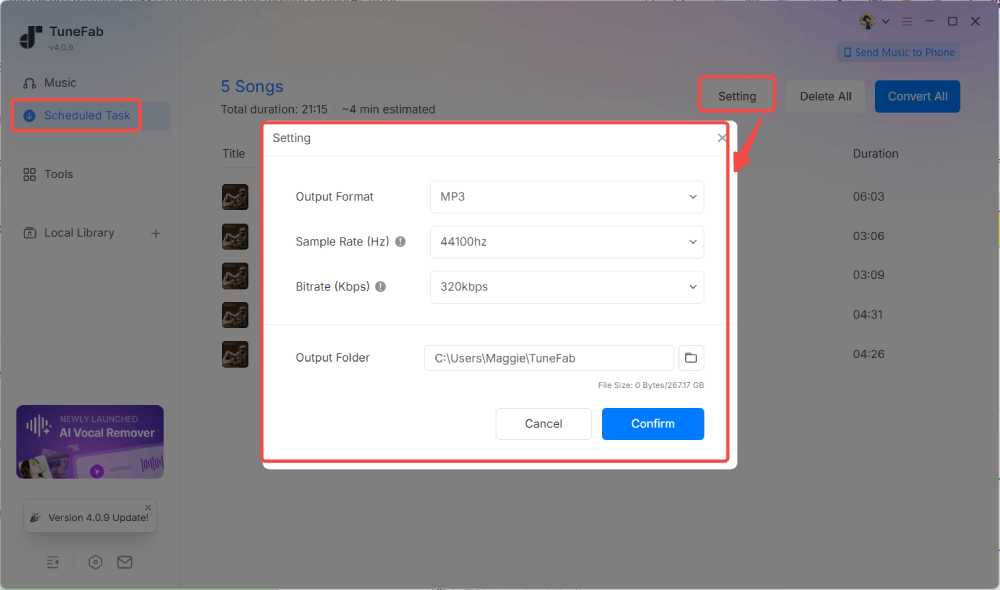
For users looking for a stable desktop MP3 downloader in 2026, TuneFab All-in-One Music Converter is one of the more reliable options we tested. Instead of relying on unstable free MP3 music download sites or low-quality sources, it integrates multi-platform web players directly, providing a seamless way to save music from supported streaming platforms, including Spotify, Apple Music, Amazon Music, YouTube Music, Deezer, and Pandora.
During our test on Windows 11, this download tool successfully converted a 100-track playlist to 320kbps MP3 within about 5 minutes. The process remained stable without crashes, and the output files retained the expected audio quality and ID3 metadata. In our security check, we did not detect bundled software, suspicious behavior, or intrusive ads.
Pros
- Stable desktop performance with fewer interruptions than online services.
- Handles playlist batch conversion with up to 35X faster speed.
- Keeps MP3 output up to 320kbps for offline playback.
- Save original ID3 tags for easier music organization.
- No bundled malware or intrusive ads were detected in our 2026 security test.
Cons
- The free trial only converts 3 full songs.
- Requires installation.
- Better suited for regular users than occasional downloads.
2. VideoHunter (Best for Bulk Audio & Video Downloads)
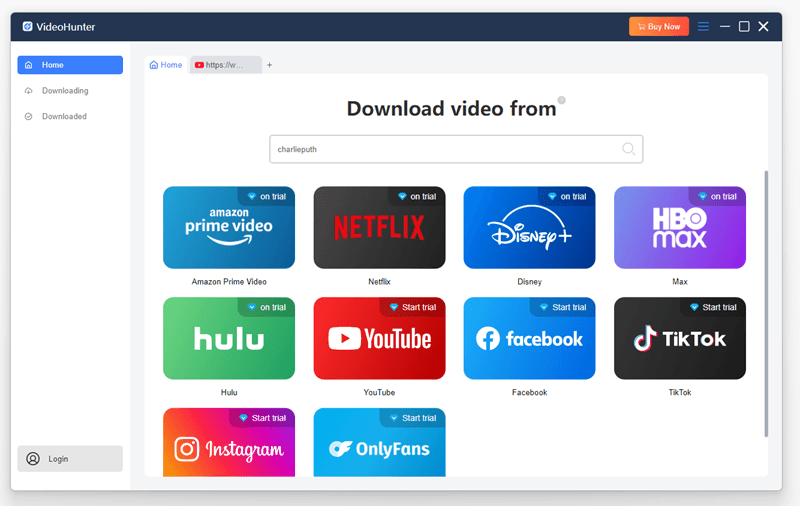
VideoHunter is a versatile tool that supports over 1,000 platforms, letting you download both audio and video. With a built-in browser, it provides a convenient workflow for you to search and download music to MP3 for offline playback with ease.
In our tests, VideoHunter exported MP3 files up to 320kbps and allowed batch downloads at speeds up to 8X, eliminating the need to record streaming audio one by one. It is a practical choice for users who need to download both videos and music files without switching between different tools.
However, we also noticed that this tool supports MP3 only. So if you need a music downloader for FLAC, WAV, or other audio formats, it may not be ideal.
Pros
- Supports batch MP3 music downloads in high quality.
- Supports MP4 video and MP3 audio downloads in one tool.
- Built-in proxy setup to access global music.
Cons
- The free version is limited to 3 MP3 downloads per day.
- Offers limited support for audio formats.
Best MP3 Download Sites Online
Online MP3 downloaders are convenient because they require no installation and work directly from a browser. However, they usually come with trade-offs, including limited quality options, ads, unstable sources, and fewer batch download features.
These options are better suited for occasional downloads rather than building a large offline music library. Below are 2 frequently mentioned options.
Want more online options? Check out the full list in the guide: Best Free MP3 Download Sites for Further Usage.
3. MP3 Juice Music Downloader (Best for Quick Free Searches)
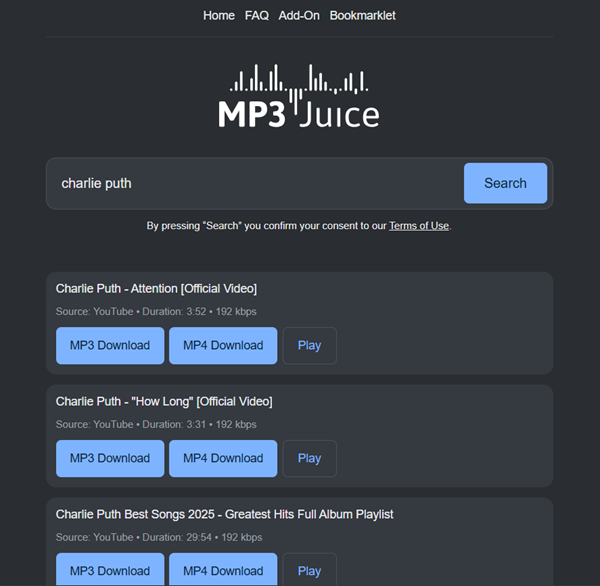
MP3 Juice Music Downloader is one of the most popular free MP3 music download tools online for users who need a quick solution without installing any software. It features an embedded search engine that lets you download MP3 music for free by entering song titles or artist names. However, its music sources are limited to YouTube, so many songs can't actually be found.
During our testing, we found the exported MP3 file was saved at 192kbps only, which is decent for casual listening but may not satisfy audiophiles. We also tried entering the URL of our playlist with 100 tracks, but this MP3 downloader failed to fetch all tracks and returned only the first song. So, it may not be a suitable album downloader if you have a large collection.
Pros
- Completely free to use on all devices with a web browser.
- Simple search process for finding individual MP3 files.
- Quick search and download speed.
Cons
- Frequent domain changes and widespread fake websites.
- Ads may pop up while downloading music.
- Many tracks are missing.
- No quality options to select.
4. AceThinker Free URL to MP3 Converter (Best for Online Downloads via Links)
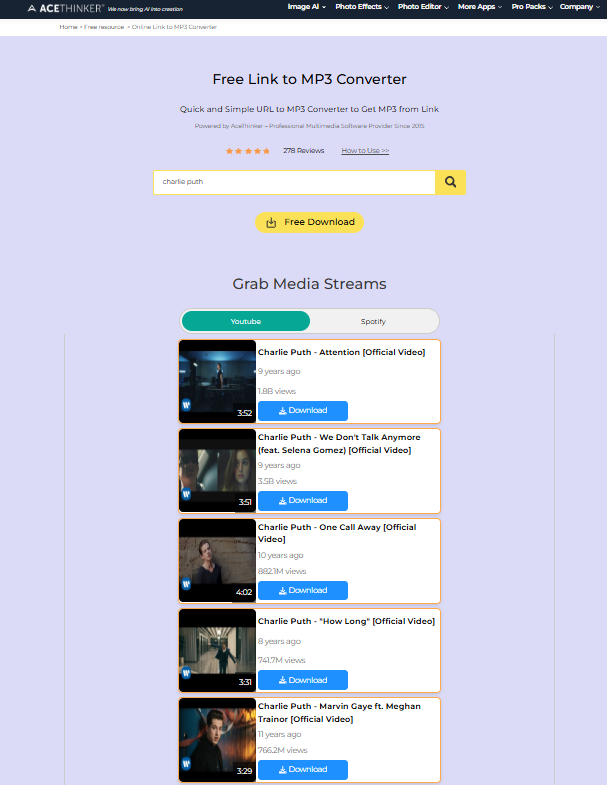
AceThinker Free URL to MP3 Converter is an online tool designed for users who already have a media URL and want a quick way to extract audio.
In our hands-on test, this free MP3 downloader was easy to use and worked well for basic single-link conversions. However, when we pasted a playlist URL, a pop-up appeared prompting us to install the desktop software. Additionally, our MP3 files were capped at 128kbps, resulting in a noticeable quality loss. Overall, we did not encounter intrusive pop-up ads during testing, but the download process still required careful attention because some pages may include additional buttons or redirects.
Pros
- Offers various formats and quality options.
- No intrusive pop-up ads observed in our test.
- Easy and free to use
- Well compatible with different device systems
Cons
- Saves MP3 downloads through the online service at up to 128kbps.
- Inconsistent download performance, leading to occasional failures.
- Does not support playlist batch downloads.
Best MP3 Downloader Apps for Android and iPhone
Music downloader apps are also widely discussed among community users. Having a reliable app can help with offline listening during commuting and traveling. Below are our 2 picks for Android and iOS.
5. Audiomack (Android & iOS)
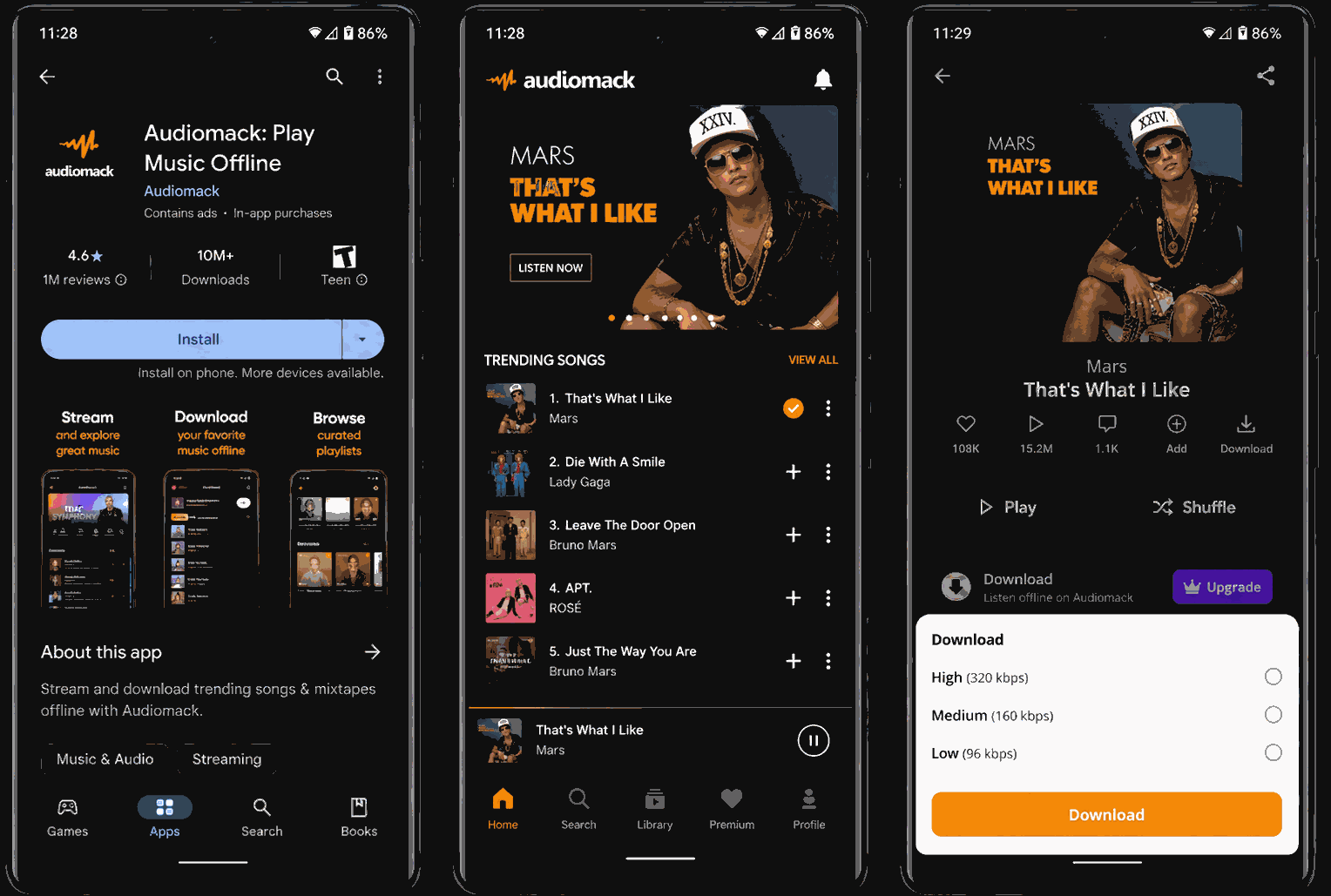
Audiomack is a trending MP3 music downloader available for both Android and iOS devices. The app provides a wide range of music across various genres, allowing you to stream songs online directly. By subscribing to its paid services, you can unlock its download function and save unprotected songs in MP3 format offline legally.
However, we noticed significant limitations: its music library is far smaller than Spotify or Apple Music, with many hot hits missing. As a result, you may not be able to rebuild your entire music library in this app.
Pros
- Supports streaming and downloading music for offline playback in one place.
- Download MP3 music legally on both Android and iOS devices.
- Offers an ad-free experience with a premium subscription.
- Available through the official Google Play Store and Apple App Store.
Cons
- Music library is limited compared with major streaming platforms.
- Unstable performance is reported on some Android systems.
- A premium subscription is required for offline downloads.
6. Fildo APK (Android Only, Use with Caution)
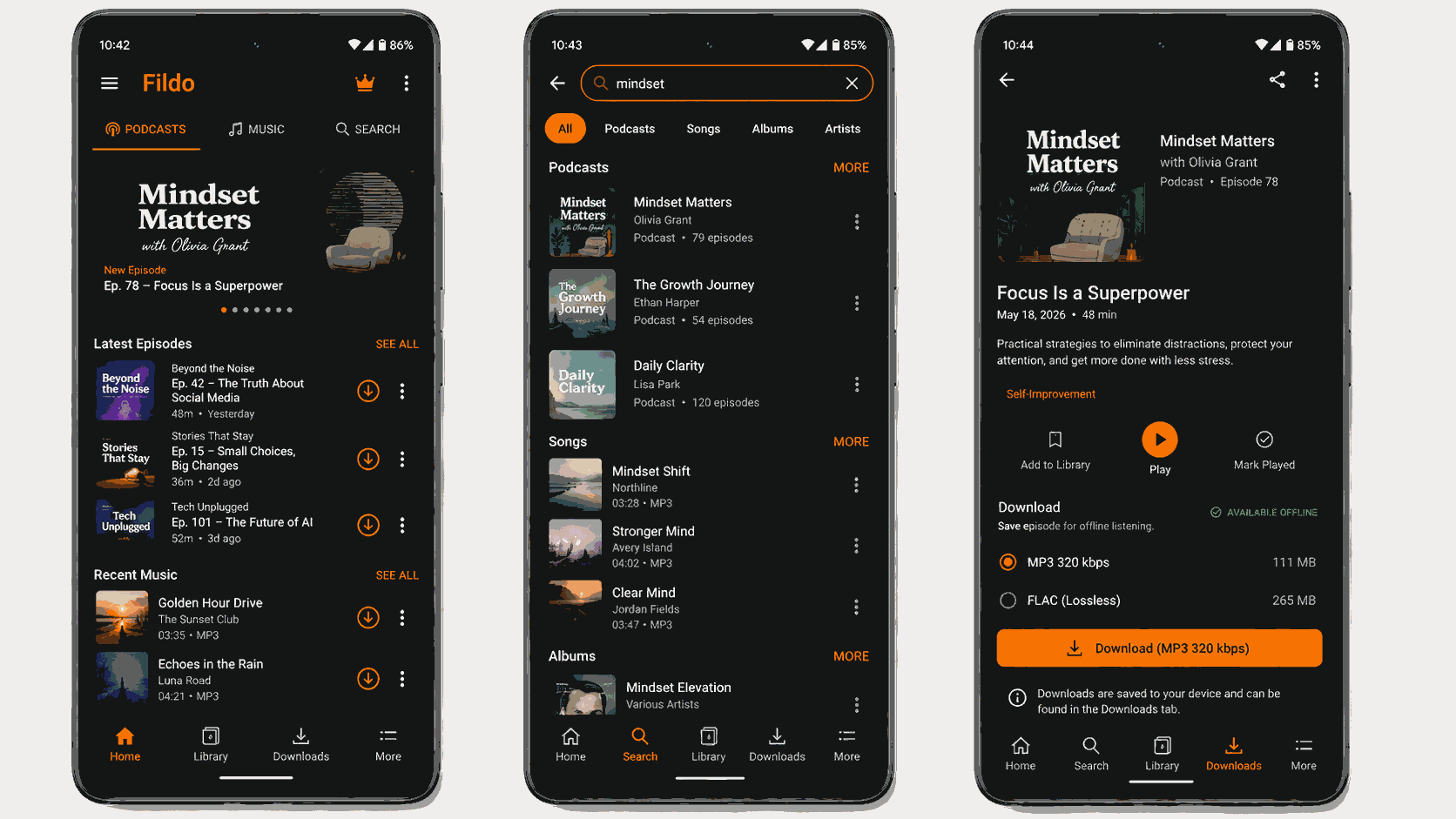
Fildo is an Android APK that advertises MP3 downloads up to 320kbps and FLAC options. It focuses primarily on podcast resources, with some music content available.
It is important to note that this MP3 downloader app is not available on the official Google Play Store, so you will have to get it from third-party sources. This means you should carefully evaluate the download source and potential security risks before installation.
During our practical testing, the app was cluttered with intrusive ads on the screen. Plus, its music library is relatively small. We tested it with several popular tracks, but many of them were unavailable.
Pros
- Supports streaming and downloading music for free.
- Simple interface that is easy to navigate.
- Downloads are generally fast in our test.
Cons
- Fewer music resources than other streaming services
- Not distributed through an official app store, which may raise security concerns.
- Includes on-screen ads.
Is It Safe and Legal to Use an MP3 Downloader?
In general, using one can be safe if you choose a reputable tool and download music from legitimate sources. Also, desktop software from trusted developers is generally more reliable than unknown online sites or unofficial MP3 downloader APKs, which may contain intrusive ads, malware, or fake download buttons.
As for legality, the answer depends on where the music source comes from and how you use the downloaded files. Downloading music that is publicly available, licensed for download, or shared with the copyright holder's permission is generally allowed. In contrast, downloading copyrighted music without permission may violate copyright laws in your country. Please always check the platform's terms of service and applicable local laws before using any MP3 download tool.
FAQs About MP3 Music Downloads
What's the best way to download MP3s legally?
On some official platforms, there are MP3 songs available for direct purchase. For instance, you can go to Amazon Digital to find your favorite tracks and buy MP3s online, then you have the right to download them offline as MP3 files.
Purchasing downloadable MP3 music from an authorized store is one of the clearest legal ways to obtain local audio files. Your use of the files is still subject to the store’s terms and applicable copyright law.
Can you download MP3 songs to computer from streaming services?
Streaming platforms do not provide a direct way to download MP3 songs to computer. To do so, many users choose to use a music converter for PC or audio recording software for music. During our testing, tools with built-in web players showed a significantly higher success rate and better stability compared to traditional MP3 downloader websites.
What is the highest quality MP3 download?
For standard MP3 files, 320kbps is the highest commonly used constant bitrate. Music files are commonly encoded at either 44.1kHz or 48kHz, but a higher sample rate does not automatically mean better sound quality. The result also depends on the quality of the source audio and the encoding process.
Final Verdict
After testing different types of MP3 downloaders, we found that the best choice depends on your needs and devices.
- For stable batch downloads and high-quality MP3 output, TuneFab All-in-One Music Converter is a strong desktop option, supporting up to 320kbps MP3 conversion and ID3 tag preservation.
- If you only need occasional downloads without installing software, online tools like MP3 Juice and AceThinker can handle simple tasks, but they have limitations in quality and stability.
- For mobile users, Audiomack is a better choice for official offline listening on Android and iOS, while third-party APK options may impose potential security risks.
Overall, choose the best MP3 downloader that matches your priority.