

Sidify Amazon Music Converter is one of the most recognized tools for downloading Amazon Music tracks, playlists, and albums as local audio files. It supports popular formats like MP3, FLAC, WAV, AAC, AIFF, and ALAC, while preserving metadata such as song titles, artists, albums, and cover art. Many users praise its ease of use and flexible format options, though concerns about trial limitations, pricing, and long-term conversion stability also appear frequently in public reviews.
To see whether Sidify still deserves its reputation, here is an in-depth Sidify review for you. We tested its free-trial version ourselves and evaluated its installation process, music recognition, output settings, conversion workflow, and exported files. In this review, we'll break down what we could verify firsthand, summarize real user feedback, discuss safety and legal considerations, and provide a better alternative worth considering.
Note: During the testing, we found that Sidify shares a very similar interface, workflow, and feature set with NoteBurner and TunePat. In practical use, the overall experience was nearly identical, so if you're comparing these tools, the following posts will help.
- Quick Verdict: Is Sidify Amazon Music Converter Still Good?
- Is Sidify Amazon Music Converter Free to Use?
- Our Test with Sidify Amazon Music Converter Free Trial
- Sidify Pros, Cons, and Real User Feedback
- Is Sidify Amazon Music Converter Safe and Legal?
- Sidify Alternative: When TuneFab May Be a Better Choice 🔥
- Final Verdict: Who Should Use Sidify?
Quick Verdict: Is Sidify Amazon Music Converter Still Good?
It depends on what you expect from Sidify. Based on our testing, Sidify's interface is clean and beginner-friendly, offering both Amazon Music Web Player and App modes. However, the free trial is extremely restrictive, while the conversion stability and audio quality may fall short if you need a reliable long-term solution.
- Worth trying if: you prefer a simple workflow, want flexible output formats, and only need to evaluate the software's basic functionality before deciding whether to purchase a license.
- You may want to consider alternatives if: you expect full-track testing in the free version, prioritize conversion stability, or care about consistently high audio quality when downloading larger music libraries.
Below, we'll walk through our hands-on testing results, pricing, user feedback, and overall experience to help you decide whether it's the right Amazon Music converter for you.
Is Sidify Amazon Music Converter Free to Use?
Sidify Amazon Music Converter offers a free trial alongside several paid license options. Before purchasing, it's important to understand what the trial version can actually do, and, more importantly, what it can't.
Pricing Plans and License Options
Unlike others, Sidify restricts the trial version to the first minute of each track, which means the free functions more like a product demo than a fully usable downloader. It currently offers several licensing options, ranging from a yearly subscription to a lifetime license. The latest plans listed on the official website are shown below:
| Plan | Price | Key Features |
| 1-Year Plan | $44.95 | 1 license for 1 computer, 1-year free updates, 5-day money-back guarantee, auto-renewal enabled |
| Lifetime Plan | $89.90 | 1 license for 1 computer, lifetime free updates, 30-day money-back guarantee, one-time payment |
| All-In-One Lifetime Plan | $159.90 | Supports several services like Amazon Music, Spotify, Deezer, and YouTube Music, lifetime free updates, 30-day money-back guarantee |
Our Test with Sidify Amazon Music Converter Free Trial
Below, let's delve into the detailed review. You can refer to our experience to decide whether Sidify Amazon Music Converter is worth trying or purchasing.
Our Testing Environment & Evaluations
We tested Sidify Amazon Music Converter on both Mac and Windows devices. To simulate typical usage, we imported a mix of Amazon Music content, including individual songs, albums, and playlists.
Test Setup
- Software Version: Sidify Amazon Music Converter Free Trial (latest version available during testing)
- Operating Systems: macOS 26 & Windows 11
- Amazon Music Account: Amazon account logged in
- Content Tested: Individual songs, albums, and playlists
- Total Tracks Tested: 40 tracks across multiple albums and playlists
- Conversion Modes Tested: Intelligent Mode, Record Mode, and YouTube Mode
Quick Evaluations
- Actually Worked Mode: YouTube Mode only
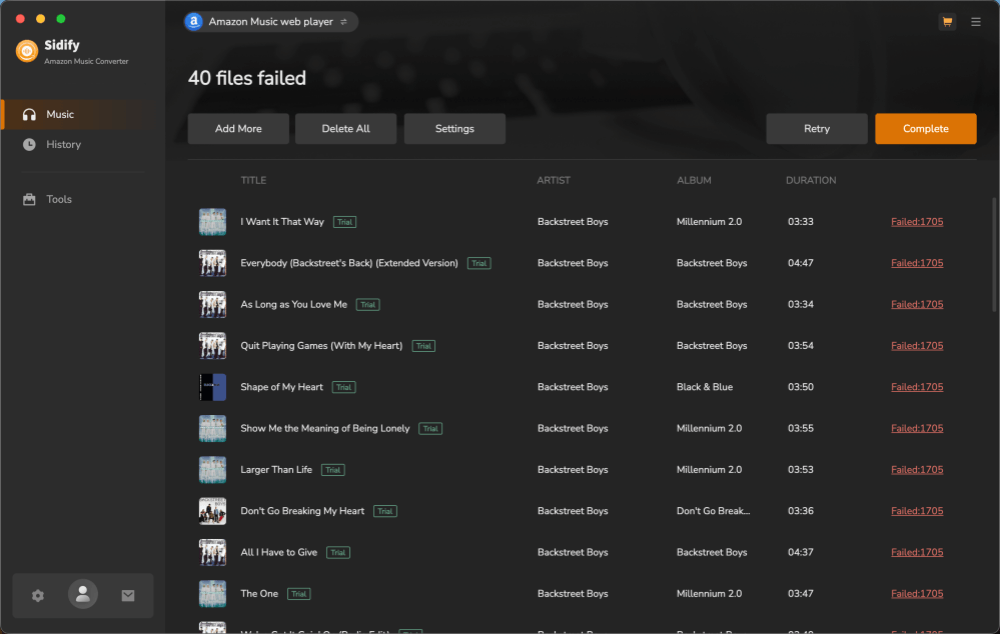
- Conversion Failures: Repeated failed 1705 errors in Intelligent and Record Modes
- Successful Conversions: Only 4 individual tracks were successfully converted
- Conversion Speed: Roughly 2 minutes for just 4 songs
- Metadata Retention: Song information was preserved correctly in successful downloads
Testing Process: Easy Setup, but Disappointing Results
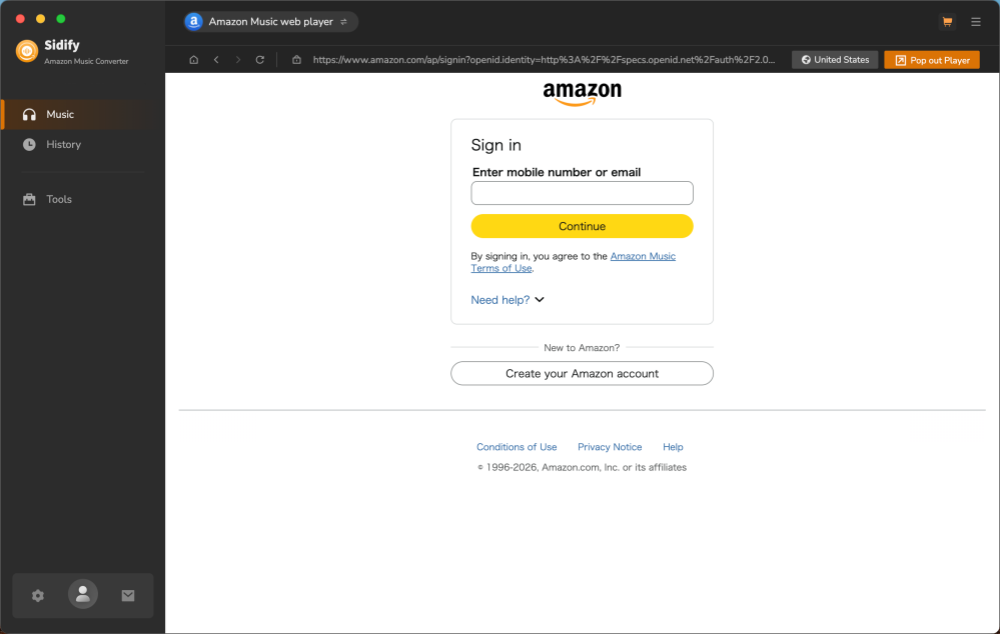
Step 1. After installation, Sidify opened directly into its built-in Amazon Music Web Player interface. The setup process was straightforward, and we only needed to sign in with an Amazon account to begin testing.
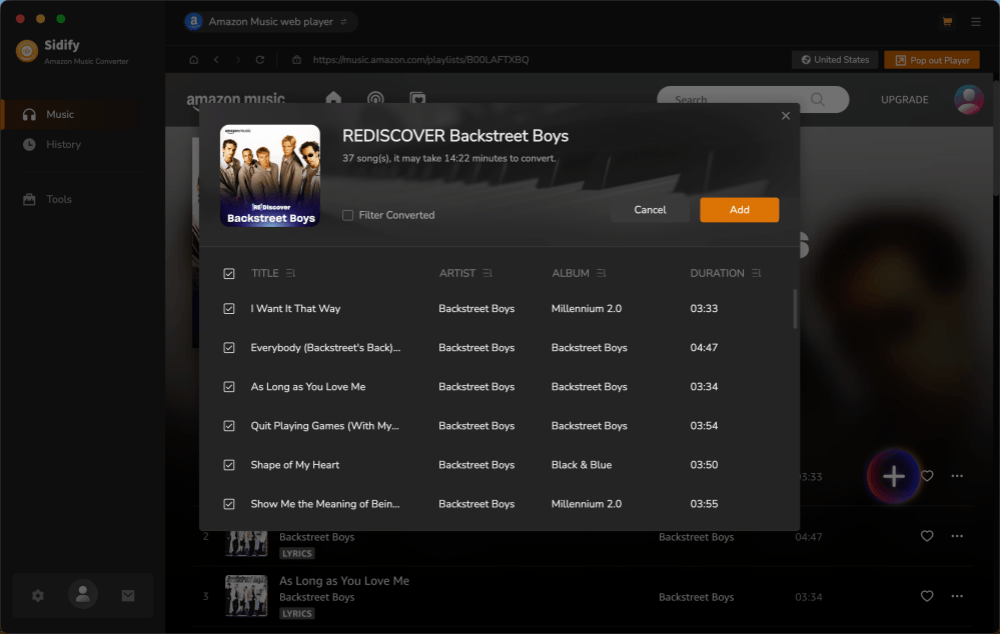
Step 2. After logging in, Sidify displayed the Amazon Music library directly. We searched for several tracks, albums, and playlists, then clicked the "+" button in the lower-right corner to add them to the conversion queue.
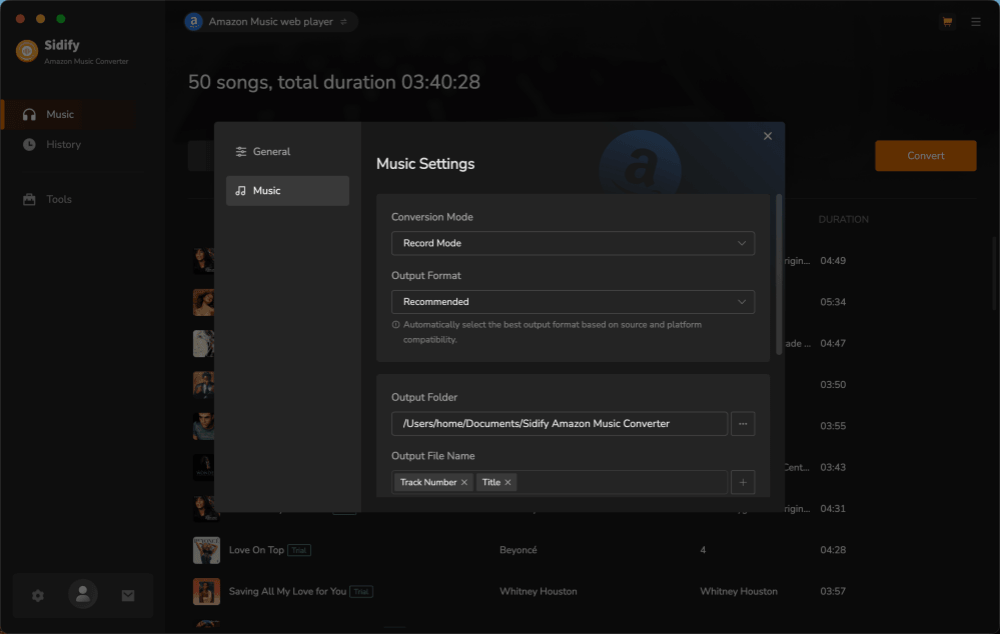
Step 3. In the conversion panel, Sidify lets us customize output formats and choose among conversion modes, including Intelligent Mode, Record Mode, and YouTube Mode. When we clicked the "Convert" button, it immediately displayed a reminder explaining the free trial limits.
Step 4. Unfortunately, our conversion attempts failed with Error 1705, even after switching between different albums and playlists. We retried the process several times on different content, but all with the same errors.
Step 5. After further testing, we were eventually able to convert several individual tracks using YouTube Mode. Even though only one minute of audio was processed, each conversion still took roughly 30 seconds to complete.
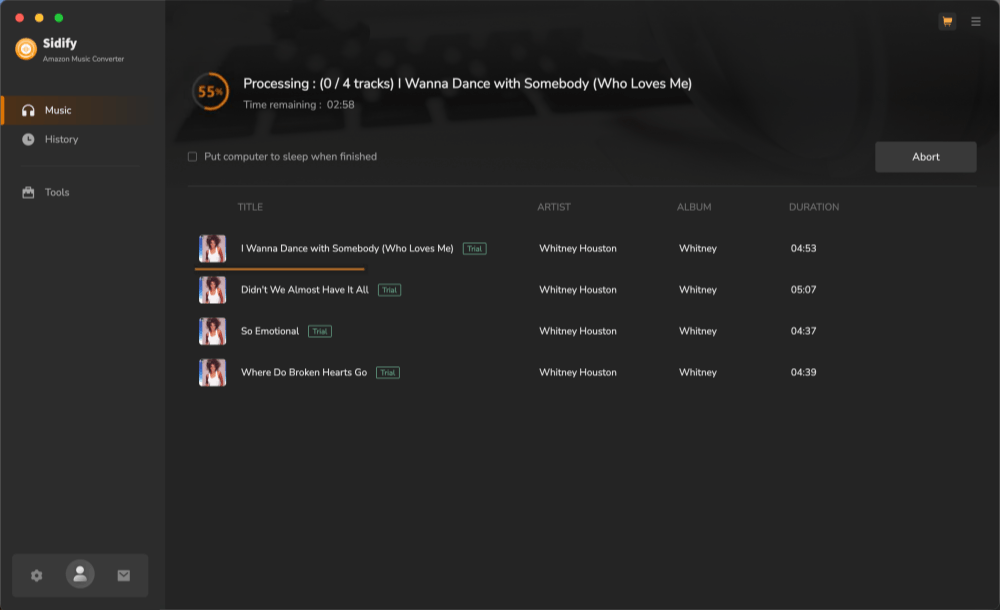
Once finished, all exported files appeared in the "History" section. The ID3 tags were retained correctly, and the file formats matched our selections. However, since the downloads were sourced through YouTube rather than directly from Amazon Music, the listening experience did not stand out in terms of audio quality.
Sidify Pros, Cons, and Real User Feedback
After testing the free trial ourselves and reviewing public feedback from Trustpilot and Reddit, we found that Sidify Amazon Music Converter delivers a mixed experience. While many users appreciate its straightforward design and broad format support, concerns about trial restrictions, conversion reliability, and audio quality appear repeatedly across different sources.
Pros
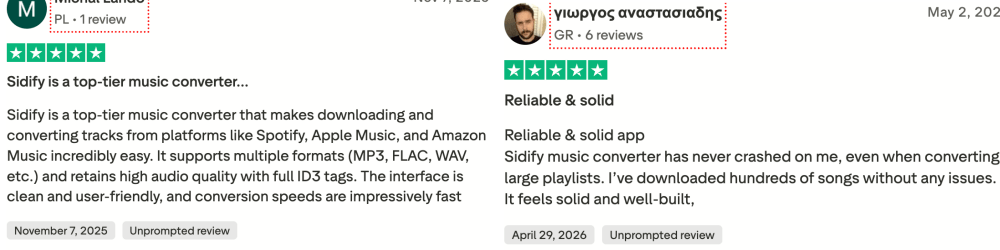
- Clean and beginner-friendly interface. The software is easy to navigate, with a workflow that closely resembles the Amazon Music experience.
- Supports multiple conversion modes. Users can switch between Web Player, App, and alternative conversion modes depending on their setup and needs.
- Wide range of output formats. Sidify supports common formats such as MP3, FLAC, WAV, AAC, AIFF, and ALAC.
- Metadata preservation. Song titles, artists, albums, and cover artwork are generally retained in exported files.
- Positive feedback on usability. Many Trustpilot reviewers describe the software as easy to use, quick to learn, and suitable for users with little technical experience.
Cons
- The free trial is extremely restrictive. Only the first minute of each track can be converted, making it difficult to properly evaluate the software before purchasing.
- Conversion reliability can be inconsistent. During our testing, we encountered repeated conversion failures, and similar complaints can also be found in user reviews.
- Audio quality may not meet expectations. Some users report that exported files sound noticeably less impressive than the original source material, especially when alternative conversion modes are involved.
- Performance can vary after platform updates. Several reviewers mention temporary issues or reduced functionality following major Amazon Music or streaming platform updates.
- Customer support and subscription concerns appear in some reviews. While many users praise the support team, others report frustrations related to refunds, renewals, or troubleshooting experiences.
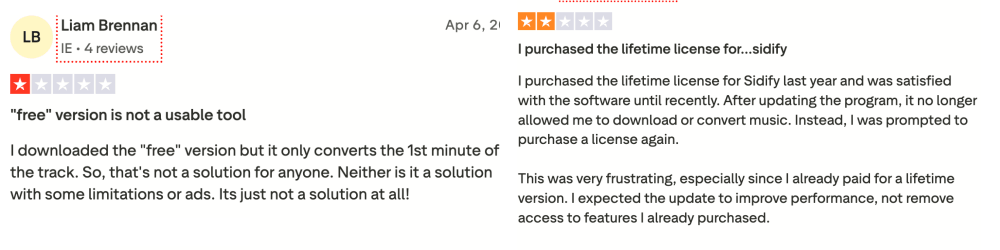
Based on both our testing and public feedback, Sidify's strongest selling points are its user-friendly interface and flexible format support. However, the restrictive trial and inconsistent conversion experience are factors worth considering before committing to a paid license.
Is Sidify Amazon Music Converter Safe and Legal?
Sidify appears to be reasonably safe when downloaded from its official website. During our testing, we didn't encounter malware warnings, bundled software, intrusive ads, or suspicious background processes. Installation was straightforward on both macOS and Windows, and the software behaved like a typical desktop application throughout our evaluation. Avoid cracked versions or installers from third-party download sites.
As for legality, Amazon Music's terms generally do not allow subscribers to keep downloaded content outside the official Amazon Music app. The software itself is simply a tool, but how it is used matters. To avoid potential copyright or licensing issues, any downloaded music should be kept for personal use only and should not be redistributed, shared publicly, or used for commercial purposes.
Sidify Alternative: When TuneFab May Be a Better Choice
While Sidify offers a clean interface and broad format support, our testing revealed several limitations that may affect the overall experience. The free trial only converts the first minute of each track, repeated conversion failures occurred during testing, and the final audio quality can vary depending on the conversion mode being used. If these limitations are deal-breakers for you, it may be worth looking at an alternative before purchasing a Sidify license.
One option worth considering is TuneFab Amazon Music Converter. Like Sidify, it allows you to download Amazon Music songs, albums, and playlists to common formats such as MP3, FLAC, WAV, and M4A while preserving ID3 tags. However, TuneFab is designed to provide a more complete evaluation experience before purchase, along with a streamlined workflow and a higher conversion success rate for users who frequently download larger music libraries.
| Feature | Sidify Amazon Music Converter | TuneFab Amazon Music Converter |
| Free Trial Experience | Converts only the first minute of each track | Allows more meaningful testing before purchase |
| Conversion Stability | Conversion failures encountered during our test | More consistent conversion performance |
| Supported Output Formats | MP3, AAC, WAV, FLAC, AIFF, ALAC | MP3, M4A, WAV, FLAC |
| Amazon Music Support | Songs, albums, playlists | Songs, albums, playlists |
| Metadata Preservation | Yes | Yes |
| Ease of Use | Beginner-friendly | Beginner-friendly |
| Large Playlist Downloads | Results may vary depending on content and updates | Better suited for batch downloads |
| All-in-One Option | Separate All-in-One product required | Available through TuneFab All-in-One Music Converter |
With TuneFab, you can access Amazon Music, Spotify, Apple Music, YouTube Music, Deezer, and other supported streaming services from one single program, without installing separate converters. If you're building a long-term offline music library and want a smoother workflow across multiple services, TuneFab may be the more practical choice.
Tips: To learn more about TuneFab and other download tools, check out the following articles.
Final Verdict: Who Should Use Sidify?
Sidify Amazon Music Converter is not a bad tool, but it's also not the easiest one to evaluate before buying. It offers a clean interface, multiple conversion modes, broad format support, and useful features like metadata preservation. However, its free trial is heavily restricted, and our testing revealed conversion issues that made the overall experience less convincing than expected.
If you're comfortable paying for a license based largely on the software's feature set and reputation, Sidify may still be worth considering. On the other hand, if you prefer a more complete trial experience, higher conversion reliability, or a smoother workflow for downloading larger Amazon Music libraries, alternatives such as TuneFab Amazon Music Converter may be a better fit. Ultimately, the right choice depends on which factors matter most to you.