

Quick Verdict of NoteBurner Amazon Music Converter
Best for: Users who want an Amazon Music converter with both Web Player Mode and App Mode, along with support for multiple output formats.
Not ideal for: Users looking for the smoothest trial experience or the most reliable batch conversion performance.
NoteBurner Amazon Music Converter is a desktop tool that converts Amazon Music tracks to common audio formats, including MP3, FLAC, WAV, and AAC, for personal offline listening. While it has been around for years and is often mentioned in discussions about music converters, many users still wonder whether its audio quality, conversion performance, and pricing actually justify the cost.
To find out, we tested NoteBurner Amazon Music Converter ourselves using its free trial version and evaluated its setup process, conversion workflow, output quality, speed, and trial limitations. In this review, we'll walk through our hands-on experience, highlight where the software performs well, and explain whether it's still worth considering.
- Pricing, Free Trial, and System Requirements
- How We Tested NoteBurner Amazon Music Converter
- Hands-on Test: Our Experience With the Free Trial
- What NoteBurner Does Well & Where It Falls Short
- If You Care About Stability: A Better Alternative
- Final Verdict: Who Should Try NoteBurner?
- FAQs About NoteBurner Amazon Music Converter
Pricing, Free Trial, and System Requirements
Before testing NoteBurner Amazon Music Converter, we first checked its pricing, trial limitations, and platform support. Compared with many Amazon Music converters on the market, NoteBurner offers both a dedicated Amazon Music Converter and a broader Music One package that supports multiple streaming services.
| Product | Price | Supported OS | Free Trial Limitations |
| NoteBurner Amazon Music Converter | $49.95 | Windows 7/8/10/11 macOS 11–26 |
- Only the first minute of each track can be converted. - Some output quality and format options are unavailable. - Advanced settings may be limited compared to the paid version. |
| NoteBurner Music One | $79.90 | Windows 7/8/10/11 macOS 11–26 |
Based on our experience, the one-minute conversion limit is the biggest drawback of the trial version. While it is enough to test the interface and basic workflow, it makes it difficult to fully evaluate audio quality, playlist conversion performance, or long-term stability before purchasing. Scroll down for the test details.
How We Tested NoteBurner Amazon Music Converter
To evaluate NoteBurner Amazon Music Converter, we focused on the features that matter most to everyday users. Our testing aimed to understand the workflow, output quality, speed, and reliability of the software, even under free trial limitations.
Note: All tests were conducted using the free trial version of NoteBurner Amazon Music Converter, which only allows the first minute of each track to be converted. This was sufficient to evaluate the installation, workflow, basic stability, etc., and decide whether you should upgrade to the full version.
Key Features We Tested
- Output Formats and Audio Quality: Checked whether the software can convert Amazon Music tracks to MP3, FLAC, WAV, and AAC, and verified the audio quality for casual listening.
- Batch Download Speed and Stability: Observed how fast playlists or albums could be processed and whether conversions completed successfully.
- ID3 Tags, Lyrics, and Library Management: Assessed if song information, album artwork, and lyrics were preserved and properly displayed in the converted files.
Our Testing Environment
| Device | OS | Test Content |
| Windows laptop | Windows 11 | Single songs (~4 minutes), playlists/albums (>10 songs) |
| MacBook Air | macOS 26 | Single songs (~4 minutes), playlists/albums (>10 songs) |
Hands-on Test: Our Experience With the Free Trial
To see how NoteBurner performs in real-world use, we tested the software using its free trial version on both Windows and macOS. Rather than focusing on marketing claims, we wanted to answer a simple question: How smooth is the experience from installation to conversion?
Step 1. Installation and Login
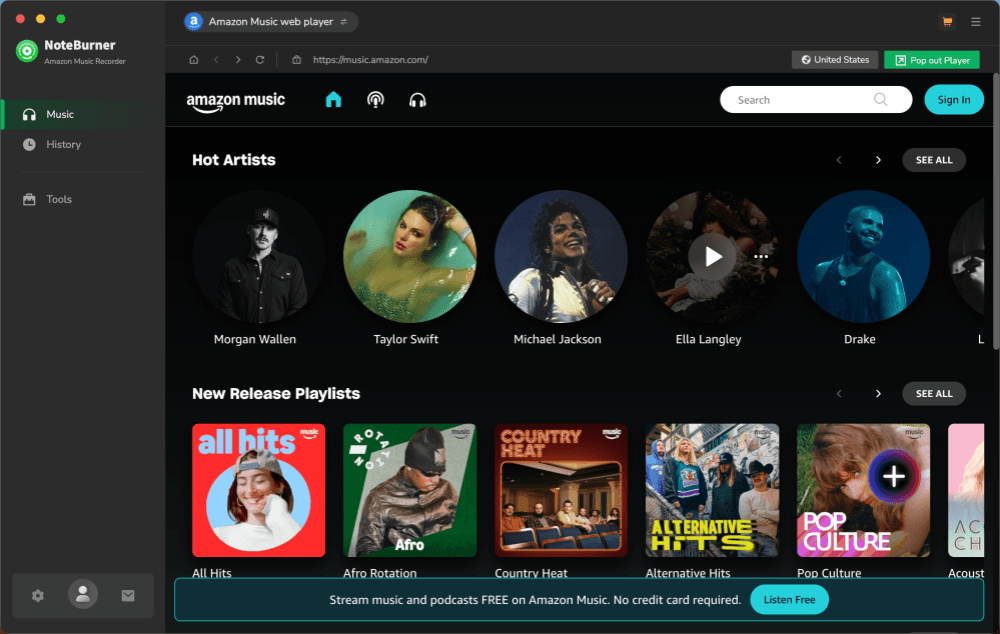
The installation process was straightforward on both Windows 11 and macOS 26. After launching the software, NoteBurner opened its built-in Amazon Music web player and required us to sign in with an Amazon Music account. The interface is clean and resembles a typical music streaming app.
Step 2. Adding Music to the Conversion Queue
One interesting feature is that NoteBurner offers two conversion modes:
- Web Player Mode – Uses the built-in Amazon Music web player.
- App Mode – Requires the Amazon Music desktop application to be installed separately.
Note: According to NoteBurner, App Mode may offer a better experience in some cases. However, we found the App Mode may be less convenient for Mac users because the Amazon Music desktop app is not always as easy to locate or install as the Windows version, depending on region and system setup.
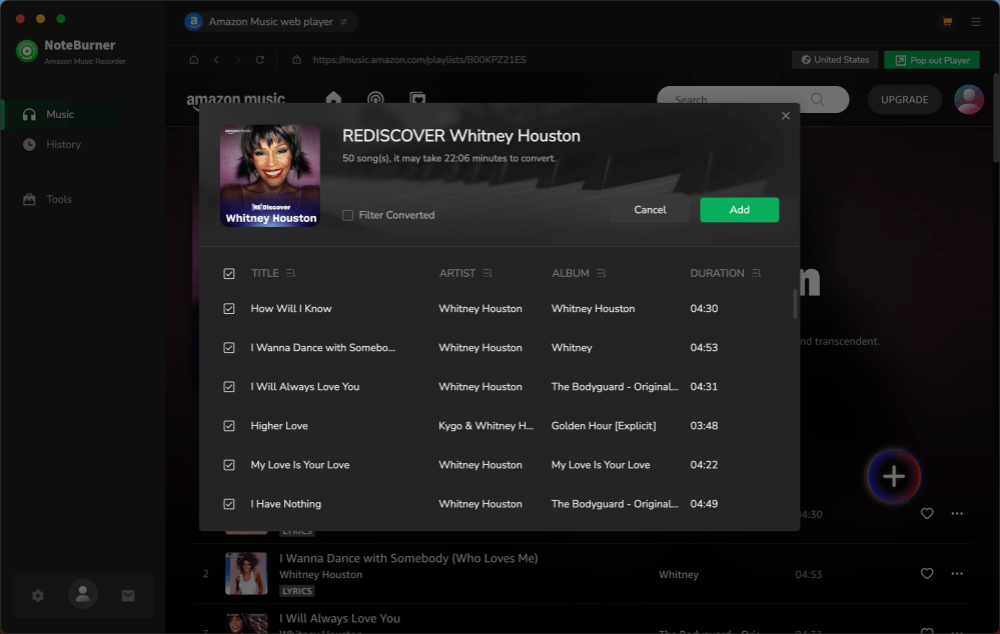
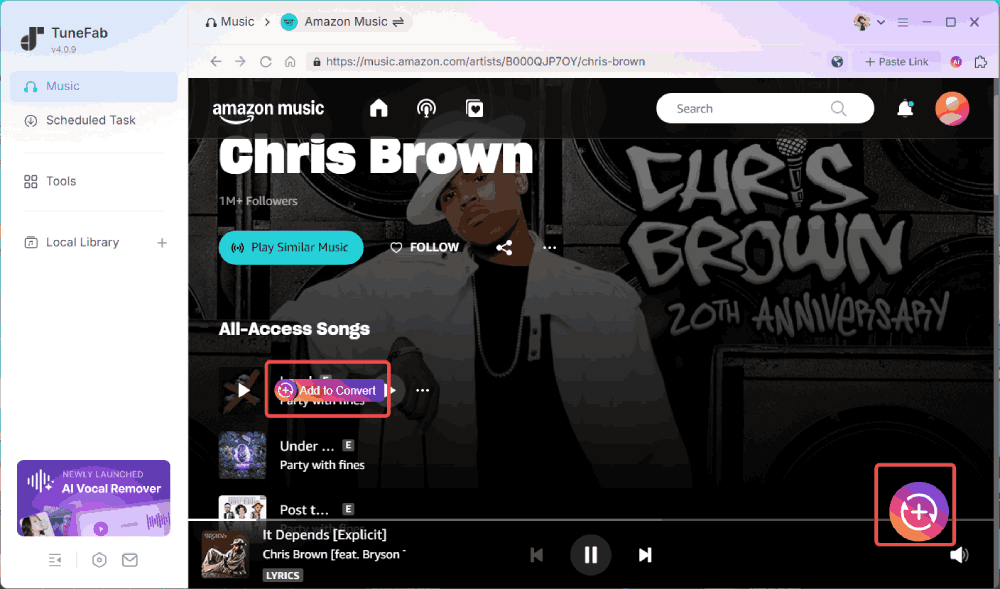
To add content, we opened albums and playlists, clicked the floating "+" button, and imported tracks into the conversion queue. Our test content included both individual songs and albums containing more than 10 tracks.
Step 3. Adjusting Output Settings
Before converting, we reviewed the available settings, including output format, audio quality, output location, and file naming options. The layout was intuitive and easy to navigate. However, some settings were restricted in the free trial version, which only converts the first minute of each track.
Step 4. Conversion Performance
After clicking "Convert," the software displayed the trial limitations before the download process began. Hit the "Free Trial", and we were brought to the converting tab. But unfortunately, during testing, we encountered multiple failed tasks when trying different songs and albums, and only succeeded after switching to another album.
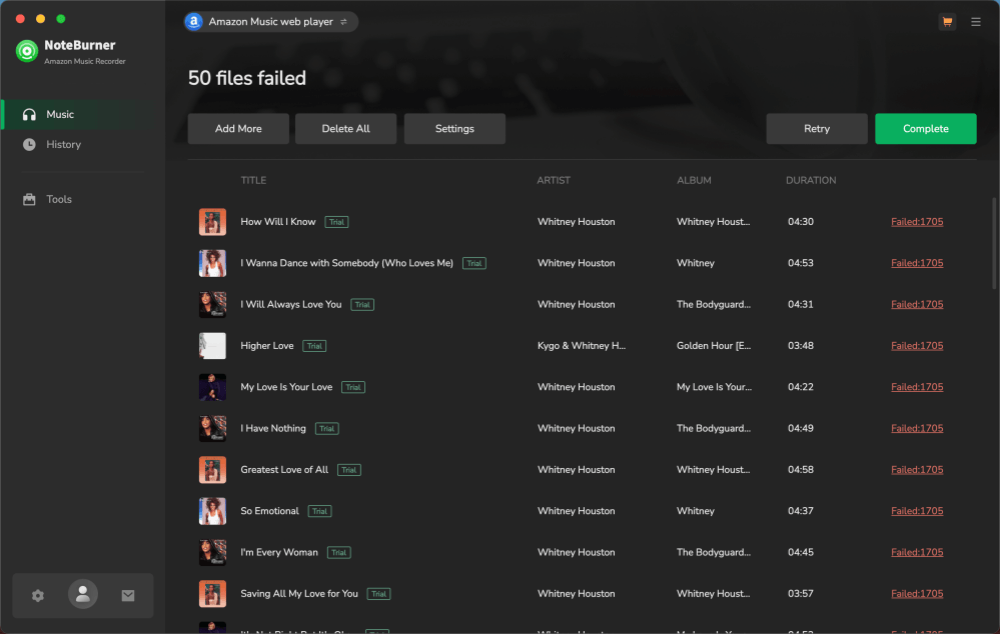
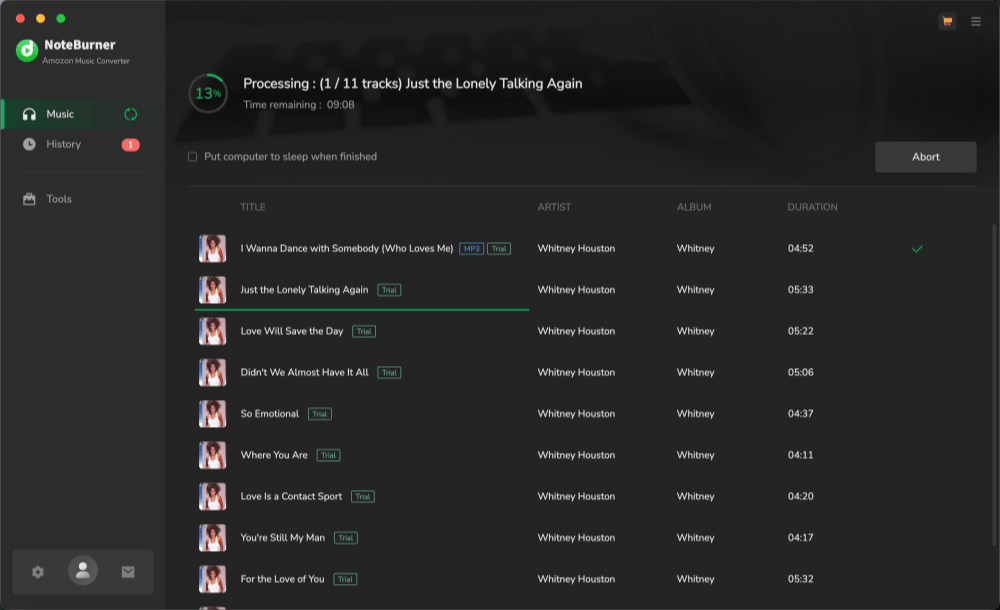
Even when the conversion worked, the speed felt relatively slow. Converting a single track took roughly 40 seconds in our testing environment, which is noticeably longer than some competing music converters we have used.
Step 5. Checking the Output Files
Converted files appeared in the History section after completion. We confirmed that the output format matched our selected settings, and metadata such as track information and album artwork were preserved correctly. The audio quality was acceptable for everyday listening, although it did not fully reflect the highest-quality streaming experience available through Amazon Music.
What NoteBurner Does Well & Where It Falls Short
Based on our testing, NoteBurner Amazon Music Converter delivers the core features most users expect from an Amazon Music converter. However, its overall experience is affected by several practical limitations, particularly around stability and free trial.
What NoteBurner Does Well
- Multiple output formats – Supports common formats such as MP3, AAC, WAV, and FLAC, giving users flexibility across different devices and players.
- Simple conversion workflow – The built-in Amazon Music web player makes it easy to browse, select, and convert songs without copying playlist links.
- Metadata preservation – Track information, album artwork, and other basic metadata were retained correctly in our test files.
- Flexible download modes – Both Web Player Mode and App Mode are available, allowing users to choose the workflow that suits them best.
Where It Falls Short
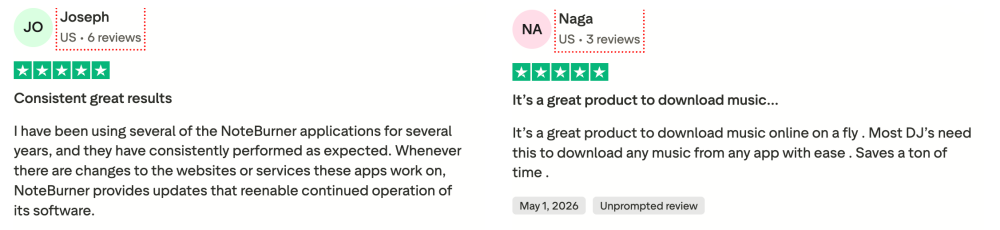
- Highly restricted free trial – Only the first minute of each track can be converted, making it difficult to evaluate audio quality or playlist performance before purchasing.
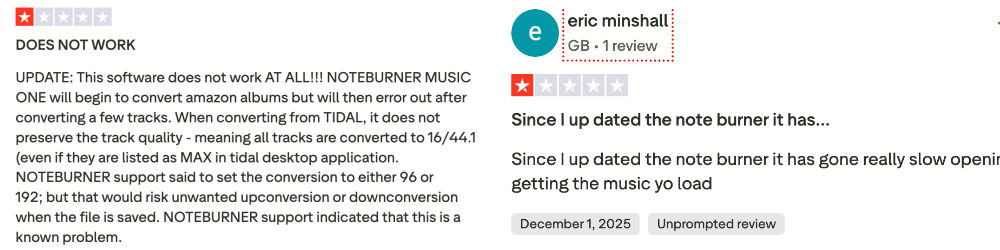
- Inconsistent conversion stability – We experienced multiple failed conversion attempts during testing before successfully downloading tracks from a different album.
- Relatively slow conversion speed – A single track took around 40 seconds to convert in our testing environment, which felt slower than several competing tools.
- App Mode adds extra setup steps – While potentially useful, it requires an additional desktop app and does not offer the same streamlined experience as an all-in-one solution.
If You Care About Stability: A Better Alternative
While NoteBurner covers most basic needs, its free trial restrictions, inconsistent conversion stability, and slower download speed may be limiting for some users. If you prioritize a smoother workflow, faster batch downloads, and a more practical free trial experience, TuneFab Amazon Music Converter is worth considering. Its trial version allows you to download complete tracks instead of one-minute samples, making it easier to evaluate the software before deciding whether to upgrade.
| Features | NoteBurner Amazon Music Converter | TuneFab Amazon Music Converter |
| Workflow | Web Player & App Mode; free trial limited to 1 min per track | Built-in web player; free trial can download up to 3 full tracks |
| Output Formats | MP3, AAC, WAV, FLAC | MP3, M4A, FLAC, WAV |
| Max Audio Quality | Up to 320 kbps (free trial only 1 min) | Up to 320 kbps (free trial fully available for 3 tracks) |
| Conversion Speed | ~40 sec per track | Faster batch processing, ~10 sec per track |
| ID3 Tags & Lyrics | Preserved | Preserved |
| Trial Limit | 1 min per track | 3 full tracks for each platform |
| Stability | Inconsistent; multiple failed attempts | More stable; few failed downloads reported |
| Best For | Users willing to tolerate slower conversions and trial limits | Users who prefer a stable, faster, and fully testable trial |
Quick Start with TuneFab Free Trial:
- Install TuneFab Music Converter, then open the built-in Amazon Music web player and log in.
- Browse songs, playlists, or albums and drag them to the conversion queue.
- Select your preferred output format, audio quality, and destination folder. The free trial allows full options for up to 3 tracks.
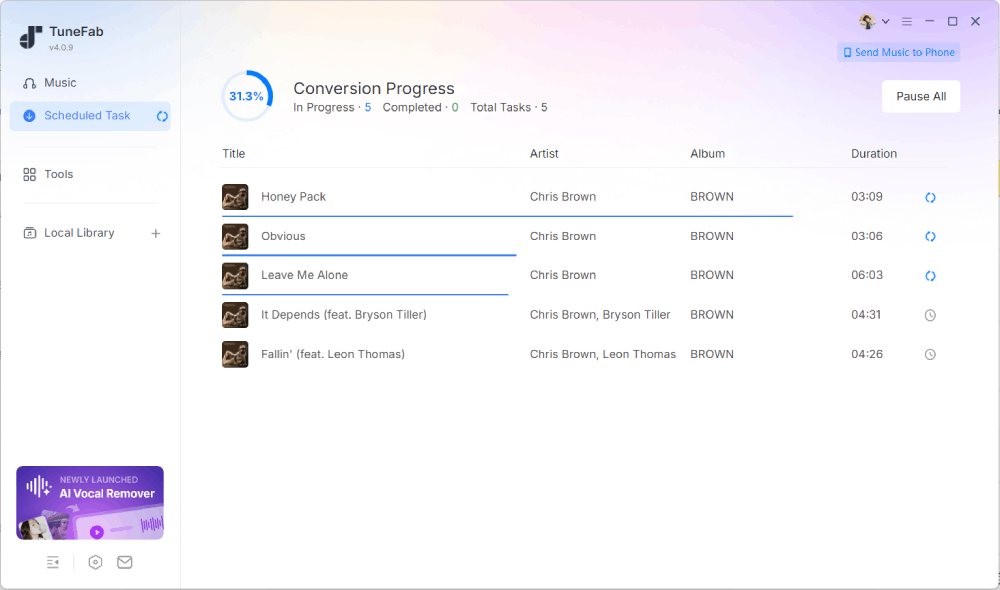
- Click "Convert" to download music offline. You can check the completed files in the History tab.
Tips: If you want to learn more about TuneFab Amazon Music Converter and other options, check the posts as follows.
Final Verdict: Who Should Try NoteBurner?
NoteBurner Amazon Music Converter is a capable option if you want flexible output formats, metadata preservation, and support for both Web Player and App modes. Based on our testing, the software is easy to set up and offers the core features expected from a music converter. However, its highly restricted free trial, occasional conversion failures, and relatively slow download speed make it harder to evaluate and recommend with complete confidence.
If you're simply looking for a converter with broad format support and don't mind paying before fully testing the software, NoteBurner remains worth considering. However, if stability, conversion speed, and a more practical free trial are higher priorities, TuneFab Amazon Music Converter may be a wiser free alternative. Ultimately, the better option depends on whether you value format flexibility or a smoother overall experience.
FAQs About NoteBurner Amazon Music Converter
Is NoteBurner Amazon Music Converter Safe?
Based on our testing, NoteBurner Amazon Music Converter installed and ran normally on both Windows and macOS without triggering security warnings. As with any software, it is recommended to download it directly from the official website rather than third-party sources.
Is NoteBurner Amazon Music Converter Legit?
Yes. NoteBurner is a well-known commercial music converter that has been available for several years and offers dedicated products for Amazon Music, Spotify, Apple Music, and other streaming services. However, you should always follow the terms of the streaming platforms, and keep all the downloads for personal use only.
Is NoteBurner Amazon Music Converter Still Good to Use?
Yes, but with some caveats. NoteBurner still provides useful features such as multiple output formats and metadata preservation. However, during our testing, we experienced several failed conversion attempts, relatively slow download speeds, and restrictive free-trial limitations. If you prefer stability and a more testable trial experience, it may be worth comparing NoteBurner with other available options before making a purchase.