

AudFree Spotify Music Converter has long been a popular choice for converting Spotify songs to MP3 for offline playback on MP3 players, car stereos, USB drives, and more. Is it still worth using in 2026, or is there a better alternative? In this AudFree Spotify Music Converter review, we spent 7 days testing the software on both Windows and Mac, evaluating its key features, performances, and limitations to help you make an informed decision.
Disclaimer: This article is intended for informational purposes only. Please ensure that your use of any Spotify music converter complies with Spotify's Terms of Use and copyright laws in your country or region.
Quick Verdict: Is AudFree Worth It?
With extensive Spotify downloaders available, you may be wondering if AudFree Spotify Music Converter is the right one. If you are looking for a straightforward overview, check the table first.
| Overall Rating | ★★★★☆ 4.2/5 |
| Pros | • Works with Spotify Free & Premium accounts • Convert Spotify music to MP3, FLAC, M4A, WAV, M4B, AIFF. • Preserves ID3 tags like title, artist name, and release date. • Support batch conversion of Spotify playlists at a fast speed. • Offers customizable output settings such as bitrate and sample rate up to 320kbps and 48kHz. |
| Cons | • Potential risks of Spotify account bans reported by users. • Free trial only converts the first 1 minute of each track. • Logging into a Spotify account is a must. • Occasional conversion errors reported by users |
| Best For | Windows/Mac users who occasionally save Spotify playlists for offline personal archives. |
| Not Recommended For | Users who don't want to log in with their Spotify account or prefer a more stable solution for large playlists. |
What Is Audfree Spotify Music Converter
AudFree Spotify Music Converter is a desktop tool for Windows and Mac that helps users convert Spotify songs, albums, and playlists to MP3, FLAC, WAV, M4A, M4B, and AAC. After conversion, you can transfer the downloaded files to personal devices such as MP3 players, iPods, USB drives, car stereos, smart TVs, or wearable devices for offline playback.
Basic Tech Info
| Supported OS | Windows 10, 11 (32-bit & 64-bit), Mac OS 11 Big Sur or later |
| Spotify Accounts | Spotify Free & Premium |
| Input Sources | Spotify songs, playlists, albums, podcasts, audiobooks |
| System Requirements | 1GHz processor, 512MB RAM, 1024x768 display |
| Built-in Spotify Web Player | Yes, supported |
Is AudFree Legal?
AudFree Spotify Music Converter is a third-party desktop tool. However, downloading or converting Spotify music may violate Spotify's Terms of Use and may also be restricted by copyright laws in your country or region. Avoid commercial use, redistribution, or any use that may infringe copyright. If your goal is simply to listen offline, Spotify's official offline listening feature remains the safest and most compliant option.
Is AudFree Safe?
To evaluate its safety, we first scanned the latest installer package "SpoDable.exe" with VirusTotal and found no detections of malware or other security threats. Furthermore, we also didn't encounter any pop-up ads or bundled bloatware during our testing.
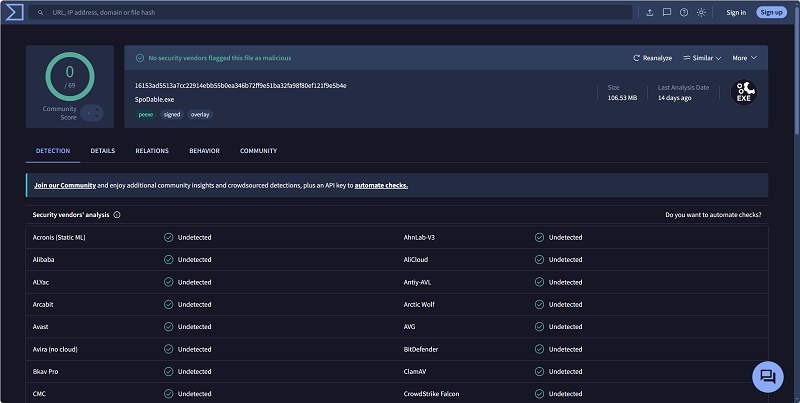
We did not encounter any Spotify account warnings or bans during our test. Still, because AudFree requires interaction with a Spotify account and is not an official Spotify tool, we recommend using it cautiously and avoiding any activity that may violate Spotify's Terms of Use.
How Much Does AudFree Cost?
You may be wondering, "Is AudFree Spotify Music Converter free?" Unfortunately, the software only offers a limited free trial that allows you to convert just the first minute of each song. To save full tracks, you need to subscribe to an eligible plan, which includes:
| Plans | Device | License | Pricing | Refund Policy |
| Individuals | 1 PC | Monthly | $19.95 | 14-day money-back guarantee |
| Yearly | $44.95 | 30-day money-back guarantee | ||
| Lifetime | $89.95 | 30-day money-back guarantee | ||
| Family | 3 PCs | Monthly | $29.95 | 14-day money-back guarantee |
| Yearly | $59.95 | 30-day money-back guarantee |
Our Test Experience and Results
To provide an honest review of AudFree Spotify Music Converter, we tested the software over 7 days using the following setup:
Test Device: Windows 11 PC
Network Condition: 500 Mbps Wired Network
Spotify Account: Spotify Free
Output Settings: 320kbps MP3 with 44.1kHz
Test Sample: "My Body Isn't Ready" by sombr (3:37), 100 Greatest Songs for You Vol. 1 (100 songs, 5hr 30 min)
Installation and Setup
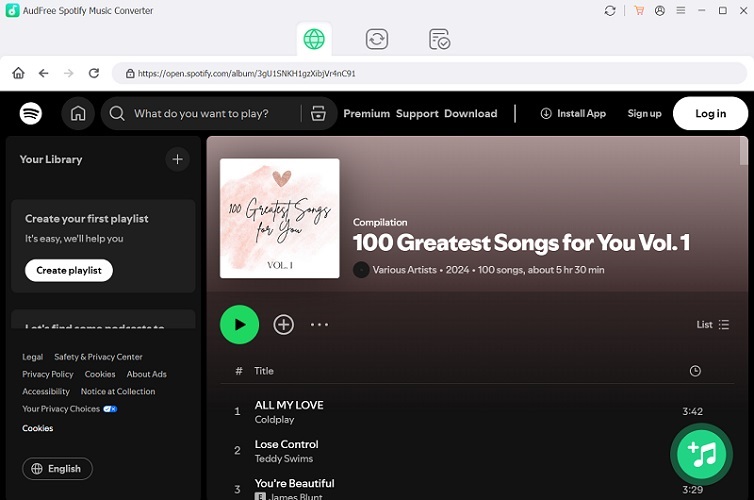
The installation process on both Windows and Mac is straightforward. After launching the software for the first time, we found the interface relatively clean and beginner-friendly, with instructions to get started. Also, it integrates the official Spotify web player, so we didn't need to copy and paste Spotify URLs manually, as older versions required.
Connecting the Spotify Account
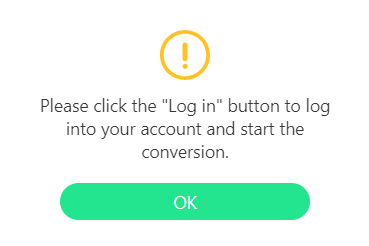
Unexpectedly, we ran into issues during testing. On our first login attempt, we were unable to access AudFree's built-in Spotify web player and encountered an error message saying "Oops, something went wrong". It only started working after we restarted the software.
Additionally, according to its official website, logging into a Spotify account is optional, but our testing showed that the process could not proceed without signing in. This creates a mismatch with AudFree's official claim that Spotify login is optional. In our test, signing in was required before we could proceed, so users who prefer not to log in through a third-party tool should keep this limitation in mind.
Batch Download and Conversion Speed Test
We first tested the software with a single track (3:37). However, since we were using the free trial version, the output audio file was limited to the first 1 minute only. Because the free trial only exported the first 1 minute of the song, this speed result should be understood as a trial-version test rather than a full-track conversion test. The 1-minute output took about 15 seconds to generate, which was below the 13X speed advertised on AudFree's official website.
When we tested a 100-song playlist under the free trial limit, AudFree processed trial-length outputs for the playlist in about 25 minutes. However, 19 songs failed on the first attempt and required a manual retry before they were processed successfully.
Verify Output Quality & Format
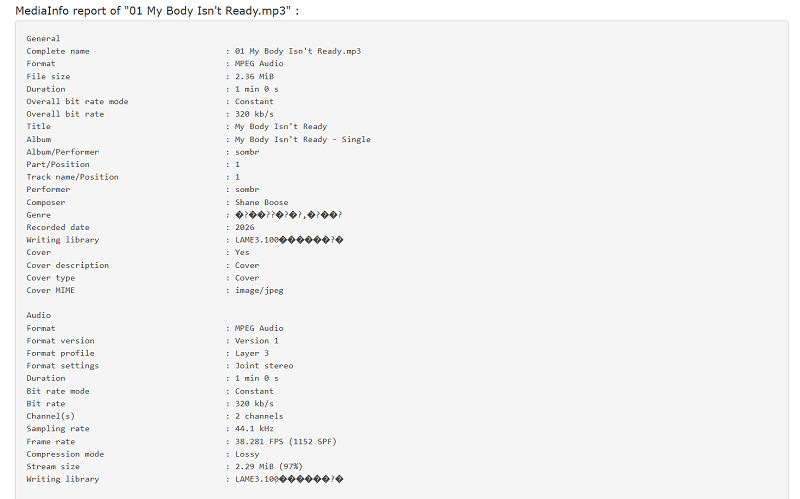
In our testing, we uploaded the exported audio file into MediaInfo and verified that our selected output format and quality were generated successfully.
Check Preserved ID3 Tags and Metadata
MediaInfo also showed that the main ID3 tags were preserved. In our test file, the song title, artist name, album art, track number, and release year were correctly embedded, making the local music library easier to organize.
Overall Stability & Glitches
AudFree performed stably during most of our testing, but it was not entirely free of issues. When handling large playlists, the software would occasionally freeze mid-process and then auto-restart unexpectedly. The first time we encountered this, we chose to cancel the task and start from scratch, which greatly increased the testing time. Additionally, the software's navigation section would sometimes go blank for no reason. Although restarting the program resolved the issue, it did degrade the user experience.
Best Alternative to AudFree: TuneFab Spotify Music Converter (7-day Test)
While AudFree Spotify Music Converter offers a practical way to build an offline music library, it is not the only option you can choose. If you prefer a more stable and faster solution, TuneFab Spotify Music Converter can be a great alternative.
TuneFab features a built-in Spotify web player, enabling you to convert songs, albums, playlists, podcasts, and audiobooks from Spotify to common formats like MP3. Under a stable network, its conversion engine can even reach up to 35X. In our testing, processing a 3:37 song only took 7 seconds, much faster than AudFree's. Moreover, when downloading large playlists, the whole process was smooth with no crashing or freezing. For users who often download large Spotify playlists, TuneFab offered a smoother batch-conversion experience in our test.
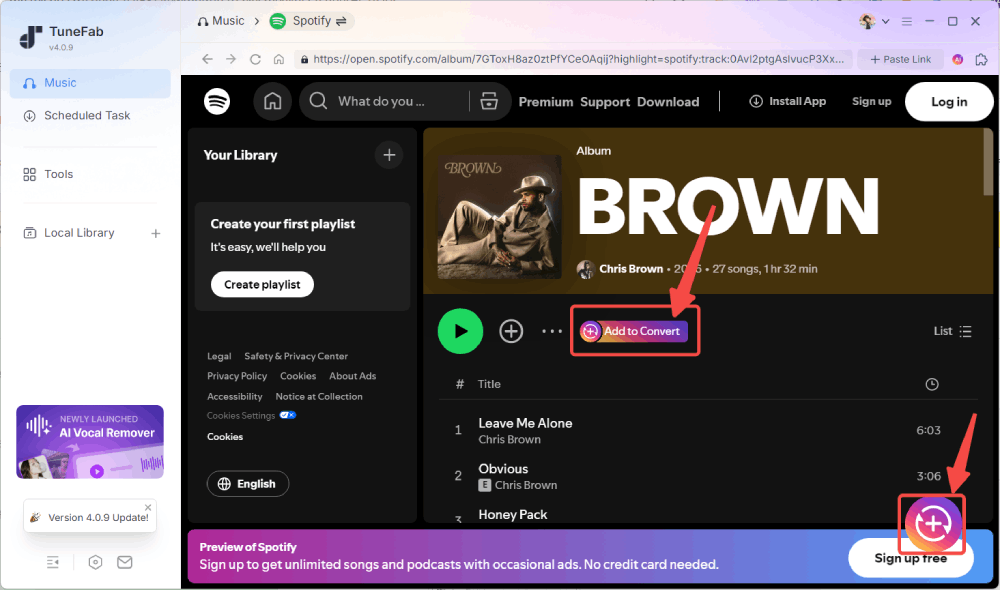
Why TuneFab Can Be a Strong Alternative to AudFree Spotify Music Converter:
- Compatible with both Spotify Free and Premium accounts.
- Download Spotify songs, albums, playlists, podcasts, and audiobooks without leaving the software.
- Export Spotify music to MP3, M4A, FLAC, WAV, AIFF, AAC, and ALAC.
- Batch convert large playlists more efficiently with fewer interruptions.
- Customize bitrate and sample rate, up to 320kbps and 48kHz.
- Preserve ID3 tags like track name, album cover, artist, and track number for easy playlist organization.
- Customize file names and output folders based on your preferences.
Full Review: TuneFab Spotify Music Converter Review: Is It Worth It?
AudFree vs TuneFab Comparison
| Feature | AudFree Spotify Music Converter | TuneFab Spotify Music Converter |
| Compatible Device | Windows, Mac | Windows, Mac |
| Download Method | Via Spotify web player | Via Spotify web player, paste the link |
| Supported Accounts | Spotify Free & Premium | Spotify Free & Premium |
| Output Formats | MP3, FLAC, WAV, M4A, M4B, and AAC | MP3, M4A, FLAC, WAV, AIFF, ALAC |
| Max Audio Quality | 320kbps and 48kHz | 320kbps and 48kHz |
| Claimed Conversion Speed | Up to 13X | Up to 35X |
| Test Conversion Speed | 4X - 6X | 20X - 25X |
| Batch Download Limit | Up to 100 tracks per playlist | Unlimited |
| Large Playlist Performance | Occasional failure | Stable and smooth |
| Free Trial Limit | Convert the first minute of each track | 3 full songs |
| Starting Pricing | $19.95/month | $25.95/month |
FAQs
Why is AudFree Spotify Music Converter not working?
If your AudFree Spotify Music Converter stops working, common causes may include:
- Spotify updates that temporarily affect software compatibility.
- Login or account authorization problems.
- Conversion errors caused by a poor network.
- Temporary software glitches or corrupted cache.
When you encounter problems, first update AudFree to the latest version, restart both Spotify and the converter, and reconnect your Spotify account. If the issue persists, contact AudFree support or consider switching to an alternative.
Does AudFree work without Spotify Premium?
Yes. We completed all of our tests using a Spotify Free account and did not encounter any prompts requiring us to upgrade to Premium.
Does AudFree download Spotify music with lyrics?
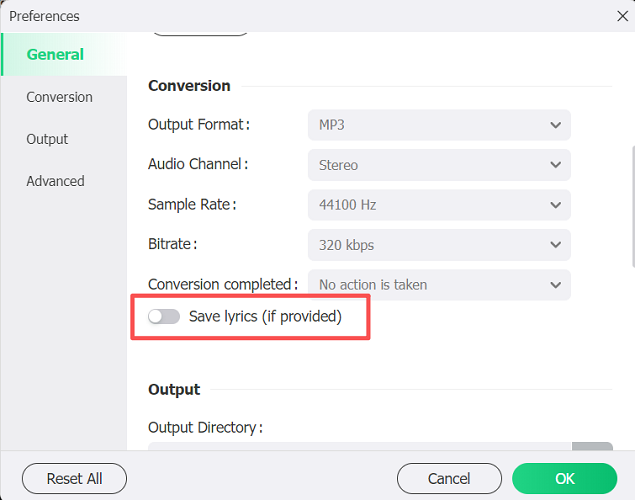
Yes. The latest version of AudFree Spotify Music Converter supports downloading lyrics along with the audio track, if available. However, this feature is turned off by default. To use it, go to "Preferences" and turn on "Save lyrics (if provided)" before starting the download.
Conclusion: Is It Worth Buying?
According to our AudFree Spotify Music Converter review, we found that it remains a capable Spotify downloader in 2026. It is suitable for users who primarily convert small to medium-sized playlists (under 100 songs). If you have a large music library, TuneFab Spotify Music Converter may be a stronger alternative, as it handled large playlists more smoothly and completed our test conversions faster than AudFree.
Ultimately, the right choice depends on your needs. Start with their free trial to see which is the most suitable one for you.