

Are you looking for a reliable Deezer music downloader to save songs, playlists, or HiFi audio for offline listening? While Deezer lets subscribers download music inside its app, those downloads remain encrypted, require an active subscription, and can't be used as local MP3 or FLAC files outside Deezer.
To help you choose the right tool, we reviewed 8 Deezer music downloaders that are still available in 2026, including desktop software, mobile apps, online tools, and open-source projects. Whether you want a stable Deezer playlist downloader, a Deezer FLAC downloader, or a quick online Deezer music downloader, this guide compares their real-world performance, limits, and best use cases.
- What Do Deezer Music Downloaders Do? How to Choose One?
- Part 1. Best Deezer Music Downloaders for Windows & Mac
- Part 2. Lightweight Deezer Music Downloaders for iOS & Android
- Update: Most Deezer Music Downloaders Online No Longer Work Reliably
- Part 3. Free and Open-Source Deezer Music Downloaders
- Things to Check Before Using Any Deezer Music Downloader
- Final Verdict: Which Deezer Downloader Should You Choose?
- FAQs About Downloading Music with Deezer Music Downloader
What Do Deezer Music Downloaders Do? How to Choose One?
A Deezer music downloader lets you save Deezer songs as local audio files, for you to listen offline without the Deezer app. However, not all Deezer music downloaders work the same way. Some use an integrated Deezer web player, while others rely on recording, online parsing, or open-source projects. As a result, they can differ significantly in audio quality, download speed, playlist support, stability, and ease of use.
What to Look for in a Deezer Music Downloader?
Before choosing one, it's worth understanding what actually matters in daily use. Here are the factors we considered during our testing.
- Output quality: If you care about sound quality, check whether the tool supports HiFi or FLAC downloads instead of standard MP3 only.
- Playlist & batch downloads: Some tools can download entire playlists in one go, while others only support single tracks.
- Download stability: A good downloader should consistently recognize Deezer links instead of frequently failing after service updates.
- Metadata preservation: Keeping song titles, artists, albums, cover art, and lyrics makes your local music library much easier to organize.
- Ease of use: Desktop software usually provides the smoothest experience, while open-source and online tools often require extra setup or come with more limitations.
Quick Comparison: Which Deezer Downloader Fits Your Needs?
To make the comparison as consistent as possible, we tested each Deezer music downloader on the platforms it officially supports. We used the same Deezer tracks, albums, and playlists wherever the tool supported those media types, then compared download completion, output format, metadata, processing time, setup requirements, and free-trial limits.
Here, we offer a comparison table for you to take a glance at these tools before scrolling down for details.
| Tool | Best For | Output Quality | ID3 Preservation | Ease of Use | Free Limits | Platform |
| TuneFab Deezer Music Converter | Stable HiFi/FLAC & large playlist downloads | HiFi/FLAC | ✅ | ⭐⭐⭐⭐⭐ | 3 full songs without limits | Windows, macOS |
| Ondesoft Deezer Music Converter | High-quality downloads with multiple formats | High | ✅ | ⭐⭐⭐⭐☆ | 3-minute only | Windows, macOS |
| Macsome Deezer Music Downloader | Playlist downloads & library management | High | ✅ | ⭐⭐⭐⭐☆ | 3-minute only | Windows, macOS |
| DeeKeep Deezer Music Converter | Flexible downloading with multiple resource modes | High | ✅ | ⭐⭐⭐☆☆ | Trial limits | Windows, macOS |
| Sidify Deezer Music Converter | Recording Deezer and other streaming platforms | Medium | ⚠️ Partial | ⭐⭐⭐⭐☆ | 1-minute only | Windows, macOS |
| Murglar | Free Android downloads | Medium | ✅ | ⭐⭐⭐☆☆ | Free | Android, Desktop |
| Telegram Bot | Quick single-song MP3 downloads | Medium | ⚠️ Partial | ⭐⭐⭐⭐⭐ | Free | Telegram |
| DeeMix | Open-source FLAC downloads | Medium | ⚠️ Partial | ⭐⭐☆☆☆ | Free | Windows, macOS, Linux, Android |
Below, we'll take a closer look at each Deezer music downloader, including its real-world performance, strengths, limitations, and the type of user it's best suited for.
Part 1. Best Deezer Music Downloaders for Windows & Mac
Compared with mobile apps or online Deezer downloaders, PC and Mac software usually offer more stable performance, higher success rates, and better control over output quality, especially if you prefer HiFi or FLAC audio. Here are 5 viable desktop options to download Deezer music with better output control.
#1 TuneFab Deezer Music Converter (Output HiFi & FLAC Downloads)
✨Best for: Users who want a stable Deezer music downloader for saving HiFi playlists and albums with complete metadata.
💻Supported OS: Windows, macOS
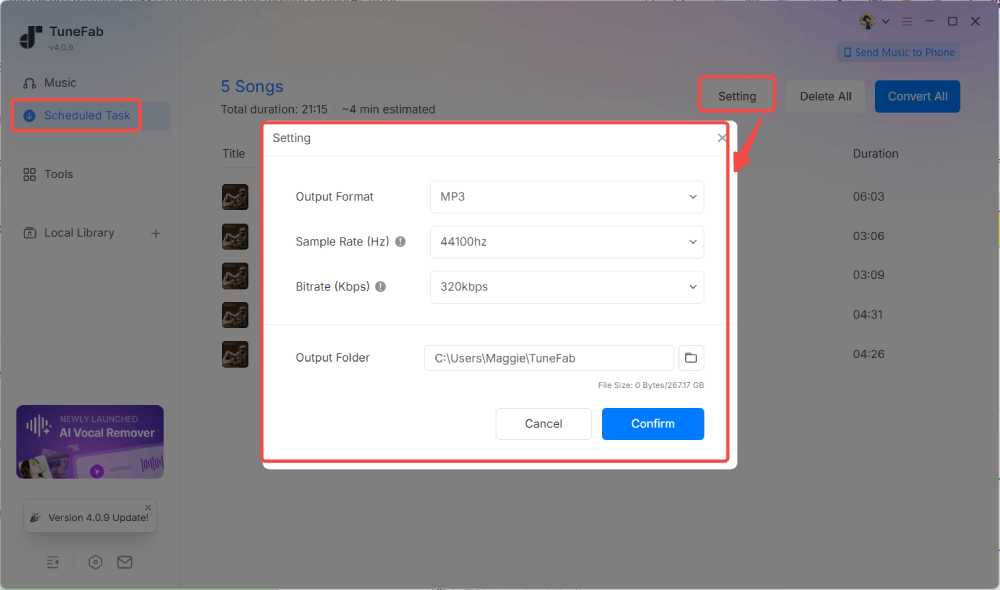
Among all the desktop options we tested, TuneFab Deezer Music Converter delivered the most consistent overall performance. It combines an integrated Deezer web player with support for MP3, FLAC, WAV, AIFF, M4A, AAC, and ALAC, allowing you to browse, add, and convert Deezer songs without installing the official Deezer desktop app.
During our testing, the software recognized both individual tracks and large playlists quickly, with no parsing failures or missing songs. Downloaded files preserved ID3 metadata such as title, artist, album, and cover art, making them easy to organize in a local music library. It also lets you customize the output format, bitrate, and sample rate before conversion, giving more control over the final audio files.
Speed was another highlight. Although actual performance depends on your network connection, playlist size, and computer specifications, TuneFab remained one of the fastest Deezer music downloaders we tested, handling large playlist conversions noticeably faster than recording-based solutions.
Note: New users can download 3 full songs for free before upgrading. For more detailed information, you can read this article: TuneFab Deezer Music Converter Review: Out of Expectation.
🙆♀️Pros
- Integrated Deezer web player with no need for the Deezer desktop app
- Download Deezer music in MP3, FLAC, WAV, AIFF, M4A, AAC, or ALAC
- Preserves ID3 metadata, cover art, and embedded lyrics (where available)
- Batch downloads playlists and albums with fast conversion speeds
- Customizable output settings, including bitrate and sample rate
🙅♀️Cons
- Free trial is limited to 3 full-song downloads
- Full features require a paid license
⭐ Recommends: 4.8/5
#2 Ondesoft Deezer Music Converter (Download Deezer to FLAC on PC)
✨Best for: Users who want to download Deezer playlists in multiple audio formats for playback across different devices.
💻Supported OS: Windows, macOS
Ondesoft Deezer Music Converter is another desktop Deezer music downloader that performed reliably during our testing. Like several other desktop tools, it integrates the official Deezer web player, allowing you to browse your library, open playlists, and add songs for conversion without switching between different applications.
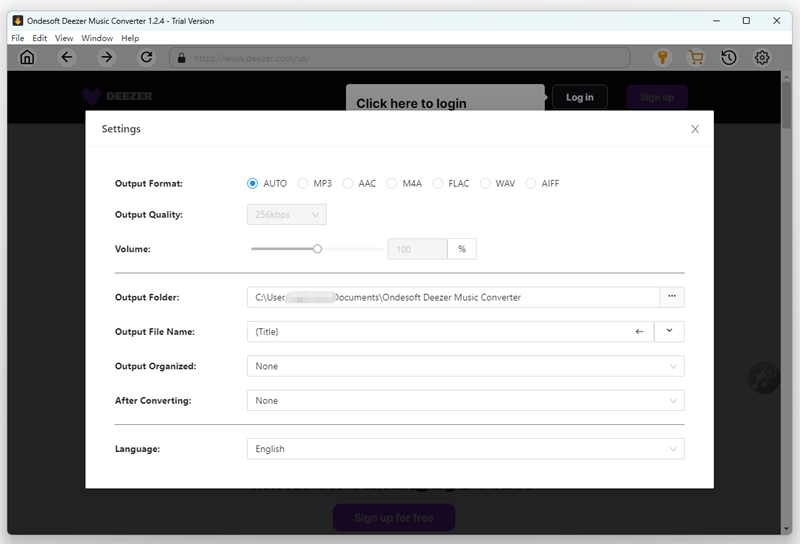
The software supports MP3, M4A, AAC, FLAC, WAV, and AIFF, making it a practical option if you need compatible files for media players, USB drives, or DJ software. It also preserves ID3 metadata, including song title, artist, album, and cover art, helping keep downloaded music organized.
In our tests, playlist parsing was stable, and the conversion success rate was consistently high. However, conversion speed was noticeably slower than some competing desktop downloaders when processing large playlists. Another limitation is that output settings are relatively simple, as the software doesn't allow you to customize bitrate or sample rate.
🙆♀️Pros
- Supports MP3 and FLAC output options
- Preserves basic ID3 tags for local library organization
- Supports batch playlist conversion
- The trial does not expire after a fixed number of days
🙅♀️Cons
- The trial exports only the first 3 minutes of each track
- Only 3 tracks can be processed per trial session
- FLAC output does not by itself confirm that the source audio is lossless
- Bitrate and sample-rate controls are limited
⭐ Recommends: 4.3/5
#3 Macsome Deezer Music Downloader (Deezer Playlist Downloads Support)
✨Best for: Users who want more than a downloader, especially those who also need built-in music management tools.
💻Supported OS: Windows, macOS
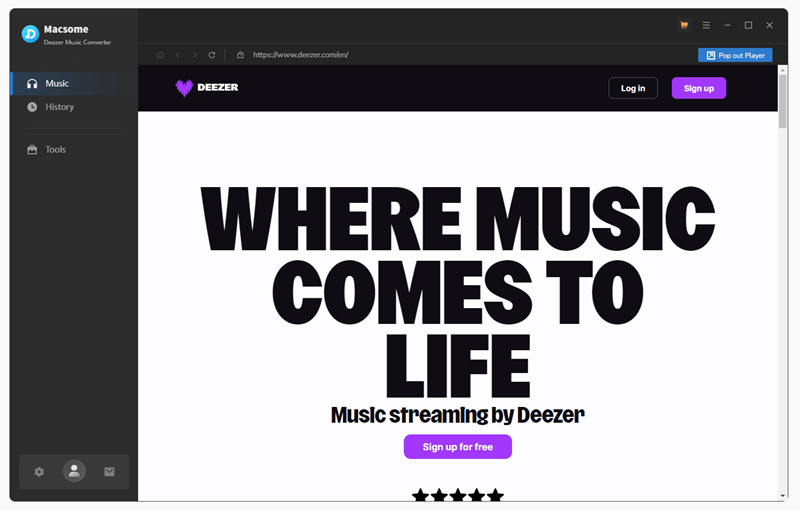
Macsome Deezer Music Downloader performs similarly to other desktop Deezer converters that integrate the official Deezer web player. During our testing, it successfully detected both individual tracks and playlists, preserved ID3 metadata, and exported music in multiple formats including MP3, AAC, WAV, and FLAC.
Where Macsome differs is in its additional toolkit. Besides downloading music, it includes features such as an ID3 tag editor, audio format converter, and CD burner, making it a practical choice for users who still maintain a local music library or want to organize downloaded files without relying on extra software.
In terms of performance, playlist parsing was stable throughout our tests, although adding playlists is slightly less intuitive than some competitors because drag-and-drop support is unavailable. Batch conversion is sufficient for everyday use but is slower than others in this comparison. The free version is mainly intended for evaluation, limiting each conversion to the first 3 minutes of a track and allowing only 3 songs per session.
🙆♀️Pros
- Includes a CD burner, format converter, and tag editor in one place.
- Save Deezer music in MP3, AAC, WAV, FLAC, and so on.
- Supports FLAC output settings, depending on the available source quality.
- Doesn't need to install the Deezer app at all
- Supports batch downloading Deezer playlists with 10X faster speed
🙅♀️Cons
- You can't directly add Deezer playlists by dragging them to the convert button
- Only supports converting 3 songs each time
- You can convert less than 3 minutes of each song when you are using the software without paying any cost
✨Recommends: 4.3/5
#4 DeeKeep Deezer Music Converter (Integrated Official Deezer Web Player)
✨Best for: Users who want multiple download sources and a fallback option for region-restricted tracks.
💻Supported OS: Windows, macOS
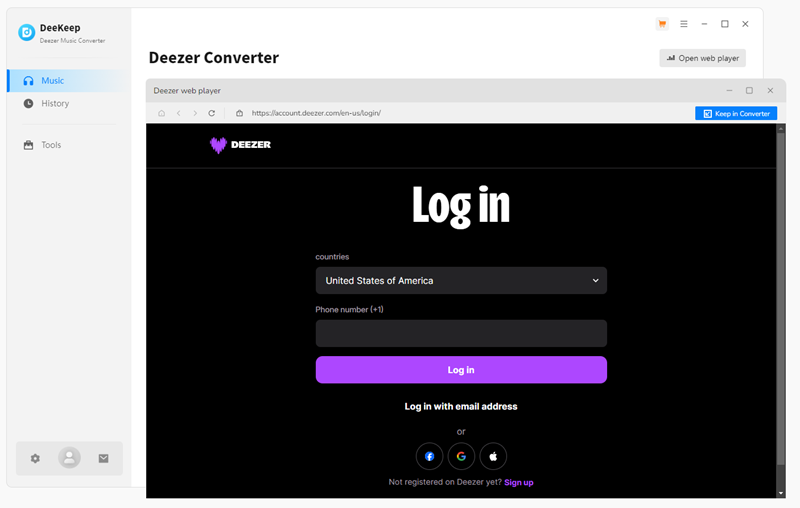
DeeKeep Deezer Music Converter follows a similar approach to most desktop Deezer downloaders by integrating the official Deezer web player, allowing users to browse and download songs, albums, and playlists directly without installing the Deezer desktop app. It supports exporting music to MP3, AAC, WAV, FLAC, AIFF, and ALAC while preserving ID3 metadata.
During our testing, DeeKeep offered three source modes: Deezer, an automatic matching mode, and YouTube. The fallback modes may help locate an alternative version when a Deezer track is unavailable, but a YouTube match is not necessarily the same recording or audio source as the original Deezer track. Users should verify the title, artist, duration, and output quality when either fallback mode is used.
That said, the extra options also make the interface more complicated. Compared with other desktop downloaders in this review, DeeKeep requires more setup before downloading, and we occasionally encountered incomplete downloads, with several tracks failing to be processed successfully. The free version is also limited, requiring a paid license to export complete songs.
🙆♀️Pros:
- Integrated official web player for stable, authentic Deezer resource access
- Supports several output formats and preserves metadata for successfully matched tracks
- Offers alternative source modes when a Deezer track is unavailable
- Supports up to 10X faster speed to download Deezer Music in batches
- Works with free Deezer accounts
🙅♀️Cons:
- In our tests, some tracks were missing after downloading Deezer playlists.
- The software needs to be paid to download complete songs
- The conversion success rate is not that high
- YouTube fallback results may differ from the original Deezer track in version or audio quality
- Several playlist tracks were missing in our test
✨Recommends: 4.1/5
#5 Sidify Deezer Music Converter (Music Recorder for Multiple Platforms)
✨Best for: Users who want a desktop Deezer downloader with batch processing, multiple output formats, and customizable file organization.
💻Supported OS: Windows, macOS
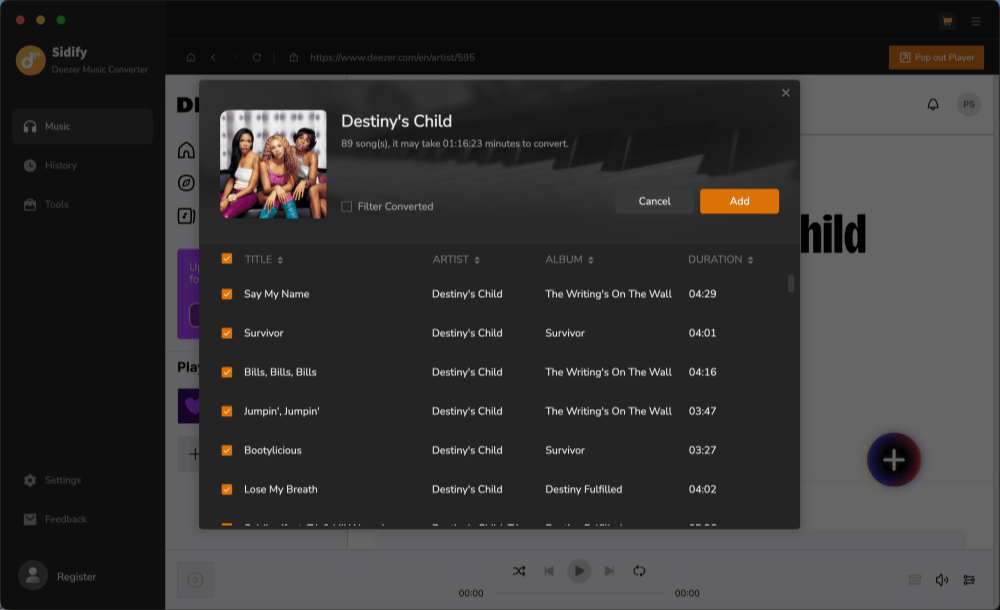
Sidify Deezer Music Converter uses an integrated Deezer web player to add tracks, albums, and playlists to a conversion queue. It supports MP3, AAC, WAV, FLAC, AIFF, and ALAC output, along with configurable output quality, file naming, and storage settings. The latest version integrates the Deezer web player, allowing you to search for songs, playlists, or albums directly inside the software before adding them to the conversion queue.
During our testing, the overall workflow was straightforward. After selecting the tracks to download, we could customize the output format, audio quality, and destination folder before starting the conversion process. Exported files preserved the selected audio settings and ID3 metadata correctly.
The main drawback is speed. Compared with the other desktop Deezer music downloaders in this review, Sidify took noticeably longer to process each track. In our tests, recording just one minute of audio required around 40 seconds, making it much less efficient for downloading long playlists. The free version is also heavily restricted, allowing only the first minute of each song to be exported.
🙆♀️Pros
- Built-in Deezer web player for convenient browsing
- Supports multiple output formats, including MP3, AAC, WAV, FLAC, AIFF, and ALAC
- Let users customize output quality and storage location
- Preserves ID3 metadata in exported files
- Simple conversion workflow with an organized download history
🙅♀️Cons
- Slower than most dedicated Deezer music downloaders
- Free version exports only the first minute of each track
- Less suitable for downloading large playlists
- Recording-based workflow is less efficient than direct conversion
✨Recommends 4.2/5
Part 2. Lightweight Deezer Music Downloaders for iOS & Android
Sometimes, you just prefer a convenient way on your phone for on-the-go listening. If you want to skip the computer and grab tracks directly on your phone, here are 2 Deezer downloaders for Android and iOS currently available.
#6 Murglar (Cross-platform App for Android & Desktop)
✨Best for: Users who want a free, cross-platform music hub for downloading and managing Deezer music.
💻Supported OS: Android, Windows, macOS, Linux
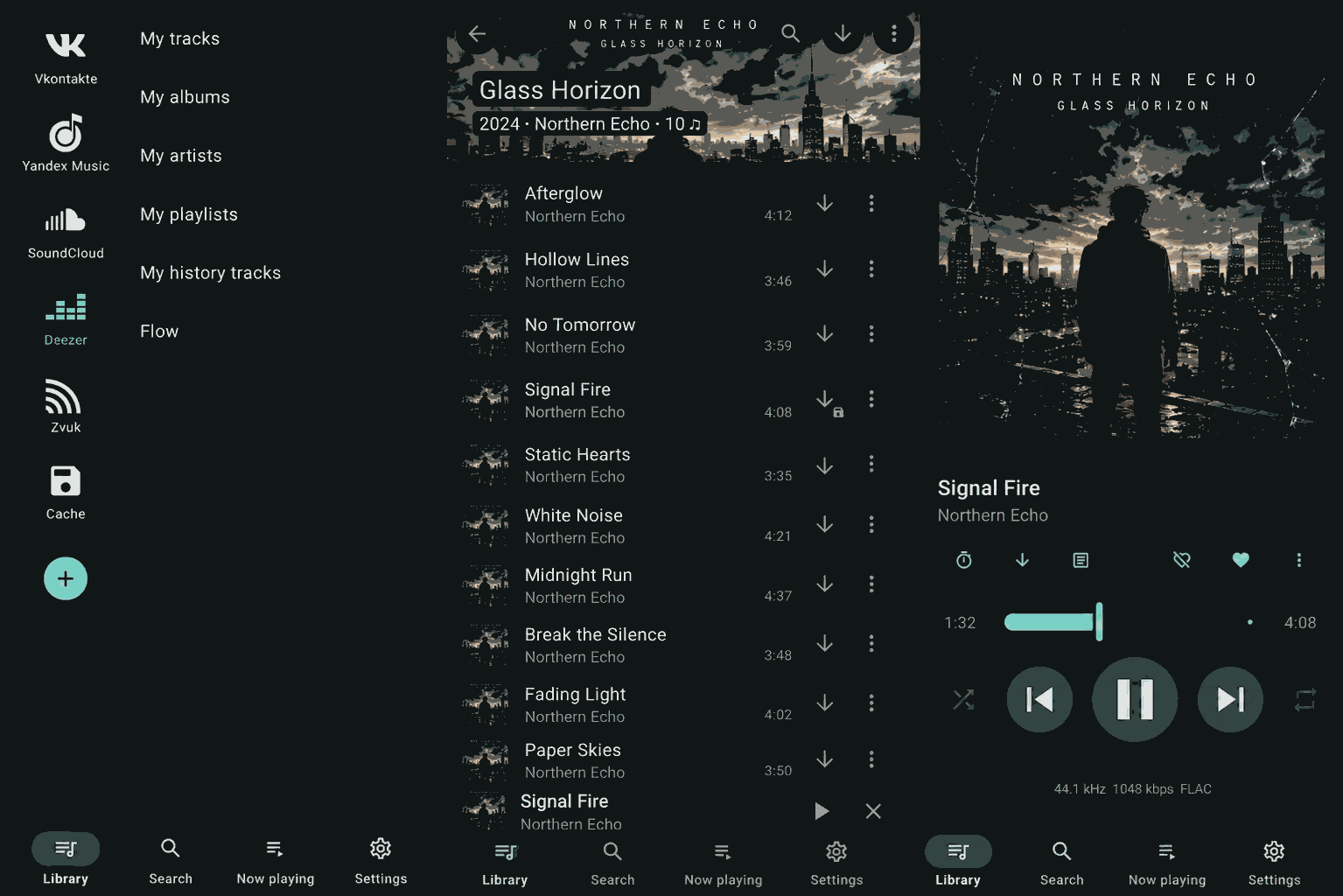
Murglar is a cross-platform music player and downloader available for Android, Windows, macOS, and Linux. It supports several music services, including Deezer, VK, and SoundCloud, and combines downloading, offline caching, and library management in one interface. Unlike tools dedicated solely to Deezer, it also supports other music sources such as VK and SoundCloud, making it suitable for users who keep their music collection across multiple platforms.
During our testing, Murglar downloaded Deezer tracks reliably and preserved metadata such as song titles, album artwork, and lyrics. We also appreciated its flexible storage options, including custom download folders and SD card support on Android devices. The built-in offline player makes it easy to organize and play downloaded music without switching to another app.
However, despite some online claims, we were unable to obtain true lossless FLAC downloads during testing. The exported files were limited to high-bitrate MP3. In addition, first-time setup is slightly more complicated than most dedicated Deezer music downloaders because users need to configure supported music services before downloading.
🙆♀️Pros:
- Download music from Deezer, VK, SoundCloud, etc.
- Keeps full metadata like tags, lyrics, and artwork
- Built-in offline playback with cache
- Customizable download folders and SD card support
- No ads, even in the free version
🙅♀️Cons:
- No true FLAC/HiFi downloads in our testing
- Some premium features require payment
- Requires login to supported music services
- Interface and setup slightly more complex than single-platform tools
✨Recommended: 4.4/5
#7 Telegram Bot (Quick Deezer to MP3 Conversions via Telegram)
✨Best for: Users who want a quick and free way to save a few Deezer songs occasionally without the Deezer app.
💻Supported OS: Web-based (Any device with Telegram)
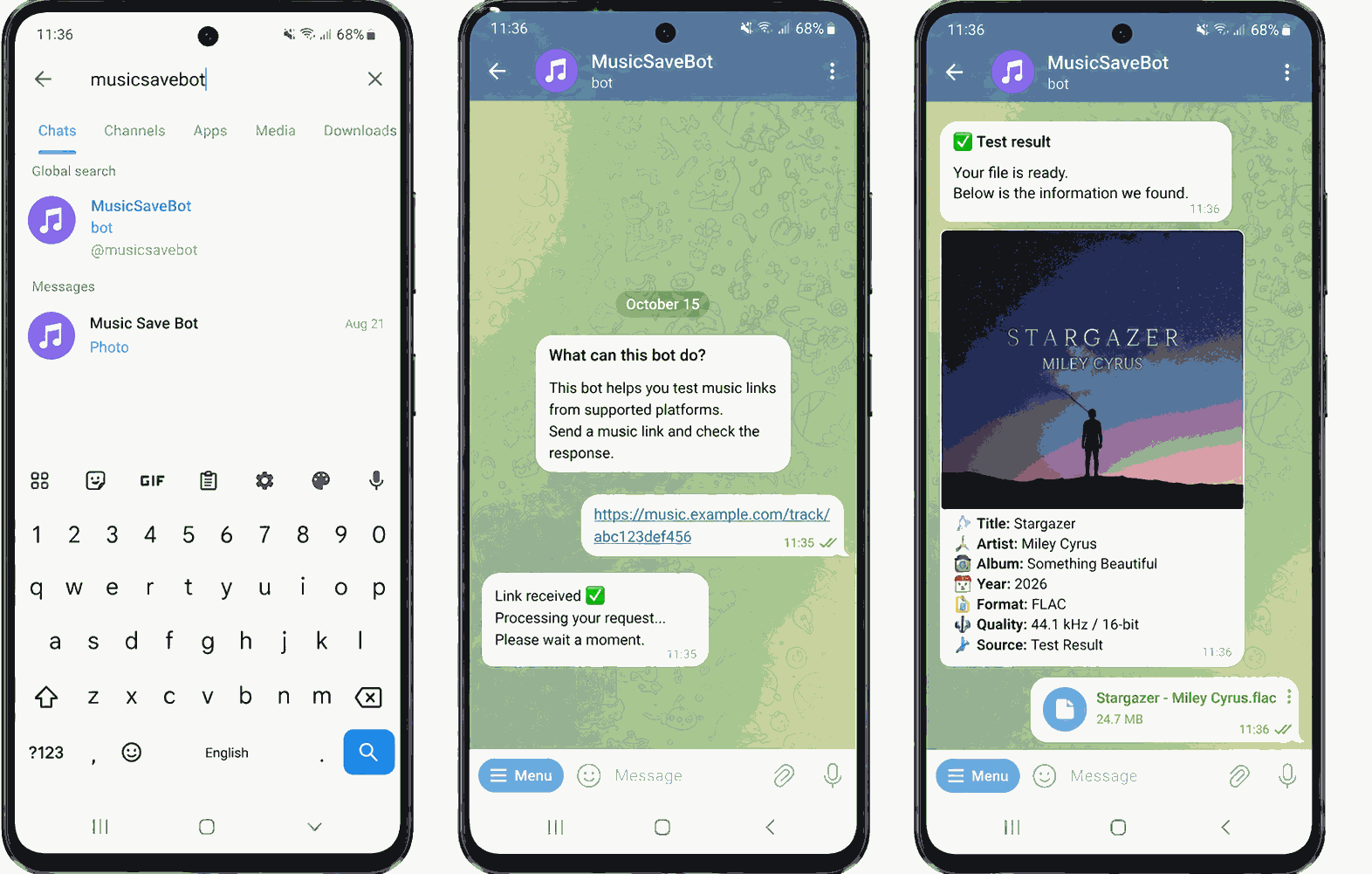
Telegram bots provide one of the fastest ways to download Deezer music without installing additional software. Simply send a Deezer song, album, or playlist link to a supported bot, and it will process the request before returning downloadable MP3 files directly in the chat. Since everything happens inside Telegram, the workflow is straightforward on both desktop and mobile devices.
During our testing, the bot responded quickly for individual tracks and preserved basic metadata such as song titles and album artwork. However, like many unofficial Telegram bots, availability was inconsistent. Response times varied depending on server load, and the service occasionally became unavailable. In addition, downloads are limited to MP3, making this option less suitable for users looking for HiFi or FLAC-quality audio.
🙆♀️Pros:
- Free and easy to use
- No software installation required
- Works across any device that supports Telegram
- Quick downloads directly to MP3
- Supports searching Deezer directly from Telegram
🙅♀️Cons:
- Only supports MP3 format (no FLAC HiFi options)
- Limited functionality compared to dedicated desktop software
- May experience downtime or slow response at times
- No official support or regular updates
✨Recommended: 4.1/5
Update: Most Deezer Music Downloaders Online No Longer Work Reliably
During our latest round of testing, we revisited Apopkit Free Deezer Downloader, one of the few online Deezer downloaders previously included in this guide. Unfortunately, it is no longer able to process Deezer links consistently. In our tests, song and playlist URLs either failed to load or returned parsing errors before any download could begin.
This reflects a broader trend among Deezer music downloader online services. As Deezer continues updating its protection mechanisms, many browser-based downloaders become unavailable or stop working altogether. If you need reliable playlist downloads or HiFi output, a desktop Deezer music downloader remains the more dependable choice.
Part 3. Free and Open-Source Deezer Music Downloaders
If you're comfortable with a little extra setup, open-source Deezer music downloaders are still worth considering. They are usually free, community-maintained, and can sometimes access higher-quality downloads than online tools. But they typically require more configuration and may stop working after Deezer updates.
#8 DeeMix (Viable FLAC Downloader)
✨Best for: Tech-savvy users who want a free, open-source Deezer music downloader with FLAC support.
💻Supported OS: Windows, macOS, Linux, Android
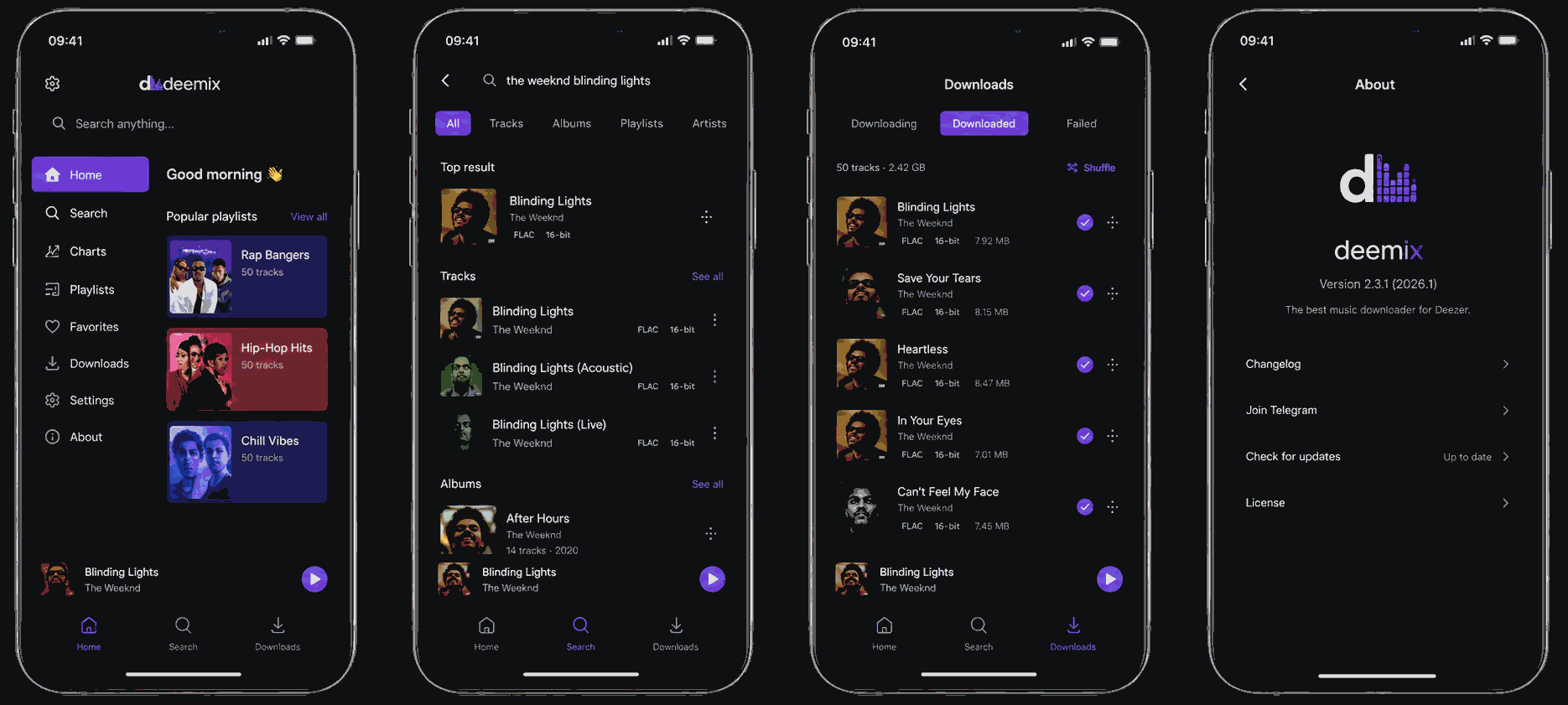
Among the open-source projects we tested, DeeMix remains one of the most frequently recommended options within the Deezer community. Unlike browser-based downloaders, it retrieves music directly from Deezer, allowing users to download albums and playlists while preserving metadata such as album artwork and track information.
During our testing, DeeMix handled playlist downloads reliably and supported both MP3 and FLAC output, making it one of the few free tools still capable of downloading high-quality Deezer music. However, getting started is considerably more complicated than with commercial desktop software. Users need to provide a valid Deezer authentication token (ARL), and future functionality depends heavily on community maintenance whenever Deezer updates its platform.
It's also worth noting that while DeeMix can be used on multiple platforms, there is no official iOS App Store version. Running it on iPhone generally requires sideloading or other unofficial installation methods, which are not recommended for most users.
🙆♀️Pros:
- Free and open-source
- Downloads music directly from Deezer's source
- Ensures FLAC and high-bitrate MP3 formats
- Allows full Deezer album and playlist downloads
🙅♀️Cons:
- Setup and feature behavior may vary by version or build.
- iOS installation is unofficial and requires workarounds
- Setup may be complex for non-technical users
- No customer support or built-in troubleshooting
✨Recommended: 4.2/5
Things to Check Before Using Any Deezer Music Downloader
Before choosing a Deezer music downloader, remember that not all tools deliver the same results. Beyond supported formats and download speed, factors like audio source, account safety, and long-term stability can make a significant difference in everyday use.
- Not every "HiFi" or "FLAC" download is truly lossless. Some tools rely on recording or third-party sources, so the actual audio quality may not match what is advertised.
- Free tools usually come with trade-offs. Common limitations include download caps, lower output quality, ads, slower speeds, or more complicated setup.
- Only use trusted download sources. Avoid unofficial installers, suspicious browser extensions, or websites that request unnecessary permissions or personal information.
- Updates can break older downloaders. Some tools stop working after Deezer updates, so actively maintained software is generally a more reliable long-term choice.
Final Verdict: Which Deezer Downloader Should You Choose?
After testing these Deezer music downloaders across different platforms, we found that the best choice depends on your priorities. If you're looking for stable playlist downloads, HiFi/FLAC quality, and long-term offline storage, desktop software, especially TuneFab Deezer Music Converter, remains the most reliable option. They performed well in our testing, with the main differences being conversion speed, free-version limits, and additional features.
If you prefer free solutions, DeeMix is still a solid choice for experienced users, while Murglar works well for Android users who don't mind a bit of setup. Telegram bots can be convenient for downloading an occasional MP3 track, but they're less suitable for large libraries or lossless audio. As for online Deezer music downloaders, most have become increasingly unstable in our testing, making them better suited for temporary use rather than regular downloads.
FAQs About Downloading Music with Deezer Music Downloader
Is it legal to download Deezer music content?
Deezer music is protected by copyright law, even when accessed through downloaders. These tools are meant to help you enjoy your favorite music offline for personal use only. Using them to re-upload content, redistribute tracks, or monetize music may result in legal action or account suspension. To stay on the safe side, avoid using downloaded files for anything other than private listening.
Can I download Deezer songs without a Deezer account?
Probably not. Many Deezer downloaders require you to log in with a valid Deezer account - whether it's Free, Premium, or HiFi - to access content. Some tools only work with certain tiers (e.g. HiFi access for FLAC downloads). If you're not logged in or using an expired account, downloads may fail or be limited.
Will Deezer ban my account if I use a Deezer music downloader?
While rare, there is a potential risk if Deezer detects abnormal behavior. Repeatedly downloading a large number of songs in a short period may trigger security flags.
To prevent this, we recommend using a reliable Deezer downloader for Windows/Mac such as TuneFab and avoiding batch downloading a large library in one go.
Can Deezer Free users download music?
Yes, but free-account downloads may be limited by the tool, account access, and available source quality.
Is there a Deezer downloader extension for Chrome available?
No, unfortunately. Currently, there is no reliable Deezer downloader extension on the Chrome Web Store that consistently works. You may have heard of the Spotify Deezer Music Downloader extension, but it is only available on third-party sites, which poses security risks.