

Quick Verdict: Is NoteBurner Worth Trying?
For many Apple Music users, the need for a converter usually comes from a simple situation: you want to keep your music available offline, transfer it to other devices, or avoid being limited to the Apple Music app. That's where NoteBurner Apple Music Converter, referred to as NoteBurner iTunes Audio Converter on Windows, comes into play. Instead of just streaming, they promise to turn your playlists into local files you can keep and use more freely.
But before paying for any converter, you may want to know more than what's listed on the feature page, like what the software is actually like to use. In this review, we'll walk through our hands-on experience with NoteBurner's free version, including what we were able to test, what remains difficult to verify before purchasing, where the software feels strong or limited in real-world use, and if there is a better alternative to it.
100% Secure
100% Secure
For many Apple Music users, the need for a converter usually comes from a simple situation: you want to keep your music available offline, transfer it to other devices, or avoid being limited to the Apple Music app. That's where NoteBurner Apple Music Converter, referred to as NoteBurner iTunes Audio Converter on Windows, comes into play. Instead of just streaming, they promise to turn your playlists into local files you can keep and use more freely.
But before committing to any tool like this, what most people really want to know is not what it claims on paper, but how it actually feels to use. In this review, we'll focus on its real performance, including what you can and cannot test in the free version, where it works well, and where it starts to feel limiting. And if it doesn't quite match what you're looking for, we'll also walk you through a better alternative that offers a more straightforward experience.
- What You Can Actually Test in NoteBurner's Free Version
- How NoteBurner Apple Music Converter Works in Real Use
- What NoteBurner Does Well and Where It Falls Short
- Is NoteBurner Free? Can You Use It Safely and Legally?
- If NoteBurner Doesn't Fit Your Needs: A Better Alternative
- Final Verdict: Is NoteBurner Worth Trying in 2026?
What You Can Actually Test in NoteBurner's Free Version
Before diving into the step-by-step experience, it's important to understand what NoteBurner's free trial actually allows you to evaluate. Because the trial only exports the first 60 seconds of each track, some aspects of the software can be verified directly, while others remain difficult to assess without purchasing a license.
Test Environment
- Device: MacBook Air M2
- Operating System: macOS [exact version]
- NoteBurner Version: [exact version, tested on date]
What We Could and Couldn't Verify
| Verified During Testing | Not Fully Verifiable in the Free Trial |
| Adding Apple Music tracks and playlists to the conversion queue | Full-song conversion performance |
| Available output formats and adjustable output settings | Large playlist or long-session conversions |
| The overall conversion workflow and interface design | Real-world batch conversion efficiency |
| Exporting 60-second audio samples | Long-term stability across extensive music libraries |
| Metadata preservation, including song title, artist, album, and artwork | The complete paid-version experience |
How NoteBurner Apple Music Converter Works in Real Use
On paper, NoteBurner Apple Music Converter presents itself as a full-featured tool for converting Apple Music into common formats like MP3, AAC, FLAC, and WAV. It highlights flexible output settings, preserved audio quality, and fast conversion speed, along with additional tools such as CD burning and metadata editing. Compared to simpler converters, it positions itself as a more customizable solution if you want control over formats and parameters.
But beyond these feature highlights, what matters more is how the tool actually behaves during real use, especially in its free trial. Instead of focusing on instructions, the following walkthrough focuses on what we were able to observe directly in the free trial, including where the experience felt smooth and where the trial's limitations became noticeable.
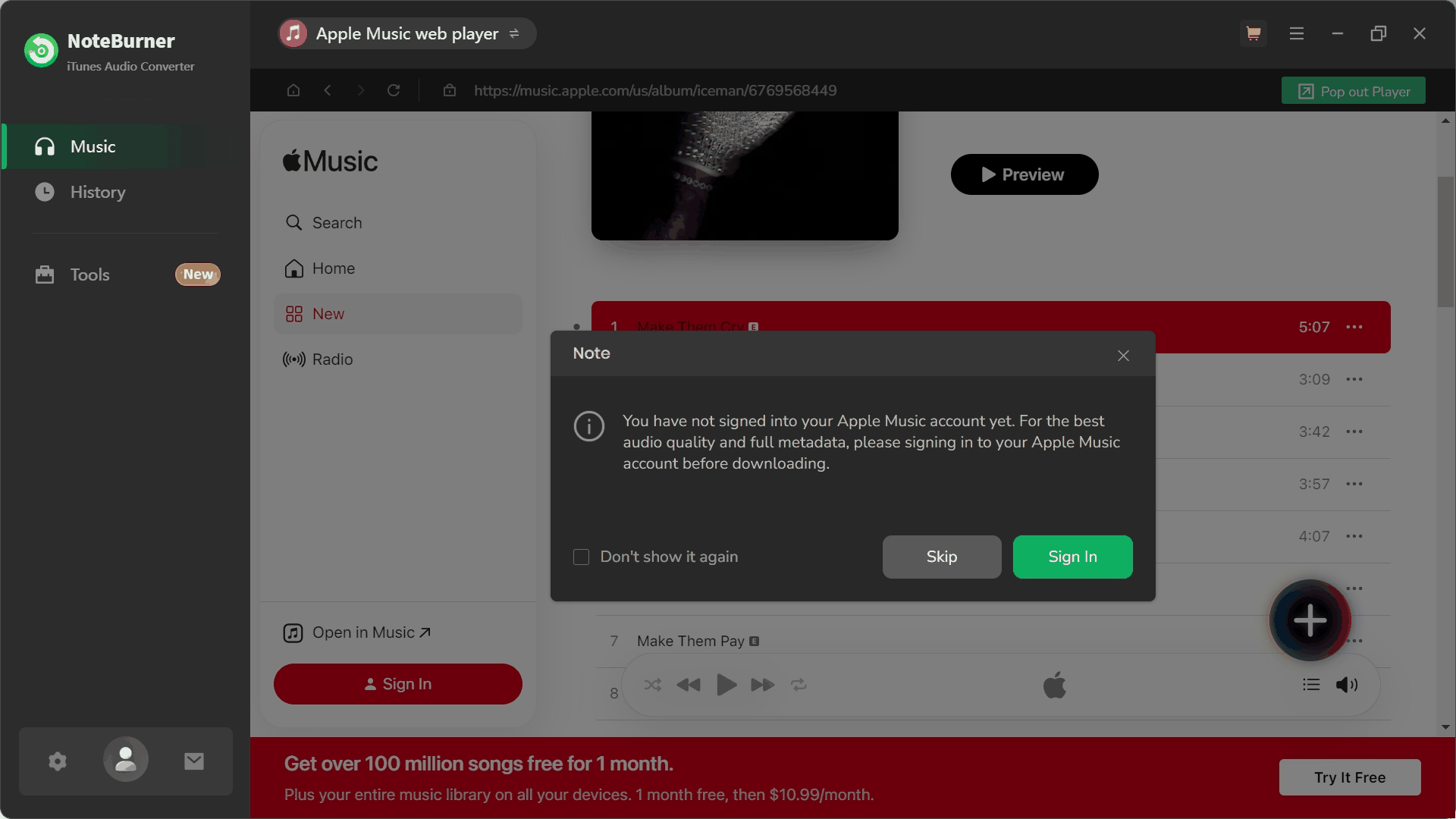
Step 1. You Can Add Tracks Without Logging In First
When we first launched NoteBurner, we were able to add songs to the conversion queue without logging into an Apple Music account. The software did display a prompt suggesting that signing in would provide a more stable experience, but it didn't strictly block access.
From a user perspective, this lowers the initial barrier — you can explore the interface and queue setup without committing right away. At the same time, the prompt also hints that skipping login may not deliver the most reliable workflow, leaving some uncertainty about how stable the process will be in longer sessions.
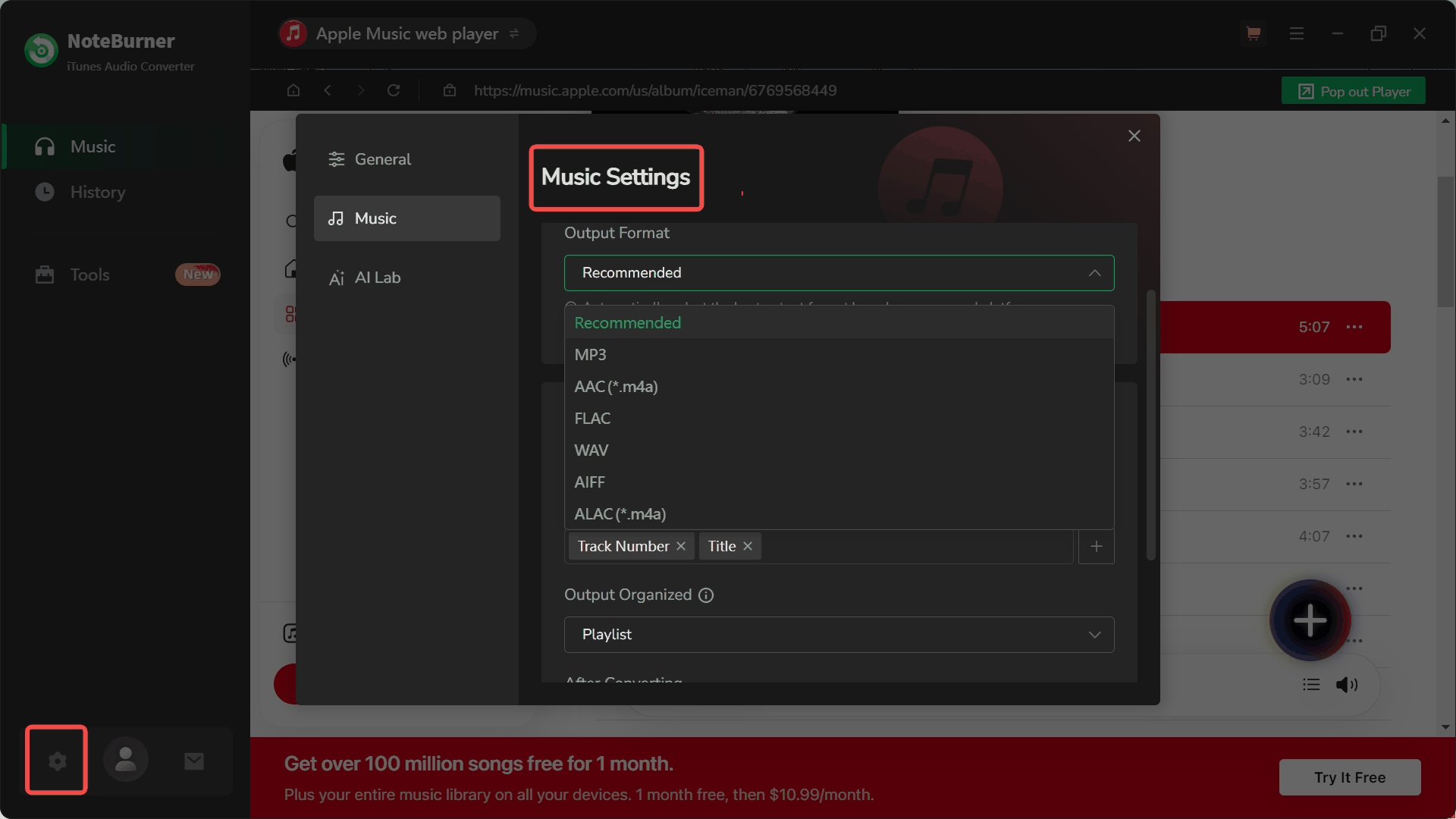
Step 2. The Conversion Queue Lets You Adjust Modes and Output Settings
Inside the conversion queue, NoteBurner provides multiple processing modes, including Record Mode, YouTube Mode, and Intelligent Mode. During our testing, output settings such as format and audio parameters remained visible and adjustable even in the free trial, which is not always the case with similar tools.
This level of transparency can be a plus for users who want to understand and fine-tune how their files are processed. However, it also adds a layer of complexity. For users who prefer a more direct "add and convert" workflow, the presence of multiple modes and settings may require a bit more time to get familiar with.
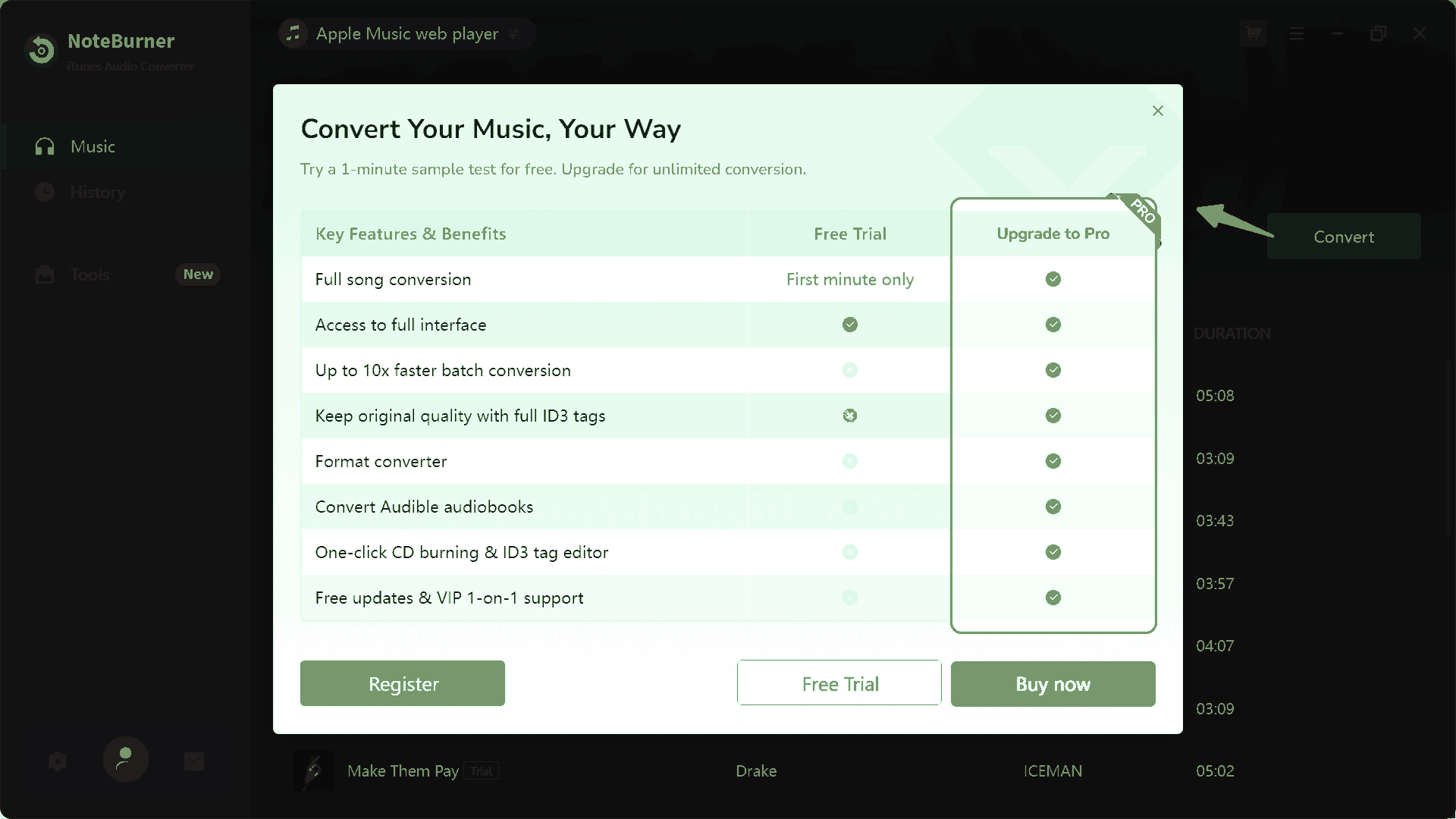
Step 3. The Purchase Prompt Appears Right Before Conversion
After setting everything up and clicking "Convert," a purchase prompt appears before the process continues. This doesn't prevent you from using the free trial, but it does interrupt the flow at a key moment.
In practice, this makes the trial feel more like a guided preview of the software rather than a fully smooth conversion experience. It allows users to understand the interface and logic, but also introduces a small amount of friction right when you expect the process to begin.
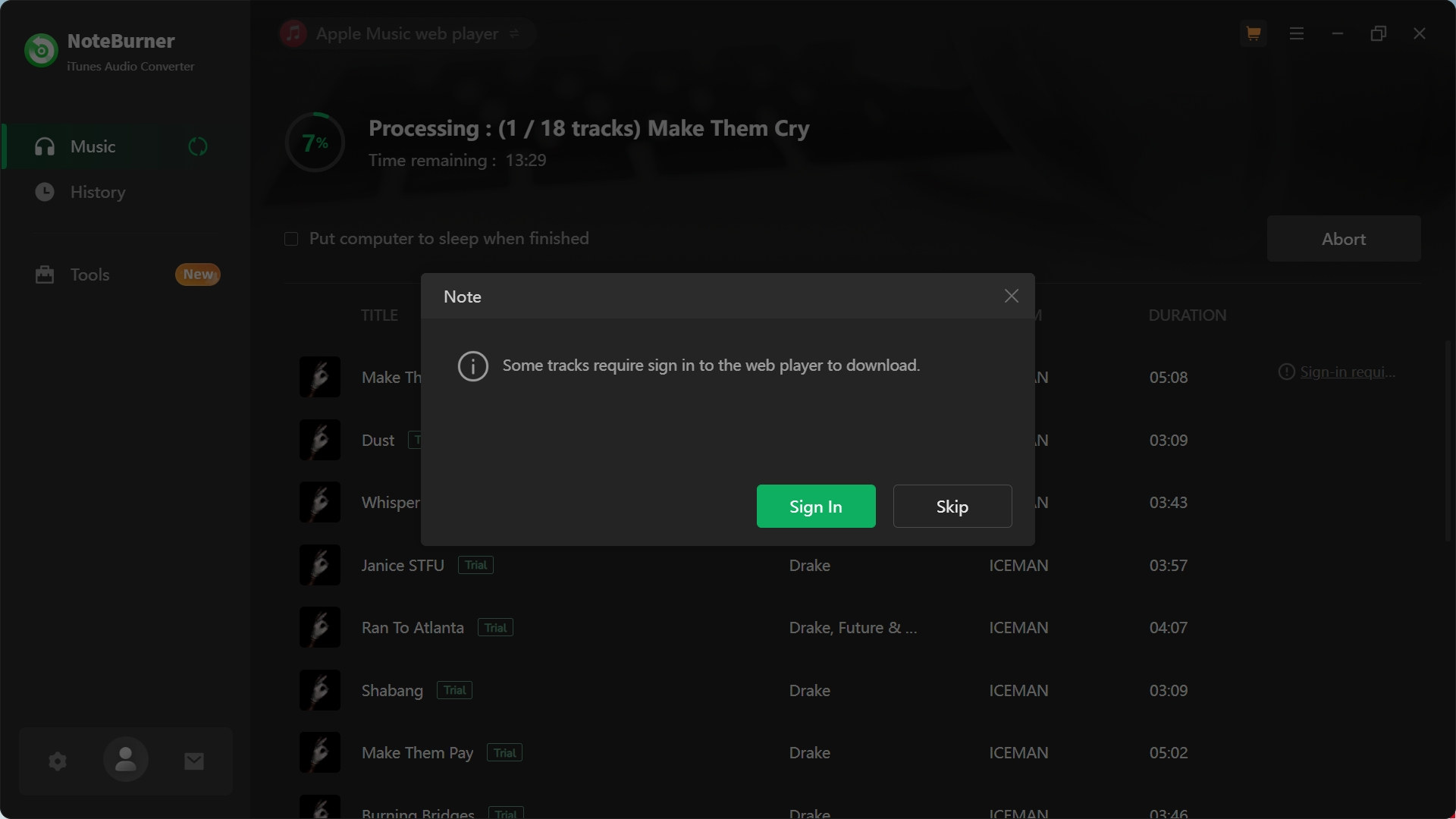
Step 4. A 60-Second Trial Export Took Nearly a Minute in Our Test
The free version of NoteBurner only exports the first 60 seconds of each track. In our test, converting that 60-second segment took close to a full minute to complete. While actual performance can vary depending on system conditions, network, and selected mode, this result didn't create a strong sense of efficiency during the trial.
More importantly, this limitation makes it difficult to evaluate the software beyond basic functionality. Because you can't process full tracks, it's harder to judge how the software handles longer files, batch conversions, or overall workflow efficiency in practice.
Step 5. ID3 Tags and 44.1 kHz Output Were Preserved Correctly
On the output side, the results were consistent with the selected settings. The exported file (MP3 format, 44.1 kHz) matched the configured parameters, and ID3 metadata — including track title, artist, and album artwork — was preserved correctly.
So while the free trial is restrictive, it still allows users to verify output settings, metadata handling, and basic conversion behavior before deciding whether to upgrade.
What NoteBurner Does Well and Where It Falls Short
After going through the actual workflow, a clearer picture starts to emerge. NoteBurner isn't a tool that fails to deliver. In fact, many of its core features work as expected. But at the same time, the overall experience reveals a few trade-offs that may affect how different users perceive its value. Instead of looking at features in isolation, it makes more sense to evaluate where the tool feels strong and where it may feel limiting in real use.
What Stands Out and What May Feel Limiting in Real Use
From a practical standpoint, NoteBurner Apple Music Converter comes across as a fairly mature and capable tool rather than an unfinished one. It covers most standard conversion needs and offers a level of control that some users will appreciate.
What stands out:
- Flexible output formats with visible settings, even in the free trial
- Consistent output quality, with ID3 metadata and audio parameters preserved correctly
- Additional built-in tools (like tag editing and CD burning) for more advanced use cases
- A feature-rich setup that suits users who prefer more control over the conversion process
Where it may feel limiting:
- The 60-second trial makes it hard to fully evaluate real performance before paying
- Multiple modes and layered settings can introduce extra learning time
- Purchase prompts and workflow interruptions add small but noticeable friction
- The overall experience may feel less direct compared to simpler, more streamlined tools
It's also worth noting that NoteBurner shares a very similar interface and conversion logic with Sidify, as both belong to the same software family. If you are familiar with either one, the experience here will likely feel consistent, including both its strengths and its limitations.
What Real Users Say: Positive Feedback and Common Concerns
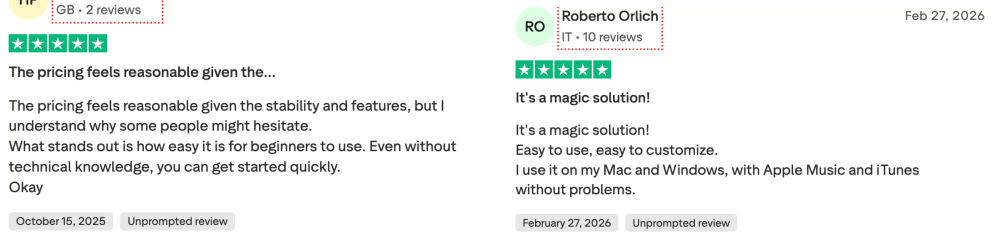
Based on public reviews on platforms such as Trustpilot and G2, users commonly mention that NoteBurner is easy to navigate, with a clean interface and a relatively straightforward setup process. Because the free trial only exports the first 60 seconds of each track, these reviews also provide useful context for aspects of the software that are difficult to fully assess before purchasing, such as playlist conversion and long-term stability.
What users appreciate:
- Simple and intuitive interface, even for beginners
- Stable performance for batch conversion and library management
- High output quality with preserved metadata
- Consistent results across different formats and long-term use
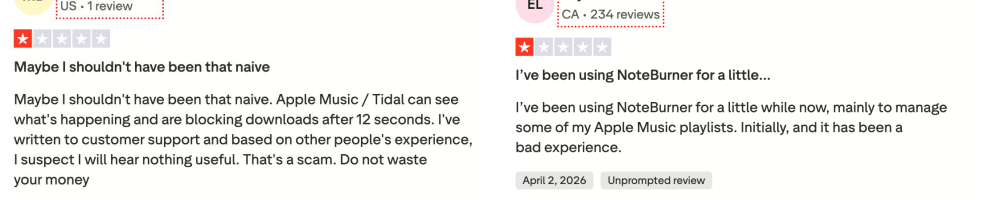
At the same time, some recurring concerns also come up in reviews, and they largely align with what we observed during testing.
Common concerns:
- The 60-second free trial is too limited to properly evaluate the tool
- Occasional issues with specific tracks or slower performance after updates
- Customer support is generally helpful, but response times can vary
- Some users mention minor workflow friction during setup or conversion
Overall, user feedback reinforces a balanced conclusion: NoteBurner appears to be a capable tool for many use cases, but its limitations, especially around the free trial and evaluation depth, can make it harder for users to feel fully confident before committing to a paid plan.
Is NoteBurner Free? Can You Use It Safely and Legally?
Before purchasing any Apple Music converter, you may want answers to 3 practical questions: How much can the free version actually do? Is the software safe to install? And are there any legal considerations to be aware of?
NoteBurner Pricing and Free Trial: What You Can Really Use
NoteBurner offers both a free trial and paid licenses, but the difference between them is more significant than it may first appear. While the free version provides access to the core workflow and settings, its 60-second export limit makes it better suited for evaluation than regular use.
Here's a simplified breakdown of its current pricing plans:
| Plan | Price | Billing | What You Get | Limitations |
| Free Trial | $0 | Free | • Full interface access • Adjustable settings • Add & process tracks |
⚠ First 60 seconds only ⚠ Purchase prompt before conversion ⚠ Not enough for full testing |
| 1-Year License | $44.95 | Subscription | • Full-length conversion • 1-year free updates • Batch conversion support • Windows & macOS |
⚠ Auto-renewal enabled ⚠ One device only |
| Lifetime License | $89.90 | One-time | • Unlimited conversion • Lifetime updates • No subscription • Full feature access |
⚠ Higher upfront cost ⚠ One device only |
As you can see, while NoteBurner's free version lets you explore the interface, adjust settings, and export 60-second samples, it remains too limited to fully assess full-track conversions, larger playlists, or long-term workflow performance before purchasing.
Is NoteBurner Safe and Legal to Use?
Based on our testing and publicly available user feedback, we did not encounter obvious security warnings, intrusive ads, or bundled software when installing NoteBurner from its official website, and most users report stable performance during normal use. As with any tool that involves account access, it's still recommended to use strong passwords and download only from trusted sources to avoid potential risks.
When it comes to legality, the situation is more nuanced. Tools like NoteBurner are designed to create local copies of streaming content, which may conflict with the terms of service of platforms such as Apple Music. In some regions, making personal backups may fall into a gray area, while redistributing or sharing converted files is typically not allowed. Ultimately, users are responsible for how they use such tools and should be aware of local regulations and platform policies before proceeding.
More Apple Music Converter Reviews:
HitPaw | TunesKit | ViWizard | UkeySoft | Sidify | DRmare | myFairTunes
If NoteBurner Doesn't Fit Your Needs: A Better Alternative
FFor many users, the biggest question isn't whether NoteBurner can convert Apple Music, but whether its free trial provides enough information to make a confident purchase decision. As our testing showed, the software allows you to explore its interface, settings, and output quality, but the 60-second export limit makes it difficult to fully assess full-track conversions, playlist handling, or long-term workflow efficiency.
If you'd prefer a trial experience that allows more extensive testing before upgrading, TuneFab Apple Music Converter is one alternative worth considering. Like NoteBurner, it supports multiple output formats and metadata preservation, but its trial version allows longer conversion tests, making it easier to evaluate the software's real-world performance before committing to a paid license.
TuneFab vs. NoteBurner: Which Is Better?
| Criteria | NoteBurner Free Trial | TuneFab Free Trial |
| Trial Conversion Limit | First 60 seconds of each track | Up to 3 minutes per track |
| Workflow | Multiple modes and settings | Built-in web player workflow |
| Apple Music Access | May require different modes depending on setup | Directly through the built-in web player |
| Output Formats Available | MP3, AAC, WAV, FLAC, AIFF, ALAC | MP3, M4A, WAV, FLAC |
| Output Settings | Adjustable | Adjustable |
| Metadata Preservation | Supported in testing | Supported |
| Suitable for Evaluating Full Tracks | Limited | More practical for longer test conversions |
Neither option is necessarily better for every user. If you prefer having more output formats and don't mind evaluating software from a limited trial, NoteBurner remains a reasonable choice. However, if your priority is to test longer tracks and gain a clearer understanding of the conversion workflow before purchasing, TuneFab may provide a more informative trial experience.
Final Verdict: Is NoteBurner Worth Trying in 2026?
Based on our testing, NoteBurner Apple Music Converter delivers the core functionality it promises and offers a wide range of output settings and format options. The software feels mature, and the free trial allows users to explore its interface, conversion workflow, and output results before purchasing.
The main weakness is the trial experience, as the free version only exports the first 60 seconds of each track, which makes it difficult to fully assess full-track conversions, playlist handling, or long-term workflow efficiency before upgrading. If you're comfortable evaluating software within those limits, NoteBurner remains a reasonable option to consider. Otherwise, comparing it with other Apple Music converters may help you make a more informed decision.
TuneFab Apple Music Converter
Try TuneFab to convert Apple Music to local files with a clearer trial experience.