

Soundloaders Spotify Downloader is a popular online tool for downloading Spotify songs without installing desktop software. While it's convenient for quick downloads, users may sometimes encounter problems such as unrecognized Spotify links, failed downloads, or playlist errors. In this guide, we'll summarize the most common issues, explain why Soundloaders isn't working, share the fixes worth trying, and introduce a reliable alternative if the problem persists.
Make Sure You're Using the Official Soundloaders Website
Before trying any troubleshooting steps, make sure you are visiting the correct Soundloaders website. Some older guides and bookmarked links may still point to soundloaders.com, but that domain no longer shows the Spotify downloader interface. If you land on an unrelated page instead of the Spotify download box, the problem is not your Spotify link — you are simply on the wrong site.
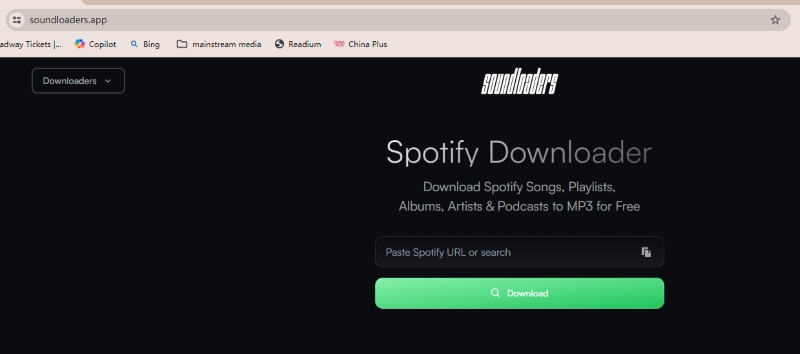
The current Soundloaders Spotify Downloader is available at soundloaders.app. If you have been using an old bookmark or following an outdated guide, open the current website first and then test your Spotify link again.
Common Soundloaders Spotify Downloader Problems
If Soundloaders isn't working as expected, the problem can appear in different ways depending on the situation. In this section, we'll cover some of the most common issues users may encounter.
1. Spotify Link Not Recognized
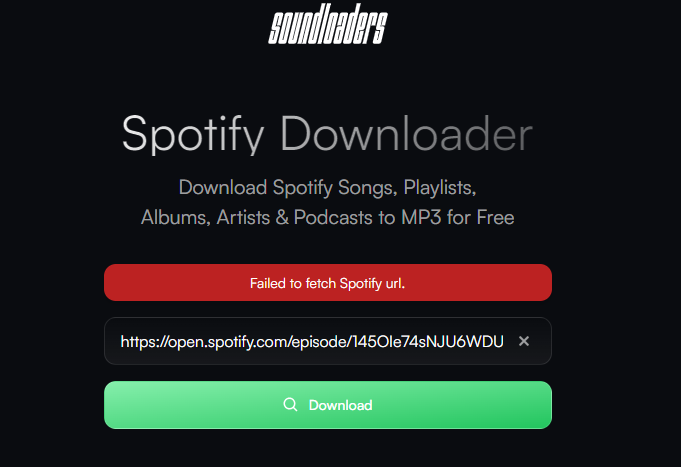
One of the most common issues is that Soundloaders fails to recognize a Spotify URL after you paste it into the search box. In our Soundloaders Spotify Downloader review, this issue occurred most often when we tried downloading Spotify podcasts, episodes, and shows. Although Soundloaders claims to support these content types, these links repeatedly failed to load and returned a "Failed to fetch the URL" error instead of generating a download page.
2. Downloads Won't Start or Get Stuck Loading
Another frequently reported issue is that Soundloaders accepts the Spotify link but the download process never actually starts. In our test, clicking the download button sometimes opens an ad page instead of starting the actual download. After closing the ad, the download does not continue, and clicking the button again often leads to the same behavior.
3. Wrong Song Gets Downloaded
Another possible issue is that the downloaded file does not fully match the Spotify track you pasted. The file name or title may look correct, but the actual audio could be a different version, remix, live recording, cover, or a mismatched track.
This usually happens when an online Spotify link downloader relies on track information to find a matching audio source instead of downloading the original Spotify stream directly. If the matching process is inaccurate, Soundloaders may return a file that looks similar on the surface but is not the exact track you expected.
4. Downloaded Songs Are Cut Off or Incomplete
Some users have reported on Reddit that the downloaded audio files are shorter than expected. A track that normally lasts several minutes may only play for around 1:35. This suggests that Soundloaders may sometimes fail to fully retrieve or process the complete audio stream during the download process.
5. Downloaded Songs Have Low Audio Quality
Soundloaders has received complaints about inconsistent audio quality, which was also observed during our testing. While the service claims to provide up to 320kbps bitrate when available, the actual output bitrate is often lower than expected in real use cases.
In many instances, downloaded files were found to be around 128kbps or even lower. While some tracks still sound acceptable, others show clear differences in audio fidelity depending on the source and conversion result.
Why These Problems Happen
Many Soundloaders problems are not caused by user mistakes. For a free online Spotify link downloader, the result depends on several unstable factors, including URL parsing, server response, supported content types, and how accurately the tool can match the Spotify link with a downloadable audio file.
👉 Spotify links are not always parsed correctly
Soundloaders needs to read the Spotify URL first before it can generate a download result. If the link is incomplete, unsupported, temporarily unavailable, or not properly recognized by the server, the downloader may return an error, keep loading, or fail to create a download page. This is why one Spotify song link may work while another playlist, podcast, episode, or show link may fail.
👉 The downloaded file may depend on matching accuracy
Online Spotify downloaders usually do not work like Spotify’s official offline download feature. Instead of giving users the original Spotify offline file, they may use the Spotify link to identify track information and then look for a matching downloadable audio source. When the match is not accurate enough, users may get the wrong version, a lower-quality file, or an incomplete track.
👉 Batch and non-song content are more likely to fail
Single-track downloads are usually easier for an online downloader to process. Playlists, albums, podcasts, episodes, and shows require more parsing steps and may involve content types that the tool does not consistently support in real use. If Soundloaders works for some songs but fails on playlists or podcasts, the issue is more likely related to tool limitations than to your browser.
👉 Temporary server or browser issues can still happen
Some failures are still temporary. A slow server response, cached browser session, ad redirect, unstable network, or browser extension conflict may stop the download button from working properly. These are the cases where basic troubleshooting is still worth trying.
Fixes Worth Trying Before Looking for an Alternative
Before assuming Soundloaders is completely broken, it's worth trying a few quick fixes. They won't solve every problem, especially feature limitations, but they can help eliminate browser glitches, network issues, and incorrect URLs.
Quick Troubleshooting Checklist
| Problem | Fixes worth trying |
| Link not recognized | • Copy the Spotify URL again directly from Spotify. • Try another supported browser (Chrome, Safari, Firefox, Edge, Opera, or Chromium-based browsers). • Refresh the page and try again. If the link is for Spotify podcasts, episodes, or shows, the problem isn't fixable because these content types aren't currently supported. Consider using a desktop downloader such as TuneFab Spotify Music Converter instead. |
| Loading forever | • Switch to a different Wi-Fi network or mobile hotspot. • Restart your router. • Refresh the page after reconnecting. • Wait a few minutes and try again if the service is temporarily overloaded. |
| Wrong song downloaded | • Check whether the song title or artist has multiple versions. • Try checking whether regional availability affects the result. A VPN may help in some cases where content availability differs by location. |
| Download button not working | • Disable ad blockers or privacy extensions temporarily. • Allow pop-ups for the site. • Open the page in Incognito/Private mode and try again. |
| Downloaded audio quality is lower than expected | • Try the 320 kbps or FLAC download option if the MP3 quality isn't satisfactory (However, during our testing, this option did not work reliably and sometimes redirected us to advertising pages instead.) • If you need reliable, consistent 320 kbps audio quality, use a dedicated desktop converter such as TuneFab Spotify Music Converter. |
Notes: These fixes are mainly aimed at resolving temporary or environment-related issues, such as browser conflicts or incomplete URL copying. If the same problem keeps happening repeatedly across different links or devices, it is likely related to the limitations of the tool itself rather than user error. In that case, continuing to retry the same steps may not improve the results, and switching to a more stable alternative may be more effective.
A Reliable Alternative When Soundloaders Isn't Working
If you have tried the fixes above but Soundloaders still fails to recognize links, starts the wrong download, returns incomplete files, or cannot handle playlists properly, the issue is probably not just a temporary browser problem. In that case, repeating the same troubleshooting steps may not improve the result.
For users who only download one song occasionally, Soundloaders may still be enough when it works. But if you need more stable Spotify downloads, batch processing, complete track duration, clearer metadata, and more predictable output quality, a desktop-based alternative will be more suitable.
TuneFab Spotify Music Converter can be used as a more stable alternative when Soundloaders Spotify Downloader is not working as expected. Instead of relying only on a browser link box, TuneFab provides a built-in Spotify web player, so you can search, browse, and process Spotify songs, albums, playlists, and podcasts directly inside the software. This makes it a better fit for users who keep running into failed links, playlist errors, incomplete downloads, or inconsistent output quality with online tools.
What Makes TuneFab Spotify Music Converter Different
- Built-in Spotify Web Player – Search, browse, and add Spotify songs, albums, playlists, and podcasts directly inside the software, instead of repeatedly copying links into an online box.
- Batch Download Support – Download multiple tracks or playlist items more efficiently, which is useful when Soundloaders fails on playlist or album links.
- More Predictable Output Quality – Save Spotify music as MP3, M4A, FLAC, or WAV, with adjustable audio settings such as bitrate and sample rate.
- Complete Track and Metadata Preservation – Keep full song duration, track title, artist, album, and cover information for easier offline organization.
- Works Without Spotify Premium – Use Spotify Free or Premium to process downloads. Logging in is optional, but it may improve access to your own playlists and library.
- Desktop-Based Stability – Avoid some common online-tool issues, such as link parsing failures, ad redirects, fake buttons, and repeated browser loading errors.
Final Thoughts
Soundloaders Spotify Downloader can still be useful for quick, occasional downloads, but its performance is not always consistent. Problems such as failed links, stuck downloads, incorrect songs, incomplete files, and unstable audio quality are often related to the limits of free online Spotify link downloaders.
If you only need to download a few songs occasionally, try the basic fixes in this guide first. However, if Soundloaders still does not work after troubleshooting, or if you often download playlists, albums, or podcasts, repeatedly retrying the same steps may not solve the problem.
In that case, switching to a desktop-based alternative such as TuneFab Spotify Music Converter can provide a more stable experience, especially for users who need batch downloading, full-length tracks, clearer metadata, and more predictable output quality.