
Many users assume that any audio converter can easily turn Audible audiobooks into MP3s. But in reality, it is not that simple. When choosing an AAX to MP3 converter, there are a few key factors to consider:
- Whether your AAX files come from Audible downloads;
- Whether they are still protected;
- Whether the tool requires an account login;
- Whether you want a quick one-off conversion or a long-term way to manage your Audible library.
To find practical solutions for real-world use, we tested several AAX file converters, focusing on conversion reliability, ease of use, output quality, and for whom each tool is best suited.
Reading Tip: This guide focuses on converting local AAX files to MP3. If you intend to download AAX from Audible to MP3 directly from your library, see our Best Audible Converter review.
Can You Convert Audible AAX to MP3 Online?
The answer depends on how the online converter processes your AAX files.
Most traditional online audio converters use a server-upload method. You need to upload your AAX files, wait for the conversion, and then download the MP3 output. These tools are convenient for quick conversions, but they often cannot process DRM-protected Audible files.
However, some browser-based local processing tools work differently. They run entirely in your browser using WebAssembly instead of uploading files to a remote server. This allows them to use your local Audible activation information, if provided, to decrypt and convert DRM-protected AAX files.
How We Tested the AAX to MP3 Methods
For this review, we spent 7 days evaluating each AAX converter with comparable audiobook samples and the closest supported workflow for each tool.
- Test File: An 8-hour Audible audiobook (approx. 360 MB AAX file)
- Test Environment: Windows 11 PC with 500 Mbps wired connection
- Evaluation Factors: Conversion success rate, total time, output MP3 quality, chapter/metadata preservation, file size, ease of setup, and more.
Top 6 AAX to MP3 Converters Tested
Disclaimer: The methods and software tested below are strictly intended for creating personal offline backups of legally purchased audiobooks. Please make sure your conversion or backup workflow complies with your local copyright laws and platform Terms of Service.
Aconvert (Online)
✨Our Verdict: Online AAX to MP3 converter without installing any software. Suitable only for DRM-free or unprotected AAX files under 200MB. It cannot decrypt protected Audible AAX files.
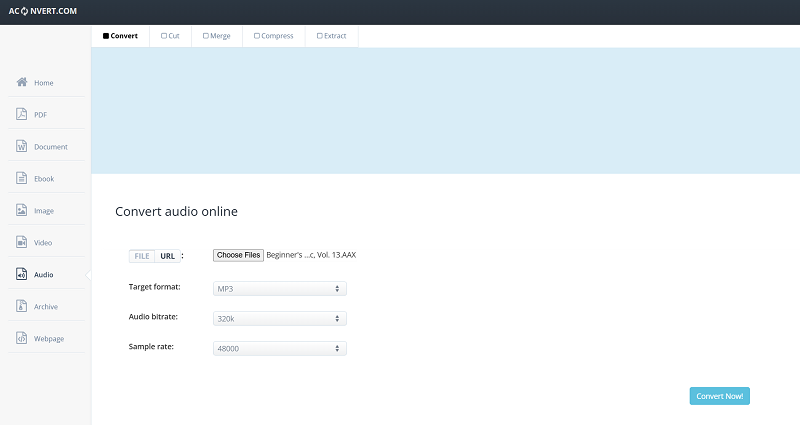
Aconvert is an online file conversion service that supports multiple formats, including AAX conversion for compatible files. You can upload a file from local storage, Google Drive, Dropbox, or URL, select MP3 as the output format, and complete the conversion directly in a browser. But it is not designed for protected Audible audiobooks.
In our testing, it successfully converted a 92-minute DRM-free AAX file to MP3 in about 7 minutes, but chapter markers were removed, and only partial metadata was retained. We also noticed that this online free AAX to MP3 converter used compressed MP3 output by default. If you want to handle DRM AAX files with high quality, it is advisable to look for reliable Audible AAX to MP3 converters.
👍 Pros:
- A free online AAX to MP3 converter with no installation required
- Offers customizable options for bitrate and sample rate
- Retains basic ID3 metadata in our test
👎 Cons:
- Cannot preserve chapter markers when converting AAX to MP3.
- Not designed for large audiobook collections.
- Doesn't support protected Audible AAX files.
- May get stuck at 99% sometimes, delivering a low success rate.
💰Price: Free
Audible-tools.kamsker.at (Online)
✨Our Verdict: Best for users looking for an AAX to MP3 converter online workflow that processes downloaded AAX files locally in the browser.
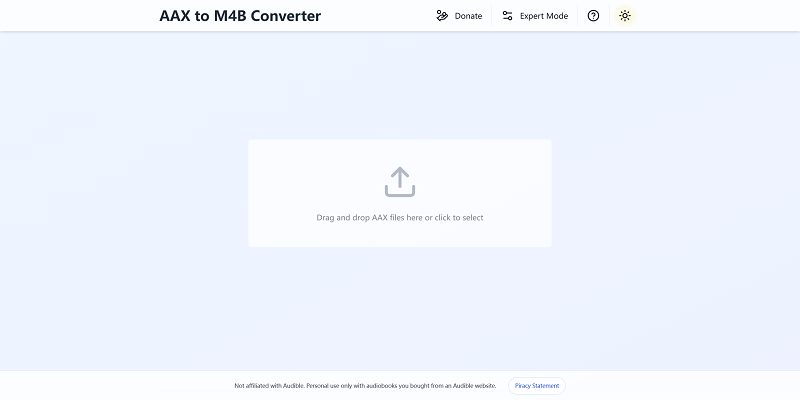
audible-tools.kamsker.at is an online conversion tool that runs within your browser, but differs from typical web-based tools that require server uploads. All decryption and conversion tasks are processed locally on your device, meaning your AAX files are never sent to any external servers. This makes it one of the few online solutions capable of handling DRM-protected AAX files.
Note that this tool only accepts AAX files downloaded directly from Audible accounts. To convert, just drag and drop your file onto the webpage, choose an output format, and click "Convert" to get your MP3 file. As for the downside, it doesn't support chapter splitting and imposes a strict 900 MB file size limit, which may be limiting for very large audiobooks.
Additionally, we also found that performance depends heavily on your browser. The converter worked reliably in Chrome and Firefox, but we were unable to load the website at all in Microsoft Edge.
👍 Pros:
- Free online AAX to MP3 converter with no software installation required.
- Handles downloaded Audible audiobooks.
- Converts AAX files to MP3, M4B, and FLAC.
- Beginner-friendly interface.
👎 Cons:
- Customizable quality options require Activation Bytes.
- No built-in chapter splitter.
- Includes a file size limit, making it more suitable for smaller AAX files.
💰Price: Free
AAX Audio Converter (Windows Only)
✨Our Verdict: Best for Windows users who are looking for a free AAX to MP3 converter for Windows with chapter support and fast speed.
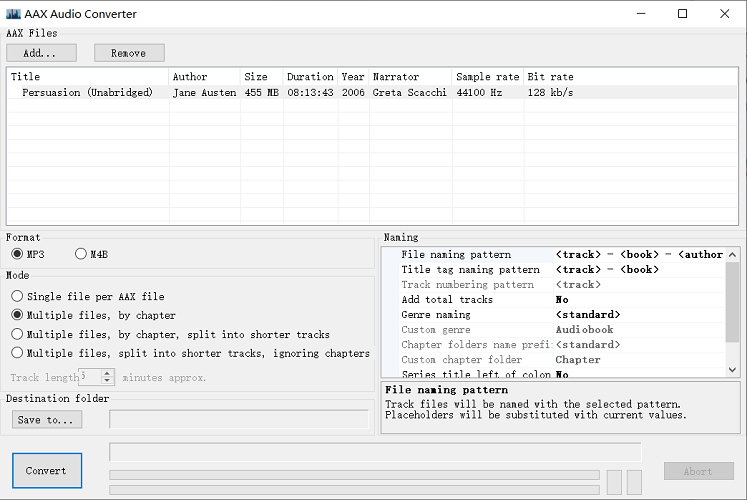
AAX Audio Converter is an open-source Windows tool designed to convert Audible AAX and AA files to MP3 for free. To process downloaded Audible files, you will need to work with Book Lib Connect, the old Audible Manager, or provide your known personal activation code. Additionally, FFmpeg is required as well to handle Audible DRM and audio processing.
During testing, this free AAX to MP3 converter performed very quickly; an 8+ hour Audible AAX file was processed in about 40 seconds, which was among the fastest results in our comparison. The output retained chapter markers and most metadata. However, the output file was saved in 128kbps quality only. Also, its interface felt dated, and the initial setup was more complicated, so this converter is not suitable for non-tech-savvy users.
👍 Pros:
- No cost and highly customizable.
- Supports converting Audible AAX/AA audiobooks to MP3, M4B, or M4A.
- Offers chapter-based or length-based splitting.
- Preserves audiobook details.
👎 Cons:
- Initial Activation Bytes setup can be difficult for beginners.
- Lacks support for non-Windows systems.
- Requires installation of .Net 6 Runtime x64.
💰Price: Free
TuneFab Audible Converter (Windows/Mac)
✨Our Verdict: Best for users who want a hassle-free, reliable Audible AAX to MP3 converter on PC/Mac and are willing to pay for convenience.
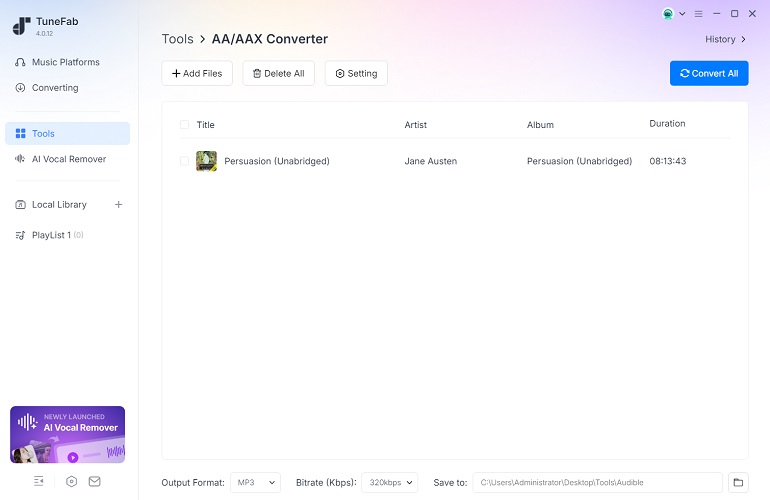
TuneFab Audible Converter is a desktop audiobook conversion program designed for Windows and Mac users. It supports two common workflows: importing locally stored AA/AAX files or signing in through its built-in Audible web player to access your own library. Without the need for manual activation bytes, its setup is more straightforward for most users. To batch convert your Audible AAX audiobooks to MP3, all you need to do is click the "Add Files" button and then import files.
In our test, an 8-hour Audible audiobook was exported to MP3 in about 10 minutes using the default settings. Output was a single MP3 file at 320kbps with chapter markers, metadata, and cover art preserved. However, it is not a fully free AAX to MP3 converter, so you have to pay for the full features.
👍 Pros:
- Beginner-friendly desktop interface.
- Converts Audible AA/AAX to MP3, M4A, FLAC, WAV, and AIFF.
- Splits audiobooks by time, chapter, and segments.
- Batch conversion for multiple audiobooks.
- No manual activation bytes required.
👎 Cons:
- Allows only 2 complete AAX to MP3 conversions for free.
- Paid license required for unrestricted use.
💰Price: $25.95/monthly, $55.95/year, $69.95/lifetime. (It also offers a 10% off discount with code: TFWELCOME)
Learn more: TuneFab Audible Converter Review: Friendly and Really Fast
AAXtoMP3 (Windows/Mac/Linux)
✨Our Verdict: A free and open-source desktop Audible to MP3 converter for technical users who are comfortable with command lines.
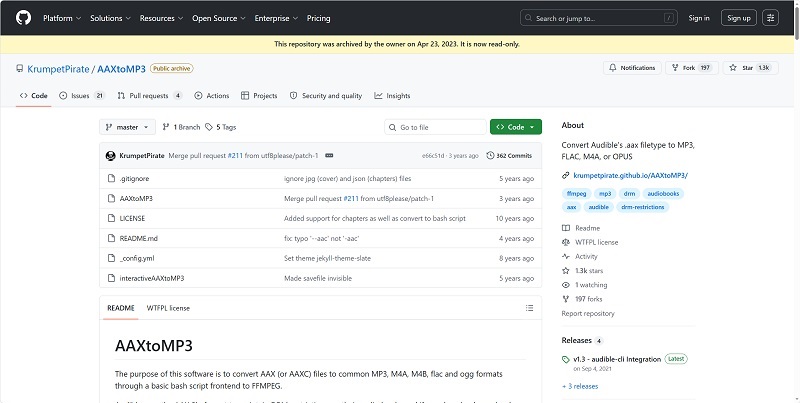
AAXtoMP3 is an open-source Bash script hosted on GitHub, designed to convert Audible AAX (and AAXC) files into MP3 and other DRM-free formats. Rather than offering a graphical user interface, this free AAX to MP3 converter relies on the command-line interface alongside FFmpeg and your specific activation bytes to process downloaded AAX files.
However, we have to admit that setting up AAXtoMP3 is quite complex, as it involves Bash, FFmpeg, the libmp3lame encoder, and standard GNU utilities. If you are comfortable with command-line tools, this is a free AAX conversion tool for users who understand activation bytes and command-line setup. Otherwise, you may find yourself stuck before you even complete the initial setup.
👍 Pros:
- Free AAX audiobook converter for Windows, Mac, and Linux.
- Supports several DRM-free formats, including MP3, M4A, M4B, FLAC, and OGG.
- Retains expected audio quality, basic audiobook info, and chapter markers in testing.
👎 Cons:
- Requires complex manual setup and FFmpeg configuration.
- Audible activation code needed for protected AAX files.
- No graphical interface.
- Lacks regular maintenance.
💰Price: Free
AAX Converter Pro (Windows Only)
✨Our Verdict: A straightforward tool for AAX to MP3 conversion only on Windows laptops.
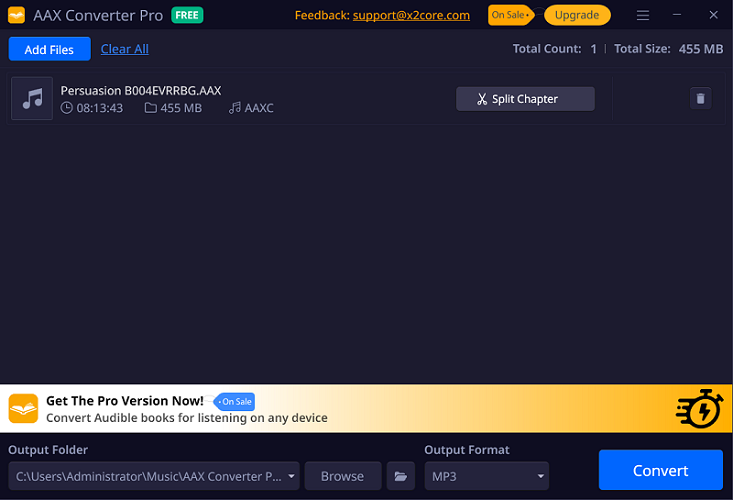
AAX Converter Pro is an AAX to MP3 converter available directly from the Microsoft Store. It features a simple drag-and-drop interface and does not require you to log in with your Audible credentials. You can quickly convert downloaded Audible AAX files to MP3 on Windows without complex setups or command-line operations.
In our testing, AAX Converter Pro produced playable MP3 files while preserving metadata like titles, authors, and cover art, ensuring an organized audiobook library. However, we also found that its free version comes with strict limitations: you can convert only two files, and each output file is limited to 3 minutes. Since most Audible AAX audiobooks are far longer than this limit, we couldn't fully evaluate the conversion capabilities.
👍 Pros:
- Simple drag-and-drop interface
- No Audible account login required
- Available on Microsoft Store
- Split AAX content into chapters (pro version)
👎 Cons:
- Free version severely limited (2 files, 3 minutes each)
- Slower than alternatives (3-min audio took ~2 minutes)
- Can be unstable, with conversion errors reported.
💰Price: $29.99/year, $39.99/lifetime
AAX to MP3 Comparison: Which Method Fits Your File?
The following table summarizes our test results for each method. You can compare them and choose the best AAX to MP3 converter that suits your needs.
| Feature | Aconvert | Audible-tools.kamsker.at | AAX Audio Converter | TuneFab Audible Converter | AAXtoMP3 | AAX Converter Pro |
| Platform | Online | Online | Windows | Windows, Mac | Windows, Mac, Linux | Windows |
| Works with Protected AAX? | ❌ | ✔ | ✔ | ✔ | ✔ | ✔ |
| Direct Local AAX Import? | ✔ | ✔ | ✔ | ✔ | ✔ | ✔ |
| No Login Required? | ✔ | ✔ | ❌ | Optional | ✔ | ✔ |
| No Activation Bytes Needed? | ✔ | Optional | ❌ | ✔ | ❌ | ✔ |
| Metadata Preserved? | Basic | Basic | Full | Full | Basic | Full |
| Chapter Splitting | ❌ | ❌ | ✔ | ✔ | ✔ | ✔ |
| Max File Limit | 200MB | 900MB | None | None | None | None |
| Free limit | Fully free | Fully free | Fully free | 2 full books | Fully free | 2 files, 3 min each |
What Are Audible Activation Bytes?
Activation Bytes are an 8-digit code that serves as a device-specific authorization key for Audible's DRM protection. When you download an AAX audiobook from your Audible account, it is linked to both your account and the device used to download it. Activation Bytes are the authorization key that allows compatible tools to process the protected AAX file.
When using certain AAX to MP3 converter tools, the converter may ask for your personal activation bytes. You have two common options:
Option 1. Visit AAX Checksum Resolver, and drag and drop your downloaded .aax file to the website. It will analyze and generate the activation bytes.
Option 2. Download your audiobooks with Book Lib Connect. Books downloaded with Book Lib Connect do not need a classic activation code. You can use any of the best AAX to MP3 converters mentioned before to convert AAX to MP3.
FAQs About AAX to MP3 Converters
Should I convert AAX to MP3 or M4B?
If you plan to listen on phones, car stereos, or MP3 players, MP3 offers the widest compatibility. However, if your playback app supports audiobooks, M4B is often the better choice because it can preserve chapter navigation and audiobook metadata more reliably.
Will chapters and cover art remain?
Based on our hands-on testing, most desktop Audible audiobook converters preserved basic metadata such as title, author, and cover artwork. For chapter preservation, M4B is usually a better option than MP3, so always check your converter's export settings before conversion.
Why does an online AAX converter fail?
If the online AAX converter fails to handle your file, it may be because:
- A poor internet connection is the most likely reason.
- The file is DRM-protected. Traditional server-upload online tools cannot decrypt Audible DRM.
- File size exceeds the upload limit.
Final Recommendation by Scenario
To sum up, each AAX to MP3 converter has its strengths and weaknesses, making them suitable for different scenarios. Here are our scenario-based recommendations:
- Choose Aconvert if your files are already DRM-free and you prefer not to install any software.
- Choose Audible-tools.kamsker.at if you need to convert protected AAX files under 900MB for occasional use.
- Choose AAX Audio Converter if you are a Windows user comfortable with configuring activation bytes and want full features for free.
- Choose TuneFab Audible Converter if you want a more convenient and stable desktop workflow with less manual configuration and a more streamlined conversion experience.
- Choose AAXtoMP3 if you are an advanced user who needs more control over batch processing and prefers a customizable conversion workflow.
- Choose AAX Converter Pro if you prefer downloading an Audible conversion tool from the official Microsoft Store.