
Although Audible supports offline listening, its downloaded files are primarily tied to the Audible app and compatible devices. To get true playback freedom, having the best Audible converter is still essential. But selecting a good tool is not just about MP3 or M4B output. You should also evaluate whether it allows login-free conversion, local AAX file import, one-click library backups, full chapter retention, and if its free version imposes limits like audio length caps or watermarks.
In this article, we tested six popular tools hands-on and compared their features across different workflows, helping you find the best Audible to MP3 converter that fits your needs.
💡 Tip: If you have downloaded .aax files and need manual solutions involving Activation Bytes and FFmpeg, head over to our dedicated guide: Best Ways to Convert AAX to MP3.
How We Tested the Audible Converters
Disclaimer: Audible audiobooks are protected by copyright and subject to Audible's Terms of Use. If you choose to export or convert audiobooks for personal backup purposes using third-party software, please ensure your actions comply with local copyright laws and platform terms.
To identify the best Audible converter in 2026, we evaluated each tool under the same conditions, using identical audiobook samples, output settings, and evaluation criteria.
Test Setup
- Test Environment: Windows 11 PC (64-bit) with a stable 500 Mbps wired network.
- Test Account: Active Audible Free Trial account.
- Book Samples Selected:
- Short Book: Beginner's Mind (1 hr 32 mins)
- Long Multi-Chapter Book: Persuasion (8 hrs 13 mins)
- Output Formats Tested: MP3 and M4B (for chapter preservation testing).
Evaluation Criteria
- Login & Import Method: Tested Audible account login option, built-in web player access, and local AA/AAX file import to evaluate the setup experience.
- Preservation Quality: Checked whether the full audio duration, chapter markers, cover art, and ID3 metadata remained intact after conversion.
- Conversion Time & Speed: Measured actual conversion times and compared the results with official marketing claims.
- Batch Processing: Evaluated how efficiently each converter handled multiple audiobooks in a single batch.
- Free Trial Limitations: Compared functional caps on free trials or open-source builds.
To ensure a fair comparison, every converter was subjected to the exact same workflow from installation to final audio output.
Audible Converter Test Results at a Glance
A good Audible converter should offer stable conversion speed, chapter preservation, complete metadata, and output quality close to the source file where possible. Before moving on to the details of the 6 tested Audible converters, you can use the comparison table below to quickly find the tool that fits your needs:
| Converter | Best For | Tested Time (1 hr 32 mins audiobook) | Workflow | Supported Formats | Audible Login Required? | Tag Retention | Chapter Split | Free Trial/Limitations |
| TuneFab Audible Converter | Fast Audible conversion with no crashing or interruption. | ~ 1 min 30s | Audible library sync; Local AAX import | MP3, M4A, FLAC, WAV and AIFF | Optional (Supports Direct Search & Drag-and-Drop) | ✔ Yes | ✔ Yes | Converts 2 full audiobooks for free |
| Epubor Audible Converter | Simple batch conversion for your Audible library | ~ 2 min 30s | Audible library sync; Local AAX import | MP3, M4B, and MP4 | Yes (Loads library via embedded authorization) | ✔ Yes | ✔ Yes | Converts 1 Audible content |
| Libation | Free, open-source library backup & archiving | 32s | Audible library sync | MP3, M4B | Yes (Requires account connection) | ✔ Yes | ✔ Yes | Fully free (Open-source) |
| OpenAudible | Large library organization, sync & export | ⚠ Trial accounts cannot convert files from Audible. | Audible library sync; Local AAX import | MP3, M4B | Yes (Requires Audible account sync) | ✔ Yes | ✔ Yes | Paid license required for Audible conversion |
| ViWizard Audible Converter | Immediate ID3 tags edition after conversion | ~ 40s (Only 30s in trial) | Audible library sync | MP3, M4B, M4A, FLAC, AIFF and WAV | Yes (Uses built-in Audible interface) | ✔ Yes | ✔ Yes | Converts first 30s of each file in trial |
| Any Audiobook Converter | Multi-language software interface for Audible conversion | ~ 40s (Only 1 min in trial) | Audible library sync; Local AAX import | MP3, M4A, M4B | Yes (Uses built-in Audible interface) | ✔ Yes | ✔ Yes | Converts first minute of each file in trial |
Note: Performance results are based on our real-world test environment. Conversion speeds may vary based on file length and hardware specs.
Best Audible Converters for Different Workflows
Now, check more details on the 6 best Audible converters and choose the most appropriate option to export your Audible books for more flexible personal playback on all devices!
TuneFab Audible Converter
Best for beginners who prefer an efficient, all-in-one Audible converter with stable performance.
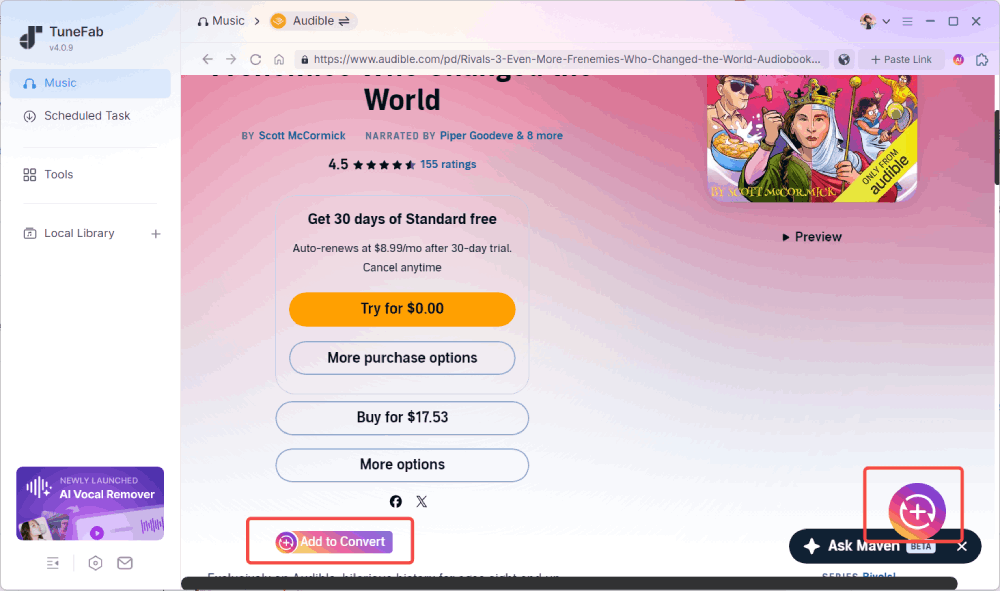
TuneFab Audible Converter is a reliable tool that can download and convert Audible AA/AAX audiobooks and podcasts on Windows and Mac. It integrates Audible library access directly into the software. After signing in with your Audible account, you can browse your library, select the titles you want to export, and convert them into common audio formats like MP3 without switching between multiple applications.
In our 2026 hands-on tests, TuneFab successfully processed the 90 min book in about 1 min 30s and the 8+ hour audiobook in 9 minutes with stable performance. Batch conversion completed consistently without crashes, while chapter markers, cover artwork, and metadata were retained correctly in the exported files. The actual conversion speed varied depending on hardware configuration and output format, but remained among the fastest desktop converters we evaluated.
Key Benefits:
- Supports multiple output formats, including MP3, M4A, FLAC, WAV, and AIFF.
- Preserved metadata and cover artwork during our tests.
- Built-in audiobook splitting by chapter, time, or custom segments.
- Includes embedded Audible website access for multiple regions.
- Outputs MP3/M4A files up to 320kbps.
Key Limitations:
- Only converts 2 full audiobooks for free.
- May require retries when processing long audiobooks.
- Has a relatively high starting price, making it less ideal for casual users.
Price: $25.95/monthly, $55.95/year, $69.95/lifetime. (You can also try its discount code for 10% off: TFWELCOME)
Learn more: TuneFab Audible Converter Review: Friendly and Really Fast
Epubor Audible Converter
Best for users who want a straightforward Audible conversion workflow.
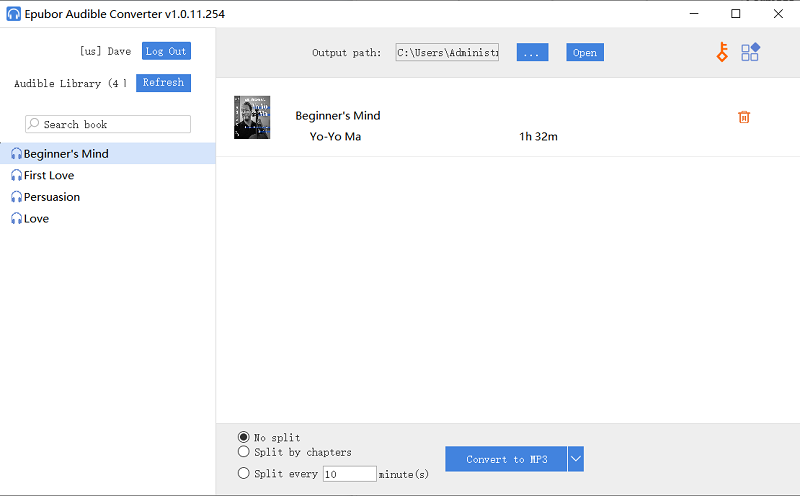
If your priority is converting purchased Audible books with as little configuration as possible, Epubor Audible Converter is a straightforward option. Compared with more feature-rich software, Epubor focuses on a simpler workflow. After logging in to your Audible account to sync your library or dragging and dropping downloaded AAX files, you can batch convert them into formats such as MP3 or M4B without navigating complex settings.
During our testing, Epubor completed conversions reliably for both short and long audiobooks. However, a 1 hr 32 min audiobook was completed in about 1 min 30s, which was far from its claimed 1000X speed. Additionally, this Audible to MP3 converter exported files at only 124kbps. If you are looking for a crystal-clear listening experience, it may not be ideal.
Key Benefits:
- Concise interface and easy operation
- Covers most basic Audible conversion needs.
- Preserve chapter information in M4B files.
- Supports conversion from locally imported AA and AAX files.
Key Limitations:
- Quality customization unavailable
- The splitting mode can only trim audiobooks by chapters
- The free trial supports only 1 Audible audiobook conversion.
- High starting price.
Price: $29.99/year, $39.99/5 years, $69.99/lifetime
Libation
Best for those who prefer a free Audible converter or look for high customization.
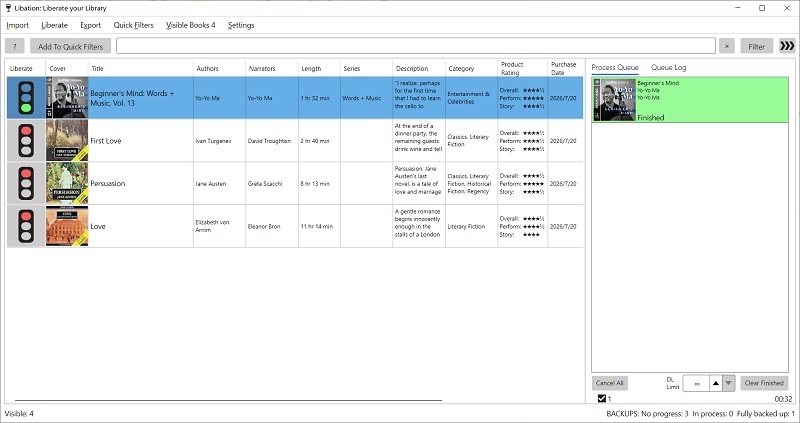
Libation is a cross-platform Audible converter available on GitHub. It is a popular choice for many users who want to convert Audible books to MP3 or M4B format for free. Once connected to an Audible account, it can organize purchased titles and handle DRM, letting you get protection-free Audible books saved offline for playing on all devices with any media player without limitations.
According to our testing results, Libation processed a 1 hr 32 min audiobook in 32s and preserved ID3 metadata, cover art, and full chapters. However, we found that the output files are only at 92kbps. Plus, its interface is functional but not as polished as paid options. It took some exploration to find all the settings.
Key Benefits
- Completely free to use
- Automatically syncs and downloads the entire Audible purchase history in a batch.
- Keeps full ID3 metadata and chapters for every converted audiobook
- Cross-platform support for Windows, Mac, and Linux
- Download companion PDFs when provided with eligible audiobooks.
Key Limitations
- Downloaded audio files may be large.
- The interface may take time to learn.
- Risk of account suspension
Price: Free
OpenAudible
Best for users managing a large Audible collection who need library organization, downloading, and conversion in one place.
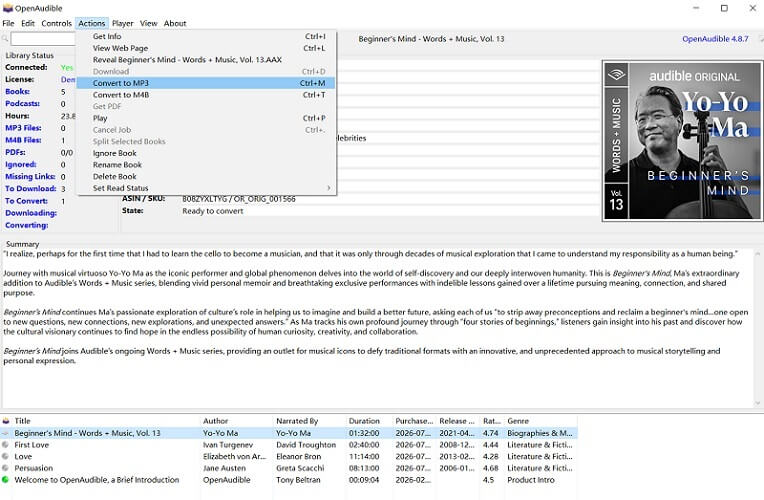
When you are looking for the best Audible converter, you may frequently see OpenAudible being mentioned in many recommendation lists. Beyond basic conversion, it is designed as a comprehensive Audible library manager that helps users download, organize, play, and back up large audiobook collections.
When synced with Audible, OpenAudible will display your entire library with rich cover art and metadata. You can download Audible audiobooks and then convert them to MP3 or M4B with ease.
Keep in mind that this tool is no longer a free Audible converter. While downloading and viewing your library is free, processing and converting files requires a licensed version.
Key Benefits:
- Automatic library synchronization
- Convert Audible audiobooks to MP3 or M4B.
- Supports Audible library management with multiple accounts.
- Allows users to split or merge book chapters.
- Exports detailed HTML or JSON summaries of your audiobook catalog.
Key Limitations:
- No Audible MP3/M4B conversion for free.
- Does not support 320kbps quality (up to 160kbps only).
- The complex interface may be too complex for casual users to start simple conversion tasks.
Price: $21.95/year, $79.95/lifetime
ViWizard Audible Converter
Best for users who want a simple Audible converter with built-in library access.
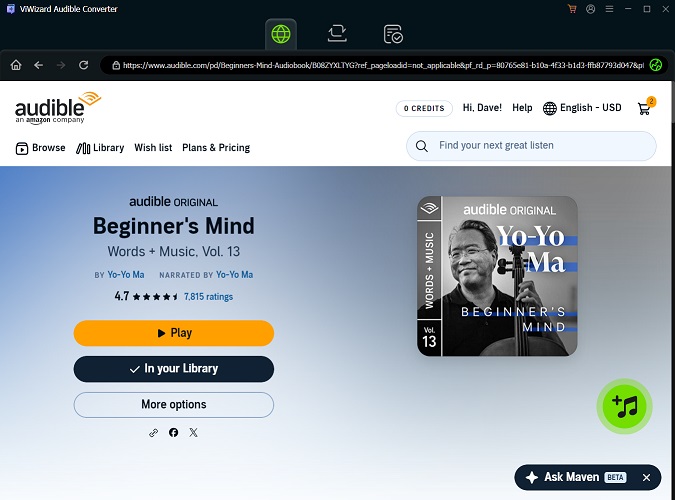
ViWizard Audible Converter is also an intuitive Audible converter suitable for easily converting Audible books to DRM-free formats. It has built-in Audible website access, enabling you to log in within the software and select books for MP3/M4B conversion. Then, you can easily edit the ID3 tags.
Based on our testing, ViWizard only exported the first 30 seconds of the audiobook. Although this prevented us from evaluating full-length conversion speed, the output file preserved chapter information, metadata, and audio quality settings of 320 kbps. We also experienced occasional unexplained crashes during testing. Restarting the software usually resolved the issue, but it affected the overall experience.
Key Benefits:
- Supports MP3, M4B, M4A, FLAC, AIFF and WAV output.
- Keeps ID3 tags and chapter markers intact.
- Allows users to customize some parameters.
- Straightforward and beginner-friendly UI.
Key Limitations:
- Free trial only converts the first 30 seconds of each file.
- Application crashes occurred during testing.
- A bit slower than some other converters
Price:
- Individual plan starting at $10.95/month, $62.95 for lifetime
- Family plan starting at $14.95/month
Any Audiobook Converter
Best for global users who prefer a built-in browser interface and multi-language software support.
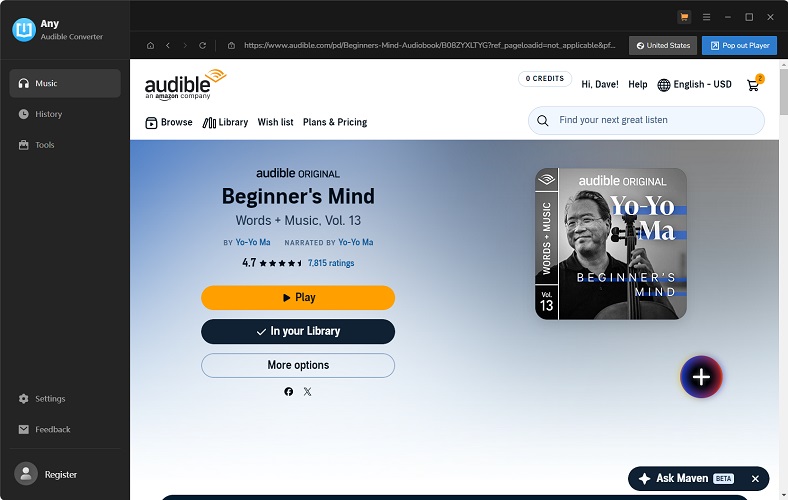
Any Audiobook Converter is a desktop Audible converter for Windows and Mac with built-in Audible website access. Once you have logged in to your Audible account, you can browse your library inside the software and then convert Audible AAX files to M4A, MP3, or M4B for personal offline playback. It is worth mentioning that this Audible converter supports 34 languages, making it easy to use for global users.
Compared with some competitors, however, it only retained basic ID3 tags and exported audio at 192kbps during testing. The free version was also heavily restricted, saving only the first minute of each audiobook during our tests, which limited our ability to fully evaluate long-book conversion performance.
Key Benefits
- Integration with Audible websites from most regions.
- Available in more than 30 interface languages.
- Easy for beginners to get started.
Key Limitations
- Very expensive starting subscription plan.
- Output bitrate is fixed at 192 kbps with no adjustable quality parameters.
- Only basic ID3 tag information can be retained.
- The free trial version only converts the first 1 minute of every audiobook file.
Price: $44.95/year, $79.95/lifetime
Final Verdict: Which Audible Converter Should You Choose?
After testing 6 popular tools across different workflows, one thing was clear: there is no single best Audible converter for everyone. The right choice depends on your actual needs. Below is a quick summary based on our test results:
- If you want the most convenient all-in-one paid solution, choose TuneFab Audible Converter.
- If you prefer a free open-source backup tool, then use Libation.
- For managing a large Audible collection, OpenAudible is worth considering.
- If you want to convert local AA/AAX files without signing in, TuneFab Audible Converter, Libation, and Any Audiobook Converter are reliable options.
- If you are looking for the best M4B listening experience, ViWizard Audible Converter may be ideal.
FAQs About Audible Converters
Is it safe to sign in to Audible through a converter?
It depends on the tool's authentication method:
Embedded browser login (used by TuneFab, Any Audiobook Converter, ViWizard Audible Converter): These tools load the official Audible website within their interface. Your credentials are sent directly to Audible's servers, not stored by the converter. This is the most secure method.
API or direct account sync (used by Libation, OpenAudible, Epubor): These tools connect to Audible's API using your credentials. The connection is encrypted, but you are still granting the software access to your Audible account.
Whichever method you choose, avoid unofficial builds or modified versions from third-party download sites, as they may present security or privacy risks.
Should I convert Audible books to MP3 or M4B?
M4B performs better for audiobook use cases, as it natively stores chapter markers and metadata.
MP3 is universally supported by all media players and devices, but it may lose segmented chapter navigation.
Will the Audible converters keep chapters and ID3 tags?
For many Audible converters, chapters, cover art, and ID3 tags can be preserved when converting Audible AAX to M4A or M4B. For MP3 outputs, chapter markers may be missing. Additionally, in our hands-on tests, we also found tools like Any Audiobook Converter retained fewer ID3 fields.