

If you are a big fan of using third-party tools to download Spotify music for offline listening, you may have come across HitPaw Spotify Music Converter. Over the past few years, it has been recommended as one of best Spotify downloaders on Reddit, Quora, Facebook groups, and software review websites. But is it still working in 2026? Why can't I find the Spotify conversion feature anymore? Is there a reliable alternative? In this HitPaw Spotify Music Converter review, we will explain everything.
HitPaw Spotify Music Converter Status 2026 Update: Is it Still Working?
Based on information gathered from multiple sources and our real-world testing, the answer depends heavily on your software version.
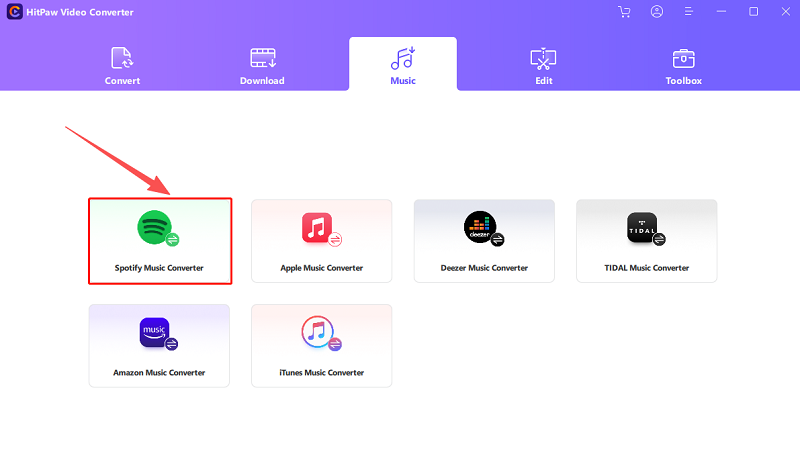
Some older versions may still show the Spotify Music Converter module in the Toolbox. However, availability can vary by software version, device, and Spotify compatibility, so we do not recommend relying on an old build without testing it first.
In the latest HitPaw Univd build we tested, we could not find a dedicated Spotify Music Converter module. However, HitPaw’s current public pages are inconsistent: some pages still advertise Spotify music conversion, while the latest Univd interface we tested did not provide the same dedicated Spotify workflow. If you want to use the software today to export playlists, albums, or individual tracks from Spotify, you will quickly realize that the HitPaw Spotify converter does not offer the same service as before.
Among the alternatives we tested, TuneFab Spotify Music Converter is one of the most reliable long-term solutions in 2026. It continues to support batch Spotify playlist downloads, MP3/FLAC conversion, and regular release for adapting to Spotify's ongoing changes.
Product Explanation: HitPaw Spotify Music Converter or HitPaw Univd
You might see other users mentioning two different HitPaw products to convert Spotify music to MP3: HitPaw Spotify Music Converter and HitPaw Univd. Actually, the Spotify converter tool was built as a specialized module within HitPaw Univd (Previously called HitPaw Video Converter).
You may also see different HitPaw pages when searching for "HitPaw Spotify Music Converter." One page still promotes Spotify conversion under HitPaw Univd, while another appears to be a general music-converter resource page rather than a dedicated Spotify product page:
https://www.hitpaw.net/products-shopping/video-converter-spotify.html
https://www.hitpaw.com/music-converter/
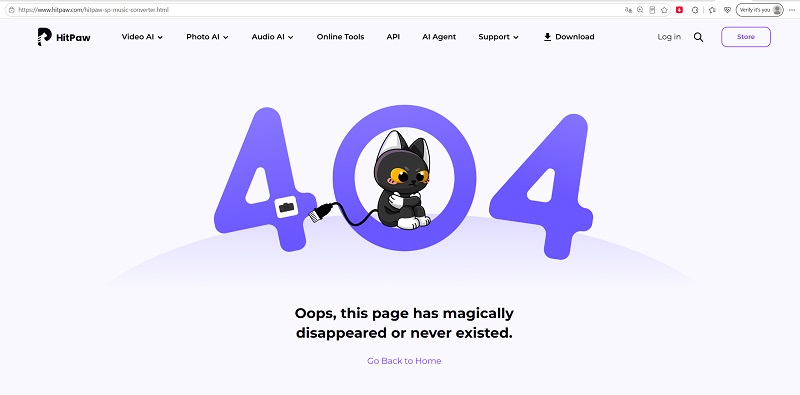
Meanwhile, the original product page for HitPaw Spotify Music Converter (https://www.hitpaw.com/hitpaw-sp-music-converter.html) now returns a 404 error and is no longer accessible.
To figure out the current situation, we downloaded the installation packages from both of the active pages mentioned above. Interestingly, both files ultimately delivered HitPaw Univd V5.0.2. Based on our testing, it appears that the remaining "HitPaw Spotify Music Converter" webpages now function as promotional landing pages that redirect users to HitPaw Univd.
Can HitPaw Univd Download Spotify Music?
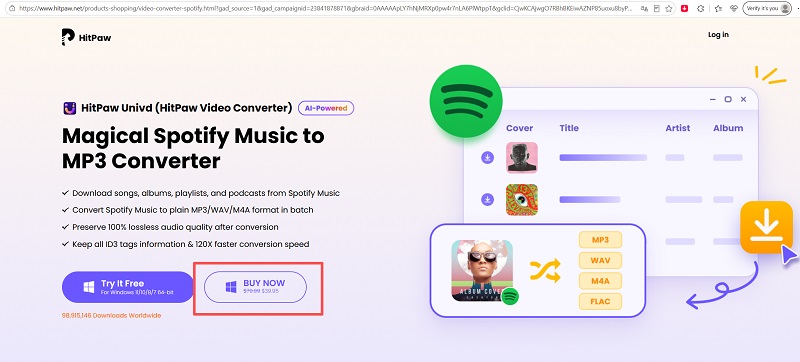
Not reliably, based on our latest test. In the current HitPaw Univd build we installed, we could not find the dedicated Spotify Music Converter module. At the same time, some HitPaw pages still promote Spotify conversion, so users should test the free version first before buying HitPaw Univd for Spotify downloading.
However, it is important to note that the page under the hitpaw.net domain still displays a purchase button to buy HitPaw Spotify Music Converter. Once proceeded, you will find you are trying to subscribe to HitPaw Video Converter's annual plan ($44.99). For this reason, we do not recommend purchasing HitPaw Univd solely for Spotify conversion unless you can confirm that the Spotify module is available and working in your installed version.
Full Testing Results of HitPaw Spotify Music Converter
When the Spotify download module was still active in HitPaw's older versions, our tech team conducted weeks of hands-on testing to evaluate its real-world performance. If the current version you use is not included, it is wise to consider an alternative to HitPaw.
User Experience
HitPaw Spotify Music Converter features a user-friendly interface for easy navigation. To use it, you must first install and log into the official Spotify app. You can then drag and drop Spotify songs, playlists, or albums into the converter, or alternatively, copy and paste their URLs. However, in our tests, using URLs may lead to a higher failure rate in music analysis if the software isn't well synced with Spotify. Additionally, running both software simultaneously may slow down your computer's performance unexpectedly.
Output Format & Sound Quality
HitPaw Spotify Music Converter claims to export Spotify music in MP3, M4A, and WAV formats, offering the original 128kbps, 256kbps, and even 320kbps. However, when comparing downloaded audio files with the Spotify Premium music source, there was a noticeable quality loss, rather than the claimed "original".
Download Speed
In our real-world testing, the batch conversion speed was typically around 3X - 4X faster than real time under a stable network connection. While it is acceptable, it was far from the "120X speed" advertised on the official website.
Free Trial Limitations
HitPaw provides a restricted free trial: only 2 conversion quotas are available, which only save 1/3 of the track. This trial offers almost no valid experience for users to test the complete output quality.
Pros and Cons of HitPaw Spotify Music Converter (Based on Our Tests)
| Pros | Cons |
| ● Clear interface for beginners to get started; ● Workable to download Spotify Music and convert to plain formats; ● ID3 saving for all downloaded Spotify songs; ● All-in-one software to convert local media files, iTunes Music, and DVD as well. |
● Extremely slow performance (completely not as how it claims); ● No reply from the support help; ● Too expensive and the trial is useless; ● Not refundable; ● There's no Spotify music conversion function for macOS. |
Why Did HitPaw Remove Spotify Music Converter?
HitPaw has never publicly explained why it discontinued Spotify music downloading. However, our investigation and hands-on testing suggest that this decision was likely driven by the following factors:
Spotify API Changes and DRM Updates
Streaming platforms constantly update their DRM protections and authentication mechanisms to prevent unauthorized downloads. This means third-party Spotify downloaders must be updated frequently to remain compatible, or they will simply fail to work. While some Spotify converters continue to release compatibility updates, we did not find the same clearly available Spotify conversion workflow in the latest HitPaw Univd build we tested.
A Shift in Product Strategy
Another likely reason is HitPaw's changing product focus. When HitPaw Video Converter V2.6.0 was released in 2022, Spotify Music Converter was promoted as one of its 5 remarkable features. However, in January 2025, HitPaw officially rebranded HitPaw Video Converter as HitPaw Univd, repositioning the software as an AI-powered, all-in-one multimedia toolkit.
Best Alternative: TuneFab Spotify Music Converter
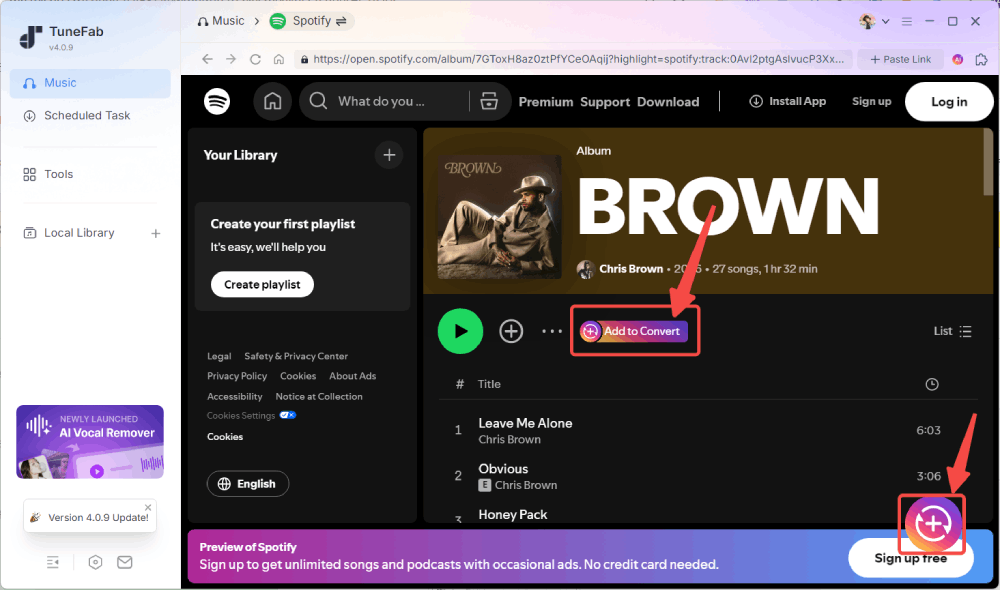
We tested 5 popular Spotify downloaders currently available on the market, evaluating them based on stability, download success rate, output quality, metadata preservation, batch downloading performance, and ease of use. Among the tools we tested, TuneFab Spotify Music Converter delivered the most consistent overall performance, working as a reliable alternative to HitPaw Spotify Music Converter.
What Can You Get From TuneFab Spotify Music Converter?
- Work with Spotify Free and Premium accounts.
- Provide a built-in Spotify web player to directly drag-and-drop all content to download, with no need for Spotify app installation.
- Convert Spotify music to MP3, AAC, FLAC, WAV, AIFF, and ALAC.
- Offer customizable quality options, up to 320kbps and 48kHz.
- Support up to 35X faster batch conversion speed under a stable network.
- Preserve ID3 tags like title, artist, cover art, and synced lyrics.
- Offer flexible archiving rules for output filenames and storing folders.
- Quickly adapt to Spotify changes with regular releases.
- Responsive customer support.
Quick Comparison: TuneFab Spotify Music Converter vs HitPaw Spotify Music Converter
We compared the two tools based on key features, combining our 2026 test data and historical user feedback. The comparison table below summarizes the differences.
| Feature | HitPaw Spotify Music Converter/HitPaw Univd | TuneFab Spotify Music Converter |
| Current Availability | ❌ Not clearly available | ✔ Actively maintained |
| No Need Spotify App | ❌ Required | ✔ Built-in Spotify web player |
| Conversion Speed | 3X - 4X tested, far from the claimed 120X faster | 20X - 25X average, close to the claimed 35X faster |
| Output Formats | MP3, M4A, WAV | MP3, M4A, WAV, FLAC, AIFF, and ALAC |
| Batch Processing | ✔ Support | ✔ Support large playlists |
| ID3 Tags | ✔ Preserved | ✔ Preserved |
| Security | ✔ No ads, malware, or viruses detected | ✔ No ads, malware, or viruses detected |
| Customer Support | ⚠️ Slow, unresponsive (User feedback) | ✔ Responsive |
| Spotify Update Response | ⚠️ Slow | ✔ Fast |
| Free Trial | 2 songs (first 1/3 of the track) | 3 full song downloads |
| Starting Price | $24.95/month (HitPaw Univd) | $25.95/month |
FAQs
What if you have purchased HitPaw Spotify Music Converter recently?
According to HitPaw’s Refund Policy, refund requests are generally considered within 30 days only under accepted circumstances, such as technical issues that cannot be resolved by support, duplicate purchases, or confirmed cancellation-related billing errors. Requests may be denied if they exceed the 30-day period, are based on a change of mind, or involve an automatic renewal that was not canceled before the renewal date.
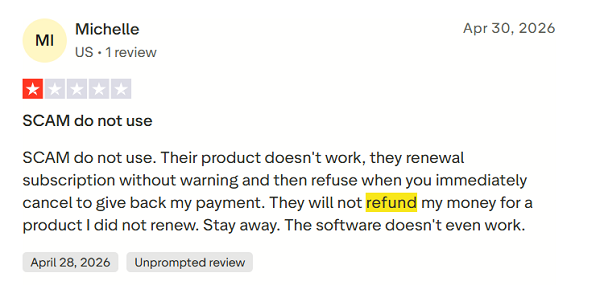
It is also worth noting that many users on Trustpilot and other review platforms have reported delayed responses from customer support and difficulties during the refund process. If you need to request a refund, be prepared for potential delays and keep copies of all your communications.
How to choose a HitPaw Spotify Music Converter alternative?
To find the best alternative to HitPaw Spotify Music Converter, we have compared popular Spotify converters, including TuneFab, DRmare, Sidify, and DumpMedia.
When comparing Spotify downloaders, we consider more than just download speed and price. A reliable alternative should also roll out frequent updates, support the latest Spotify changes, preserve audio quality and metadata, offer multiple output formats, and provide stable batch downloading. If you don't want to install extra software, online Spotify to MP3 converters are also worth considering.
Conclusion
Although the former HitPaw Spotify Music Converter provided a similar downloading experience, it is no longer available for new users in 2026. For those looking to continue downloading Spotify songs, playlists, albums, or podcasts to MP3 with high quality, TuneFab Spotify Music Converter can be a reliable alternative for long term use. Instead of relying on an outdated Spotify downloading module, the software is regularly updated to maintain compatibility with Spotify's latest platform changes, helping users enjoy a more stable downloading experience over time.